
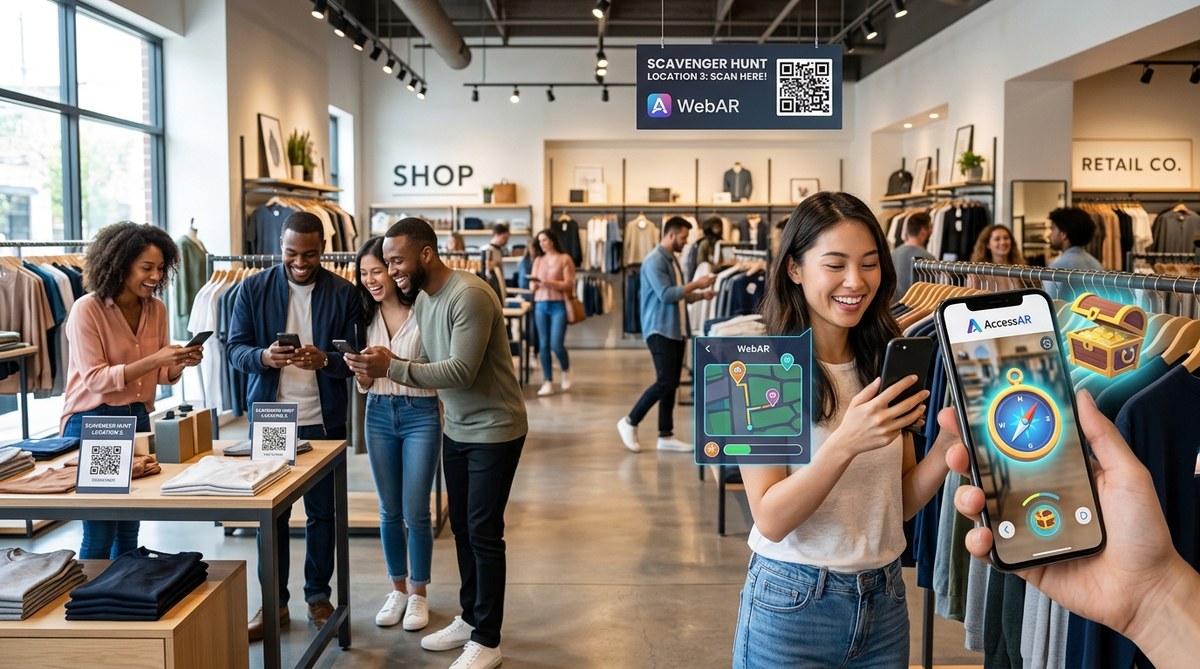
Picture this: a Saturday afternoon at your mall. The food court has a line, but the retail corridors feel quiet. Shoppers are scrolling on their phones instead of walking through your doors. You need a reason for them to come inside, touch the product, and buy.
The answer is an augmented reality scavenger hunt retail campaign. It turns a phone screen into a game board, and your store becomes the prize location. Shoppers unlock virtual clues, hunt for digital objects, and earn rewards when they walk through your entrance. In 2026, this is not a futuristic gimmick. It is a proven tactic that has helped chains triple their foot traffic during promotional windows.
An augmented reality scavenger hunt retail campaign works because it combines the convenience of mobile gaming with the urgency of physical rewards. Shoppers scan QR codes, find virtual items in your aisles, and redeem prizes at checkout. The result is a measurable lift in foot traffic, dwell time, and conversion rates. This guide shows you exactly how to build one.
Why AR Scavenger Hunts Work for Retail in 2026
Retail foot traffic has been a stubborn problem for years. Online shopping is convenient, but it lacks the sensory experience of a store. An augmented reality scavenger hunt retail strategy bridges that gap. It gives customers a reason to leave the house and a game to play once they arrive.
The mechanics are simple. A shopper opens a web page or an app. They see a 3D object or a clue overlaid on their camera feed. To find the next clue, they must walk to a specific area in your store. This movement creates dwell time. More time in the aisles means more chances for impulse buys.
Retailers who have run these campaigns report average increases of 200 to 300 percent in foot traffic during the event window. The numbers come from real case studies, not hype.
The Core Mechanics of a Retail AR Scavenger Hunt
Before you build, you need to understand the parts that make the game work.
- WebAR or app based: Most campaigns use WebAR because it requires no download. Shoppers scan a QR code and the experience loads in their browser. This lowers the barrier to entry.
- Location triggers: GPS or visual markers tell the AR system where the shopper is. When they reach a designated spot, a new clue or virtual item appears.
- Reward system: The final clue leads to a prize. It could be a discount code, a free item, or entry into a sweepstakes.
- Shareability: Players can snap a photo or video of the AR object and post it to social media. This turns each participant into a promoter.
Step by Step: How to Build Your Campaign
Building an augmented reality scavenger hunt retail campaign does not require a team of developers. Many no-code platforms let you assemble the experience in days. Here is the process.
-
Define your goal and prize: What action do you want shoppers to take? Is it visiting a new store location, trying a product, or attending an event? Choose a prize that matches the effort. A 20 percent off coupon works. A free coffee or sample item works even better because it feels immediate.
-
Map the physical route: Walk through your store or mall and pick 4 to 6 stopping points. Each point should be near a high margin product or a new display. The AR clue at each stop should relate to something the shopper can see or touch in the real world.
-
Select your AR platform: Use a no-code WebAR builder like AccessAR, ZapWorks, or 8th Wall. These tools let you upload 3D models, set location triggers, and publish a link. If you are new to AR creation, check out our guide to 7 No-Code WebAR Platforms That Let You Build AR Experiences in Minutes.
-
Create the digital assets: Design 3D objects or 2D images that fit your brand. A holiday campaign might use a virtual snowflake or a wrapped gift. A back to school event could feature a floating backpack. Keep the file sizes small so the experience loads fast on 4G networks.
-
Set up the QR code trail: Print QR codes for each clue location. Place them on shelf talkers, window decals, or floor stickers. Each code links to the next AR clue. The final code reveals the reward.
-
Test the flow: Walk the route with a phone in hand. Make sure each clue triggers correctly and the reward redemption process is smooth. Fix any broken links or slow loading times before launch.
-
Promote the event: Use email, social media, and in store signage to tell shoppers about the hunt. Create a short video showing how the AR works. Encourage participants to share their experience with a branded hashtag.
Common Mistakes and How to Avoid Them
Even a well planned campaign can stumble. Here is a table of mistakes and fixes.
| Mistake | Why It Hurts | How to Fix It |
|---|---|---|
| Too many steps | Shoppers lose interest if the hunt takes longer than 10 minutes. | Limit the route to 4 or 5 clues. |
| Weak prize | A 5 percent discount does not feel worth the effort. | Offer a free item or a significant discount. |
| Poor signage | Shoppers cannot find the starting QR code. | Place a large, clear sign at the entrance. |
| Slow load time | The AR experience takes more than 3 seconds to load. | Compress 3D assets and use a CDN for hosting. |
| No sharing incentive | Players complete the hunt and leave without posting. | Add a bonus entry for sharing a photo on Instagram. |
“The difference between a good AR campaign and a great one is the reward. Make it tangible and immediate. A digital coupon that expires in 24 hours creates urgency. A free product gives the shopper a reason to walk to the checkout counter.” — Retail experience director at a major US mall chain.
Real World Examples That Work
Let us look at two campaigns that used augmented reality scavenger hunt retail strategies to drive results.
Example one: Regional grocery chain holiday event
A grocery chain in the Midwest ran a 10 day holiday scavenger hunt. Shoppers scanned QR codes near the bakery, the floral section, and the deli. Each scan revealed a virtual ornament. Collecting all three ornaments unlocked a free pumpkin pie. The chain saw a 240 percent increase in store visits during the event compared to the same period the previous year.
Example two: Mall wide back to school promotion
A shopping mall in Texas partnered with 15 retailers for a back to school hunt. Students used a WebAR app to find virtual school supplies hidden near participating stores. Each find earned a stamp on a digital passport. A full passport earned a $25 gift card redeemable at any mall store. Foot traffic across the mall rose by 180 percent, and participating stores reported higher conversion rates for back to school categories.
Choosing the Right Tools for Your Team
You do not need to be a developer to launch an augmented reality scavenger hunt retail campaign. The best approach is to start with a platform that offers templates and analytics.
If you are building for Snapchat or Instagram, you can use their native creation tools. For example, you can make your first Snapchat lens in under 30 minutes using Lens Studio templates. If you want a more flexible WebAR solution, look for platforms that let you embed the experience on your own website. Our guide on how to embed WebAR experiences directly into your website walks you through the process.
For teams that want to track performance, use a platform that provides real time analytics. You need to know how many people scanned the first QR code, how many reached the final clue, and how many redeemed the reward. This data helps you optimize the next campaign.
Measuring Success Beyond Foot Traffic
Foot traffic is the primary metric, but it is not the only one. Track these numbers as well.
- Dwell time: How long did shoppers stay in the store after completing the hunt?
- Redemption rate: What percentage of participants actually claimed the reward?
- Social shares: How many people posted about the experience?
- Repeat visits: Did participants return within the next month?
A successful augmented reality scavenger hunt retail campaign should show positive movement in all four areas.
Your Next Steps Start Today
You do not need a six figure budget or a team of engineers. Start small. Pick one weekend, one store location, and a simple prize. Build a three clue hunt using a no-code WebAR platform. Test it with friends and family. Then launch it and watch the data.
The technology is ready. Your shoppers are already holding the device in their hands. All you need to do is give them a game worth playing. An augmented reality scavenger hunt retail campaign is one of the most effective ways to do that in 2026.
If you want to see the full blueprint for a campaign that tripled foot traffic for a national chain, read our detailed case study on how to build a WebAR scavenger hunt that triples in-store foot traffic. It includes the exact setup, the prize structure, and the results.