
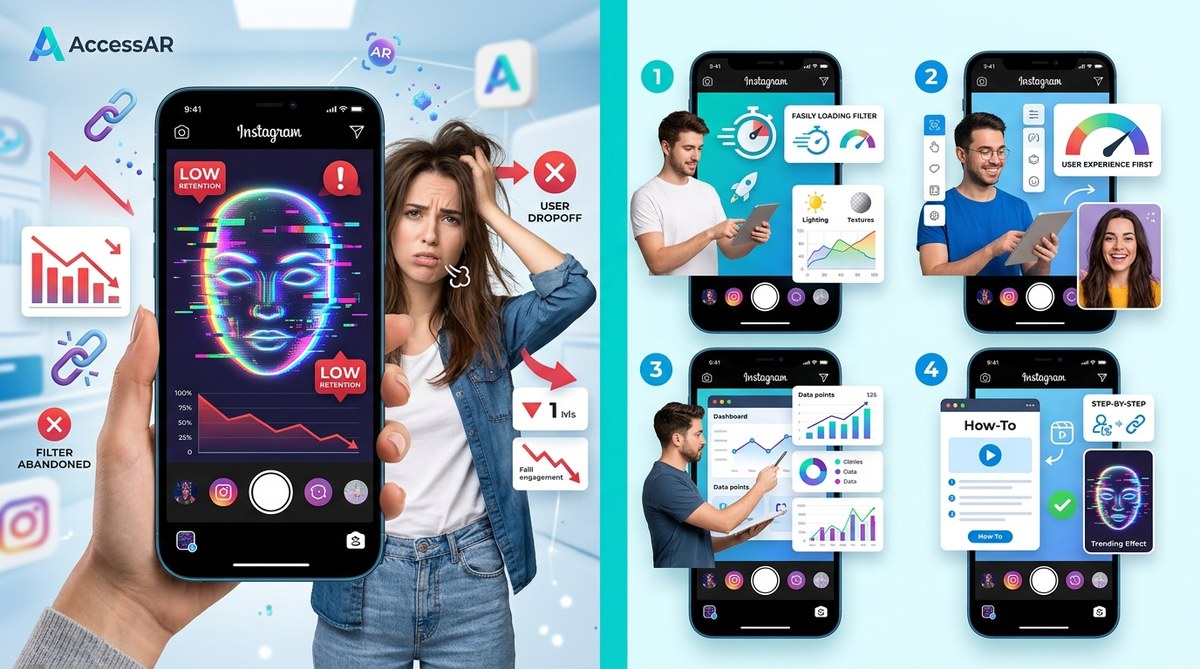
You spent hours building an Instagram filter. You nailed the face tracking, chose the perfect color palette, and published it with high hopes. Then you checked the analytics. People try it for a second and leave. The retention rate looks like a steep cliff. You are not alone. Most custom AR filters struggle to hold attention past the first few seconds. But here is the good news: the fix is not random guessing. The fix is data.
Instagram filter retention depends on a strong hook in the first three seconds, clear visual feedback, and a reason to stay. By analyzing your drop-off points, optimizing load time, adding interactive elements, and aligning your filter with trending audio or challenges, you can double your average watch time and boost shares.
Why Your Instagram Filter Bleeds Viewers
The Instagram algorithm tests your filter on a small seed audience first. If people swipe away within two seconds, the algorithm flags your effect as low quality. It does not matter if the rest of the filter is brilliant. The decision happens before the user even sees the full effect.
Think of it like a movie trailer. If the first three seconds are boring, nobody watches the rest. Your filter is the same. The first frame that loads on someone’s camera roll or story preview is your hook. If that frame is confusing, dark, or slow to render, you lose them.
There are three main reasons filters fail retention:
- Slow or inconsistent loading. If the effect takes more than a second to snap onto the face, users assume it is broken.
- No immediate visual payoff. The filter looks flat until the user does something specific, but they never get that far.
- Poor thumbnail or preview image. The icon in the filter tray does not communicate what the filter does.
Let us look at the four fixes that actually move the needle.
Fix 1: Optimize the First Second of Load Time
Your filter must load instantly. Not in two seconds. Not in one second. Instantly.
Instagram’s Spark AR platform has a built-in performance monitor. Use it. If your filter contains high-resolution textures, multiple 3D objects, or complex scripts, the load time suffers. Strip it down.
Here is a practical process to audit your load performance:
- Open your filter in Spark AR Hub and go to the performance tab.
- Run the simulator on a mid-range phone profile, not the latest iPhone.
- Note the “time to first render” metric. Anything above 800 milliseconds needs work.
- Remove any unused assets from your project folder. Unused textures still bloat the file.
- Replace high-res PNG textures with compressed JPEGs at 80% quality. The human eye barely notices the difference.
- If you use a 3D object, lower the polygon count. A smooth face mesh with 500 polygons loads faster than one with 2,000.
“The difference between a filter that loads in 400ms and one that loads in 1,200ms is the difference between a 60% retention rate and a 20% retention rate.” — Spark AR performance documentation
After you optimize, test the filter on a friend’s older Android phone. If it stutters there, it will stutter for a significant chunk of your audience.
Fix 2: Build a Strong Visual Hook in the Preview
The thumbnail image for your filter is the single most important asset you will create. It is the first thing people see when they scroll the filter tray. If it looks generic, they scroll past.
Compare these two approaches:
| Approach | Thumbnail Style | User Reaction | Retention Impact |
|---|---|---|---|
| Weak | A plain screenshot of a face with the filter barely visible | “What does this do?” | Low swipe rate, high bounce |
| Strong | A cropped, bright close-up showing the filter’s best feature | “I want to try that” | High tap rate, longer sessions |
Your thumbnail should show the filter’s peak moment. If the filter adds butterfly wings when you raise your eyebrows, the thumbnail should show that exact moment. Do not show the “before” state. Show the payoff.
For more ideas on filter concepts that perform well, check out 7 viral Instagram AR filter ideas you can build this weekend.
Fix 3: Add Interactive Triggers That Reward Exploration
A static filter that only changes skin tone or adds a mild glow will lose viewers fast. People want to play. They want the filter to react to them.
The most retentive filters in 2026 share one trait: they respond to user action. This could be:
- A face movement (raise eyebrows, open mouth, tilt head)
- A tap on the screen
- A sound trigger (the filter reacts to loud noise)
- A time-based animation that reveals new layers after a few seconds
When you add an interactive trigger, you give the user a reason to stay longer. They want to see what happens next. That extra time boosts your retention curve.
Start with a simple tap gesture. In Spark AR, you can add a tap region that changes the filter’s color or reveals a hidden object. It takes about 15 minutes to set up. The payoff in watch time is significant.
If you are new to adding interactive elements, read adding interactive tap gestures to your Instagram filters made simple for a step-by-step walkthrough.
Fix 4: Align Your Filter With a Trending Audio or Challenge
Filters do not live in a vacuum. They live inside Reels and Stories. The best performing filters in 2026 are the ones that pair naturally with a popular sound or a specific challenge.
When a creator uses your filter with a trending song, the filter gets exposed to that song’s audience. The algorithm sees the combination as relevant. Retention improves because the user knows what to expect.
Here is how to do it without chasing every trend:
- Open Instagram’s Reels trends page. Look for sounds that have been rising for at least three days.
- Identify sounds that have a clear emotional or visual cue. A sad piano track works well with a teardrop filter. A high-energy beat works with a color-shifting effect.
- Build a filter that visually echoes the sound’s mood. Do not force it. The connection should feel natural.
- Create a demo Reel using your filter with that sound. Publish it from your account. Tag the sound.
This strategy works because it piggybacks on existing user behavior. People are already searching for that sound. When they see your filter in the related effects, they are more likely to try it.
For a deeper look at how top creators approach this, see what makes an Instagram filter go viral in 2026.
How to Measure Your Retention Rate Fix
You cannot fix what you do not measure. Instagram provides filter analytics inside Spark AR Hub. Here is what to look for:
- Average retention time. This is the average number of seconds people spend with your filter active. A good benchmark is 8 to 12 seconds for a face filter. If you are below 5 seconds, your hook is failing.
- Retention curve. This graph shows where people drop off. A steep drop in the first two seconds means your load time or preview is the problem. A gradual decline after five seconds means your filter lacks interactive depth.
- Impressions to uses ratio. If many people see your filter but few use it, your thumbnail is not compelling enough.
Set a baseline today. Apply one fix. Wait three days. Check the analytics again. Repeat.
For a full breakdown of every metric in your dashboard, read Instagram filter analytics decoded: what your impressions really mean.
Common Mistakes That Kill Retention
Avoid these pitfalls. They are the silent killers of AR filter performance.
- Overcomplicating the effect. More layers do not mean more retention. They mean slower load times and confused users.
- Ignoring skin tone diversity. A filter that only looks good on one skin tone will alienate a huge part of your audience. Test your filter on multiple face meshes.
- Forgetting to add a save or share prompt. If the filter does not nudge the user to record a Reel or save the effect, they will just swipe away.
- Using copyrighted audio without permission. Your filter will get rejected or taken down. Stick to Instagram’s free music library or original sounds.
If you are running into approval issues, check why your Instagram filter keeps getting rejected and how to fix it for a checklist.
Your Next Steps to Fix Retention
Here is a simple action plan. Follow it this week.
- Open Spark AR Hub and check your filter’s load time. Optimize until it is under 600ms.
- Replace your thumbnail with a bright, action-focused image that shows the filter’s peak moment.
- Add one interactive trigger. Start with a tap-to-change-color script.
- Find one trending sound that matches your filter’s vibe. Create a demo Reel.
- Wait 72 hours. Compare your new retention curve to your old one.
That is it. Five steps. One week. Real improvement.
Your Filter’s Second Chance
A low retention rate does not mean your filter is bad. It means your filter is not giving people a reason to stay. The Instagram algorithm rewards filters that hold attention. It punishes filters that get swiped away. By focusing on load speed, preview quality, interactivity, and trend alignment, you give your filter the best chance to reach more people.
You have the data. You have the fixes. Now go update that filter and watch your retention curve flatten.
If you want to see how other creators turned their struggling filters around, browse our case studies on successful Instagram AR campaigns. Your filter’s best days are ahead of it.