
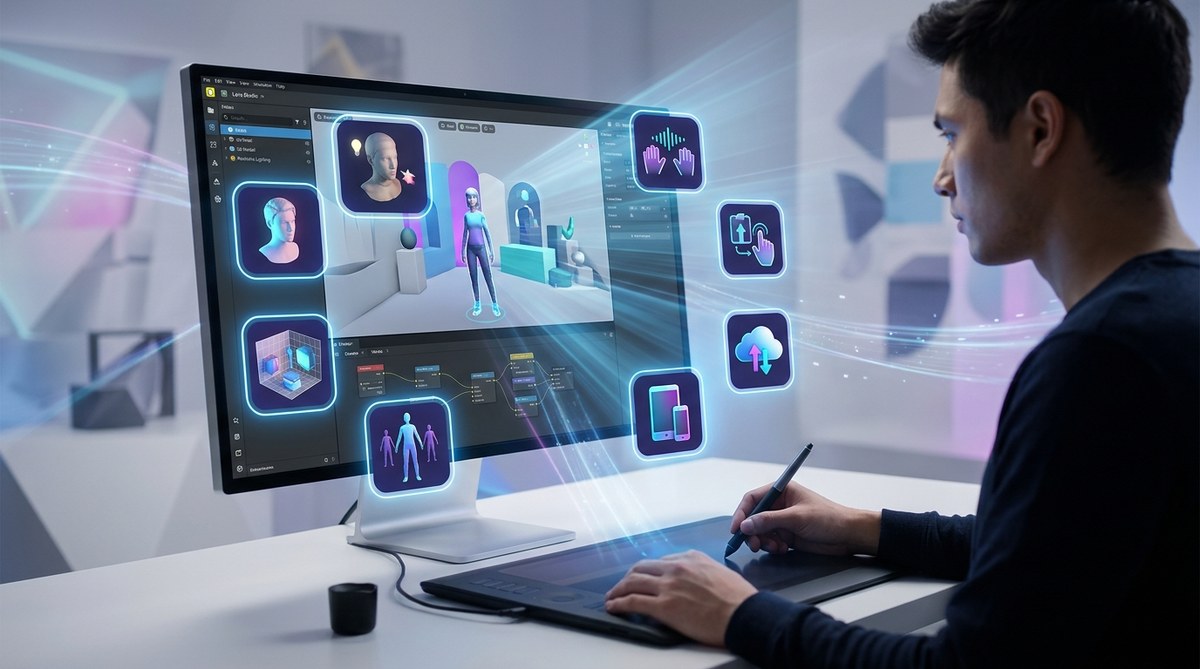
Snapchat Lens Studio just received its biggest overhaul in years, and if you build AR filters for a living (or just for fun), this update changes everything. The 2026 version of Lens Studio isn’t just a minor refresh with a few bug fixes. Snapchat rewrote the core engine, added AI tools that actually work, and gave creators features that used to require a team of developers. Whether you are a seasoned AR designer or someone who has never opened the software before, this guide walks through the eight features that matter most.
The Snapchat Lens Studio 2026 update brings real-time AI asset generation, hand tracking without coding, background segmentation that understands objects, voice-activated triggers, a built-in analytics dashboard, collaborative project sharing, a mobile companion app, and one-click publishing for brand partnerships. These tools lower the barrier for beginners while giving pros advanced control over every pixel.
The Eight Features That Define the 2026 Update
Snapchat packed a lot into this release. Some features are obvious the moment you launch the software. Others hide in menus and settings. Let’s break down each one and explain how it changes the way you build lenses.
1. Real-Time AI Asset Generation
The biggest headline in the Snapchat Lens Studio 2026 update is the new AI asset generator. You can now type a text prompt inside Lens Studio and generate 3D objects, textures, or 2D overlays instantly. No more jumping out to Blender or Photoshop for every single asset.
How it works in practice:
- Open the Asset Panel on the left sidebar.
- Click the new “Generate” button (it looks like a small spark icon).
- Type a description such as “neon sunglasses with purple gradient” or “floating chrome donut.”
- The AI returns four variations within seconds.
- Drag your chosen asset directly onto the scene.
This feature cuts design time dramatically. If you need a placeholder object for testing, you can generate one in seconds and replace it later with a polished version. For beginners, this removes one of the biggest barriers to entry. You no longer need to learn 3D modeling software before you can make a lens.
2. Hand Tracking Without a Single Line of Code
Hand tracking existed in Lens Studio before 2026, but it required scripting in Lua or JavaScript. The new update introduces a visual hand tracking module that works with drag-and-drop logic.
You can now assign behaviors to each finger. For example:
- Pinch gesture triggers a color change.
- Thumbs up activates a particle effect.
- Open palm reveals a hidden object.
The visual editor uses a simple flowchart interface. Each node represents a hand position, and you connect it to an action. This makes interactive lenses accessible to creators who never learned to code. If you want to see what is possible with advanced hand tracking, check out how to use Snapchat Lens Studio’s new hand tracking features in 2026.
3. Smart Background Segmentation
Earlier versions of Lens Studio could separate a person from their background, but the results were often messy around hair or moving objects. The 2026 update introduces machine learning segmentation that understands what it is looking at.
The system now recognizes:
| Object Type | How It Behaves | Best Use Case |
|---|---|---|
| Human figure | Replaces background while keeping hair detail | Portrait lenses, virtual backgrounds |
| Furniture | Can isolate couches, chairs, tables | Interior design try-ons |
| Pets | Detects cats and dogs with fur accuracy | Pet filter effects |
| Food | Recognizes plates, cups, and utensils | Restaurant AR menus |
This segmentation runs in real time on mobile devices. That means you can build a lens that replaces only the wall behind someone while leaving their hair untouched. The processing happens locally, so there is no lag.
4. Voice-Activated Triggers
Voice commands in AR filters sound futuristic, but the 2026 update makes them practical. Lens Studio now includes a voice recognition module that listens for specific words or phrases.
You set up a trigger word, such as “wow” or “surprise.” When the user says that word, the lens responds. The response can be anything: an animation, a sound effect, a color shift, or a 3D object appearing.
This works well for party lenses or interactive storytelling. Imagine a lens where saying “cheese” makes virtual confetti explode. Or a horror lens where whispering triggers a jump scare. The voice module supports multiple trigger words per lens, so you can build layered experiences.
5. Built-In Analytics Dashboard
Creators used to rely on Snapchat’s separate web dashboard to see lens performance. The 2026 update brings analytics directly into Lens Studio. You can now view impressions, captures, and shares without leaving the software.
The dashboard shows:
- Real-time usage numbers for published lenses.
- Demographic breakdowns by age and location.
- Retention graphs showing how long people interact with your lens.
- A/B testing results if you run multiple variations.
This data helps you understand what works. If a lens has high impressions but low captures, the thumbnail might not match the experience. If captures are high but shares are low, the lens might not be fun enough to pass along. For a deeper look at interpreting these numbers, read Instagram filter analytics decoded: what your impressions really mean.
6. Collaborative Project Sharing
Teams can now work on the same lens project simultaneously. The 2026 update adds cloud-based collaboration similar to Google Docs. You invite team members by email, and each person can edit different parts of the project.
One person works on the 3D model while another adjusts the color grading. Changes sync in near real time. There is also a version history that lets you roll back to any previous state. This is a game changer for agencies and brands that need multiple stakeholders to review a lens before launch.
7. Mobile Companion App
Lens Studio now has an official mobile companion app for iOS and Android. This app lets you test lenses on your phone without exporting and uploading every time.
The workflow is simple:
- Connect your phone to your computer via Wi-Fi or USB.
- Click “Preview on Device” inside Lens Studio.
- The lens appears on your phone instantly.
- Move your face, try gestures, and speak trigger words to test everything.
The companion app also includes a basic editor for on-the-go tweaks. You can adjust brightness, contrast, and object positions from your phone. This is useful when you are at an event and need to make a last-minute fix.
8. One-Click Brand Partnership Publishing
The final feature in this update targets marketers and brand managers. Snapchat added a direct publishing pipeline for sponsored lenses. If you have a brand account, you can submit a lens for partnership review with one click.
The system checks your lens against Snapchat’s brand guidelines automatically. It flags potential issues such as trademarked logos, inappropriate content, or performance problems. This reduces the back-and-forth approval process from days to hours.
For freelancers who want to work with brands, this feature opens up new opportunities. You can build a lens, submit it to a brand partnership program, and get paid per use. Learn more about monetizing your Snapchat lens skills as a freelancer in 2026.
How These Features Change Your Workflow
The Snapchat Lens Studio 2026 update does not just add features. It changes how you approach building a lens from start to finish.
Before this update, a typical workflow looked like this:
- Design the concept on paper.
- Build 3D assets in external software.
- Import assets into Lens Studio.
- Write code for interactivity.
- Test on a physical phone.
- Export and upload.
- Wait for approval.
- Check analytics on a separate website.
Now the same workflow looks like this:
- Describe the concept and generate assets with AI.
- Drag and drop interactions using the visual editor.
- Preview instantly on the mobile companion app.
- Publish with one click for brand lenses.
- View analytics inside the same window.
The time from idea to published lens can shrink from days to hours. For beginners, this means you can make your first Snapchat lens in under 30 minutes without feeling overwhelmed.
Common Mistakes to Avoid With the New Tools
New features can tempt you to overcomplicate your designs. Here are three pitfalls to watch for.
Using too many AI assets. The AI generator is fun, but using five AI-generated objects in one lens can cause performance issues. Stick to one or two generated assets and keep the rest simple.
Ignoring the analytics. The built-in dashboard is powerful, but only if you check it. Many creators publish a lens and never look at the data. Set a reminder to review analytics after 48 hours and adjust your next lens based on what you learn.
Skipping voice testing. Voice triggers are new, and they require testing in noisy environments. What works in a quiet studio might fail at a loud party. Test your voice-activated lens in different settings before publishing.
“The biggest mistake I see creators make with the 2026 update is trying to use every feature in one lens. Pick one or two interactive elements and make them perfect. A simple lens that works flawlessly will always outperform a complex lens that glitches.” – Jordan Chen, AR creator with over 50 million total lens views.
What This Means for Marketers
If you are a digital marketer, the Snapchat Lens Studio 2026 update gives you more control over branded AR experiences. You no longer need to hire a developer for every campaign.
The one-click brand publishing feature lets you test multiple lens variations quickly. You can A/B test different calls to action, color schemes, or interactive elements without burning your budget. The built-in analytics also help you prove ROI to stakeholders.
For brands that want to replicate successful campaigns, study what made Gucci’s Snapchat AR campaign go viral with Gen Z shoppers. The same principles of surprise, shareability, and ease of use apply to the new tools.
Getting Started With the 2026 Update
If you already have Lens Studio installed, the update should appear automatically. If you are new, download Lens Studio from Snapchat’s official site. The software is free.
Once installed, follow these steps:
- Open the welcome tutorial. It highlights the eight new features.
- Try the AI asset generator first. It is the most dramatic change.
- Build a simple face filter using only the new tools. Do not touch any legacy menus.
- Preview on the mobile companion app to see how it feels.
The learning curve is gentler than in previous versions. If you have used any drag-and-drop design tool before, you will feel comfortable within an hour. For a complete walkthrough, check out Snapchat Lens Studio templates that save hours of design time.
Comparing the 2026 Update to Other Platforms
Lens Studio now competes directly with Meta Spark Studio and TikTok’s Effect House. Each platform has strengths, but the 2026 update gives Snapchat a clear edge in two areas: AI generation and hand tracking.
| Feature | Lens Studio 2026 | Meta Spark Studio | Effect House |
|---|---|---|---|
| AI asset generation | Built-in, text prompt | Third-party only | Third-party only |
| Hand tracking | Visual, no code | Code required | Limited |
| Voice triggers | Native support | Not available | Not available |
| Mobile preview | Official companion app | Limited | Web preview only |
| Analytics | In-app dashboard | Separate website | Separate website |
For a full comparison, read Spark AR vs Lens Studio vs Effect House: which AR tool should you choose?.
Your Next Step With the 2026 Update
The Snapchat Lens Studio 2026 update removes more barriers than any previous release. You can generate assets, add interactivity, test on your phone, and publish without switching between five different tools. The features that required coding skills or expensive software are now available to everyone.
Open Lens Studio today and generate your first AI asset. Keep it simple. Add one interactive element. Preview it on your phone. That is all it takes to start building lenses that people will actually use. The tools are ready. Now it is your turn to create something that surprises and delights.