
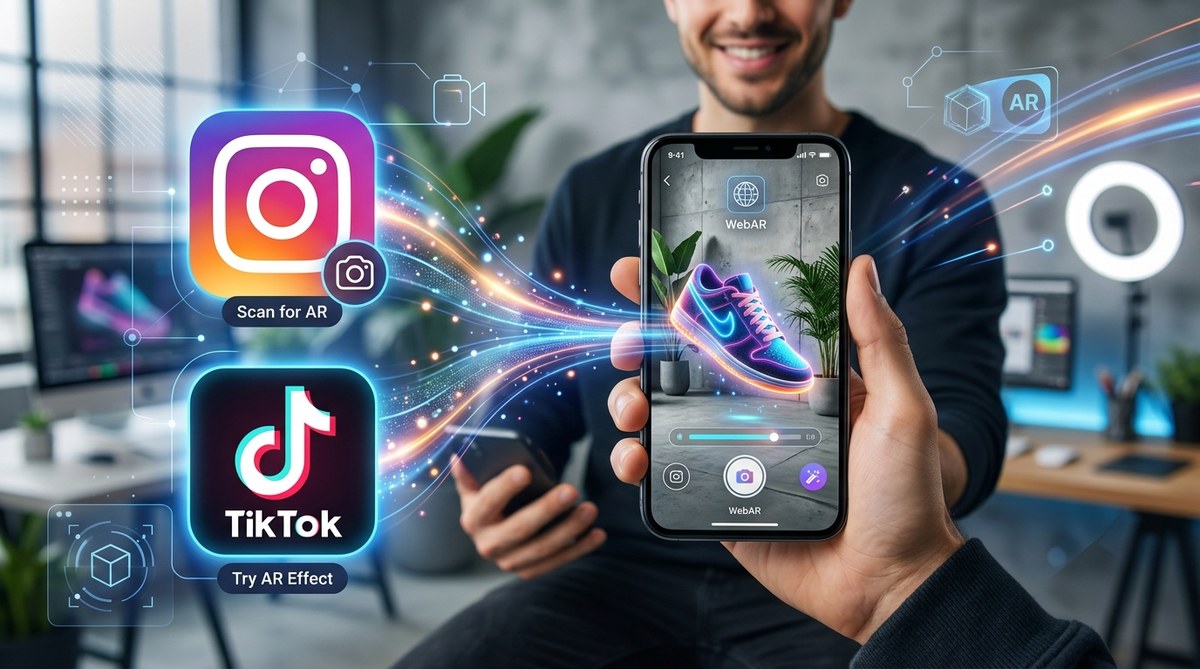
If you manage social media for a brand, you already know the rules of engagement have changed. Static posts and even polished video ads don’t stop the thumb the way they used to. Audiences want to play, try, and interact before they buy. That is exactly where WebAR shines. Unlike native app filters that lock you into one platform, WebAR works inside a mobile browser. You can share one link on Instagram Stories, in a TikTok bio, or as a QR code on a billboard. No app download. No friction. Just a tap and an immersive experience that feels native to the feed.
WebAR lets you run interactive augmented reality campaigns on Instagram and TikTok without forcing users to download a separate app. You build the experience once, host it on a URL, and drop that link into Stories, profile bios, or paid ads. The result is a seamless user journey that boosts engagement, time spent, and conversion rates across both platforms.
Why WebAR Belongs in Your Social Media Mix
Social media platforms reward content that keeps people on the app longer. When a user taps a WebAR link inside an Instagram Story or a TikTok video, they are not leaving the ecosystem completely. The browser opens in-app, the camera fires up, and suddenly they are wearing your product or standing inside a branded world. That moment of surprise drives shares. And shares tell the algorithm to show your content to more people.
Native AR filters are still powerful tools. But they require platform specific builds. You need Meta Spark Studio for Instagram, Effect House for TikTok, and Lens Studio for Snapchat. WebAR simplifies your workflow. You create one experience, embed it on your site, and distribute it anywhere you can paste a link. For brands running WebAR Instagram TikTok campaigns, this cross-platform flexibility is the whole point.
A Quick Look at the Difference Between Native Filters and WebAR
| Aspect | Native Platform Filters | WebAR Experiences |
|---|---|---|
| Build tools | Meta Spark, Effect House, Lens Studio | WebAR builders like 8th Wall, Zapworks, Blippar |
| Distribution | Only inside that specific app | Anywhere a URL works (Instagram, TikTok, web, email, QR) |
| User step | Must open the AR camera inside the app | Tap a link, browser opens, camera activates |
| Updates | Requires resubmission for approval | Edit the hosted page, changes go live instantly |
| Analytics | Platform specific, limited | Full web analytics, track every interaction |
The table above shows the practical tradeoffs. Native filters give you deep platform integration and a built in audience on the effects tray. WebAR gives you ownership over the data and the ability to run the same campaign on Instagram, TikTok, and your website without rebuilding.
How to Embed WebAR in Your Instagram Campaigns
Instagram is built for visual discovery. Stories, Reels, and the link in bio are the natural homes for WebAR links. Here is how to make them work.
1. Create Your WebAR Experience
Start with a no-code platform if you do not have a developer on staff. Tools like Zapworks or 8th Wall let you upload 3D models, set up face tracking, and add interactive triggers without writing code. Focus on one core action. Let users try on a product, place a virtual object in their room, or unlock a hidden animation when they smile.
2. Generate a Short Link
Most WebAR platforms give you a branded URL. Shorten it with a service like Bitly so it fits neatly into an Instagram Story. A clean link looks more trustworthy and reduces friction.
3. Post It in Stories With a Clear Call to Action
Instagram Stories support swipe up links for accounts with the right permissions or the link sticker for everyone. Tell users exactly what will happen. Try on our new sunglasses. See the sofa in your living room. Unlock a secret discount. The clearer the benefit, the higher the tap through rate.
4. Pin It to Your Link in Bio
Your Instagram bio is prime real estate. Use a tool like Linktree or your own landing page to feature the WebAR experience as the top option. Name it something compelling. Virtual Try On or See It in Your Space.
5. Track Performance With UTM Parameters
Add UTM codes to your WebAR link so you can see exactly how many visitors came from Instagram versus TikTok versus email. This data helps you decide where to spend your ad budget next month. For more on what those numbers mean, check out tracking WebAR performance analytics metrics that actually matter.
How to Embed WebAR in Your TikTok Campaigns
TikTok audiences are younger, faster, and more skeptical of obvious ads. WebAR works well here when you treat it as a part of the entertainment, not a sales pitch.
1. Build for Vertical Mobile First
TikTok is a portrait mode platform. Make sure your WebAR experience uses a vertical aspect ratio and works smoothly on mid-range phones. Test it on both iOS and Android before you publish.
2. Use the Link in Your Bio
TikTok does not allow clickable links inside video captions for most accounts. The bio link is your main distribution channel. Rotate it out to match your current campaign. When you launch a new WebAR experience, update the bio link the same day.
3. Drive Traffic With a Viral Teaser Video
Create a 15 second video showing someone using the WebAR effect. Capture their reaction when the virtual object appears. Add text overlay that says Link in bio to try it yourself. The organic reach on TikTok can be massive if the video feels authentic. Check out small budget big impact how independent brands won with tiktok ar effects for real examples.
4. Leverage Spark Ads for Direct Links
TikTok’s Spark Ads program lets brands boost organic posts with a clickable call to action button. If you have a budget for paid promotion, this is the most direct way to send users from a TikTok video straight into your WebAR experience.
5. Gamify the Experience
TikTok users love challenges and games. Add a scoring mechanic or a timed element to your WebAR experience. Let users compete with friends and share their results. This turns a one time interaction into a shareable moment that lives on beyond the first tap.
A Step-by-Step Process for Launching Your First WebAR Campaign
If you are starting from zero, follow these six steps to go from idea to live campaign.
- Choose your platform. Pick a WebAR builder that matches your skill level. For beginners, no-code tools like Zapworks or Blippar are the best starting points.
- Design for one action. Do not try to do everything. Let the user try on one product or place one object. Simple experiences get more completions.
- Build and test on device. Emulators lie. Always test on a real phone with average network conditions. A slow load time kills participation.
- Set up analytics. Configure event tracking before you launch. Know how many people opened the experience, how long they stayed, and how many completed the core action.
- Create platform specific assets. Shoot a short video for Instagram Stories. Film a reaction clip for TikTok. Write a compelling bio link description.
- Launch and iterate. Push the link live across your channels. Monitor the data in the first 48 hours. Tweak the call to action or the visual design based on what you see.
“The brands that win with WebAR on social media are the ones that treat it as an entry point, not the whole experience. Give the user a reason to share and a reason to visit your site afterward. That two step flow is where the real ROI lives.” – Jordan Reyes, AR strategist at Digital Bridge Agency
Common Mistakes to Avoid When Using WebAR on Social Media
Even a well built WebAR experience can flop if the distribution strategy is weak. Here are the pitfalls I see most often.
- Forgetting to shorten the link. A long URL breaks the aesthetic of a Story or bio. Always shorten it.
- Ignoring load time. If your experience takes longer than three seconds to load on a 4G connection, most users will leave before it starts.
- No clear instruction. Users should know what to do in the first two seconds. Place a text prompt or a glowing button that guides them.
- Not testing on both platforms. An experience that works perfectly on Instagram might glitch on TikTok’s in-app browser. Test everywhere.
- Missing the share hook. If there is no reason to share, the campaign stays flat. Build in a screenshot moment or a score to beat.
- Skipping the analytics setup. Without data, you cannot prove the campaign worked. Install tracking from day one.
If you are new to AR creation, you do not need to figure everything out alone. Check out your first ar filter in 30 minutes a complete beginner tutorial to build confidence fast.
Real Examples of WebAR Working on Instagram and TikTok
Pepsi ran a bus shelter stunt in London that used WebAR to turn the shelter wall into a live animation of aliens and fighter jets. Commuters scanned a QR code and watched the scene play out through their phone screens. The video of their reactions went viral on TikTok and Instagram simultaneously. No app download. Just a URL and a camera.
Sephora used WebAR to let shoppers try on lipstick shades directly from Instagram Stories. The link took them to a browser based virtual try on that matched the shade to their skin tone in real time. That campaign drove over eight million product try ons in its first month.
These brands succeeded because they met the audience where they already were. They did not ask users to switch apps or fill out a form. They offered a moment of delight and a clear next step.
Making WebAR Instagram TikTok Campaigns a Repeatable Process
The most effective social media teams do not treat WebAR as a one off stunt. They build a library of reusable templates. A face tracking effect for product try ons. A world placement effect for furniture or decor. A portal effect that transports users into a branded environment.
When you reuse templates, the cost per campaign drops dramatically. Your first experience might take two weeks. Your fifth might take two hours. That efficiency lets you test more ideas and double down on what works.
If you want to compare the major AR creation tools side by side, read spark ar vs lens studio vs effect house which ar tool should you choose. It will help you decide where to invest your learning time.
Your Next Move With WebAR on Social Media
Pick one product or one campaign idea. Build a simple WebAR experience using a no-code platform. Share it on your Instagram Stories and pin it to your TikTok bio. Watch the data for 48 hours. You will see which parts of the experience work and which parts confuse people. Then you iterate.
The technology is mature enough in 2026 that anyone can do this. You do not need a computer science degree or a six figure production budget. You need a clear idea, a willingness to test, and a link that leads to a moment of surprise. That moment is what turns a passive scroller into an active participant. And that is the whole reason WebAR belongs in your social media campaigns this year.