
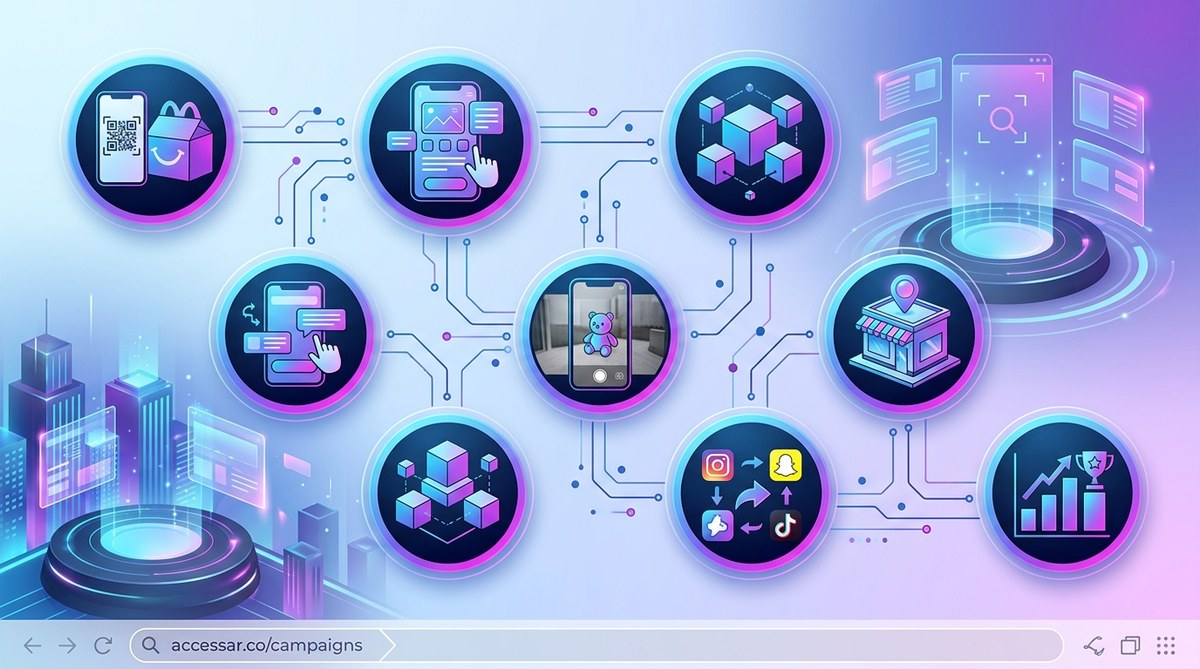
McDonald’s turned the classic Happy Meal into an interactive playground with their WebAR campaign. Instead of just handing over a toy in a box, they invited families to scan the meal box with a phone and watch characters come to life. Kids could play games, collect virtual stickers, and share the experience with friends. The result was a surge in foot traffic, social media buzz, and repeat visits. And here is the best part: you can replicate that same strategy for your local business without a massive budget or a team of developers.
A WebAR marketing campaign for local business works by turning everyday items into interactive experiences. McDonald’s proved that scanning a product with a phone can drive foot traffic and social sharing. You can do the same with your menu, signage, or packaging. The tools are free or low cost. No coding required. Just a creative idea and a willingness to try something new.
Why McDonald’s WebAR Strategy Works for Any Local Business
McDonald’s did not invent augmented reality. But they showed how a simple trigger, like a Happy Meal box, could become a gateway to a digital experience. When a customer scans the box, the phone camera recognizes it and overlays a 3D character or game. This is WebAR, which means no app download. It runs right in the browser.
For a local business, the same principle applies. You can turn a menu, a business card, a window decal, or a product label into a portal. Customers scan it with their phone and see something special. Maybe a 3D version of your best selling item. Maybe a hidden discount code. Maybe a fun animation that makes them smile.
The beauty of WebAR is that it does not require a heavy investment. Many platforms offer free tiers or low monthly subscriptions. You can build a campaign in an afternoon and launch it the same day.
The 7 Step Process to Build Your Own WebAR Campaign
Let me walk you through the exact steps McDonald’s used, adapted for a local business owner like you.
Step 1: Pick Your Physical Trigger
Choose something your customers already touch or see. For McDonald’s, it was the Happy Meal box. For you, it could be:
- A takeout menu or receipt
- A storefront window sticker
- A product label or tag
- A business card handed out at networking events
- A coaster at your bar or cafe
The trigger needs a clear, high contrast image. A logo works well. A photo of your product works too. The WebAR platform will use that image as the marker that launches the experience.
Step 2: Define the Interactive Moment
What happens after someone scans? McDonald’s chose a game with a virtual character. You have options:
- A 3D model of your product that spins and reveals details
- A hidden coupon that appears when the customer taps the screen
- A before and after transformation (like a haircut or a room makeover)
- A fun face filter that ties to your brand
Keep it simple. One clear action is better than a confusing menu of choices.
Step 3: Choose a WebAR Platform
You do not need to code anything. Several no code platforms let you upload an image marker and add 3D objects or animations. Some popular options in 2026 include:
- WebAR Studio (free tier available)
- ZapWorks (good for beginners)
- Aurasma (now part of a larger suite)
- Overly (simple drag and drop)
Each platform has a library of 3D objects you can customize. You can also upload your own graphics. The setup typically takes less than 30 minutes.
Step 4: Design the AR Experience
Keep the design aligned with your brand colors and logo. If you run a coffee shop, create a 3D cup of coffee that steam rises from when scanned. If you own a boutique, let customers see a virtual mannequin wearing your latest collection.
Here are some design rules:
- Use bright colors that contrast with the trigger image
- Keep animations short (under 10 seconds)
- Add a call to action like “Tap to get 10% off”
- Test on different phones to make sure it loads fast
Step 5: Print and Place Your Trigger
Once your AR experience is ready, you need to print the trigger image on your chosen surface. McDonald’s printed theirs on the box. You can print stickers, table tents, or window clings. Make sure the image is high resolution and not too small. A trigger that is too tiny will not scan reliably.
Place the trigger where customers naturally look. At the counter. On the table. On the product shelf. Near the register.
Step 6: Promote the Scan
People need to know the experience exists. McDonald’s used in store signage and social media. You can do the same:
- Post a short video on Instagram showing the AR effect in action
- Add a QR code next to the trigger that links to a demo page
- Train your staff to say “Scan this with your phone to see something cool”
- Offer a small incentive for the first 50 people who scan
Step 7: Track and Improve
Most WebAR platforms give you analytics. You can see how many scans happened, at what time, and on which devices. Use this data to refine your campaign. If scans are low, try a bigger trigger image or better placement. If engagement is high, consider making the experience longer or adding a second trigger.
Common Mistakes to Avoid in Your WebAR Campaign
Even a simple campaign can fail if you overlook these pitfalls. Here is a table that breaks down what to avoid and what to do instead.
| Mistake | Why It Hurts | Better Approach |
|---|---|---|
| Trigger image is too small | Phone camera cannot recognize it | Use a trigger at least 3 inches wide |
| Experience takes too long to load | Users lose interest | Keep 3D objects under 2 MB total |
| No clear call to action | Users scan and leave | Add a button that says “Get Your Coupon” |
| Background is too busy | Camera confuses the pattern | Use a solid white or light background around the trigger |
| Forgetting to test on Android | iOS works but Android fails | Test on three different phones before launch |
What You Need to Get Started Right Now
You do not need a lot of equipment. Here is a checklist of what you will need:
- A smartphone (any modern phone works)
- A WebAR platform account (free or trial)
- A high contrast logo or image for the trigger
- A simple 3D object or animation (many platforms have templates)
- A printer for stickers or signs
- A social media account to share the experience
If you want to learn the basics of creating AR effects on specific platforms, check out this guide on how to make your first Snapchat lens in under 30 minutes. For those leaning toward Instagram, this tutorial on how to publish your first Instagram filter and get it approved fast will save you time.
Real Examples of Local Businesses Winning With WebAR
A pizza shop in Austin placed a trigger sticker on their takeout boxes. When customers scanned it, a 3D slice of pizza appeared with a message that said “Show this at the counter for a free topping.” They saw a 15% increase in repeat orders within two weeks.
A hair salon in Portland used a trigger on their business cards. Scanning the card showed a 3D model of different hairstyles that matched the customer’s face shape. The salon reported a 40% increase in consultation bookings.
A bookstore in Chicago placed a trigger on their window display. Scanning it revealed a virtual bookshelf where customers could flip through the first few pages of bestsellers. Foot traffic went up by 22% the first month.
“The best WebAR campaigns treat the phone camera as a magic lens. You are not just showing a 3D object. You are giving the customer a reason to stop, smile, and share.” – Sarah Kline, AR Marketing Consultant
Building Your First Campaign in One Afternoon
Let me give you a numbered plan that fits into a single work session.
- Pick your trigger image. Use your logo or a product photo. Make sure it is high contrast.
- Sign up for a WebAR platform. Choose one with a free trial.
- Upload your trigger image to the platform. Follow their instructions to set the marker.
- Add a 3D object from their library. If they have a cup, a box, or a character, use that. Otherwise upload a simple image.
- Set a call to action. Something like “Tap to reveal a surprise.”
- Generate the AR link or embed code.
- Print the trigger image on a sticker. Place it on your counter, menu, or product.
- Test it with your own phone. Then test with a friend’s phone.
- Share a video of the experience on your social media.
- Watch the analytics and adjust if needed.
Your First Campaign Is Closer Than You Think
McDonald’s did not invent anything new. They just connected a physical object to a digital reward. You can do the same with your business tomorrow. The tools are free. The setup is fast. The payoff is real foot traffic and social buzz.
Start with one trigger. One simple experience. See what happens. Then build from there. Your customers are already holding the device they need. All you have to do is give them a reason to point it at your business.
Your Next Steps to Launch This Week
Pick a trigger image today. Print it on a sticker. Place it somewhere visible. Then follow the steps above to build your first WebAR experience. If you run into any roadblocks, remember that most platforms have customer support or community forums. You are not alone in this.
For more inspiration on what makes AR campaigns work, read about what made Gucci’s Snapchat AR campaign go viral with Gen Z shoppers. And if you are curious about the technical side, this comparison of Spark AR vs Lens Studio vs Effect House will help you choose the right platform for future projects.
Now go make your business the next Happy Meal. One scan at a time.