
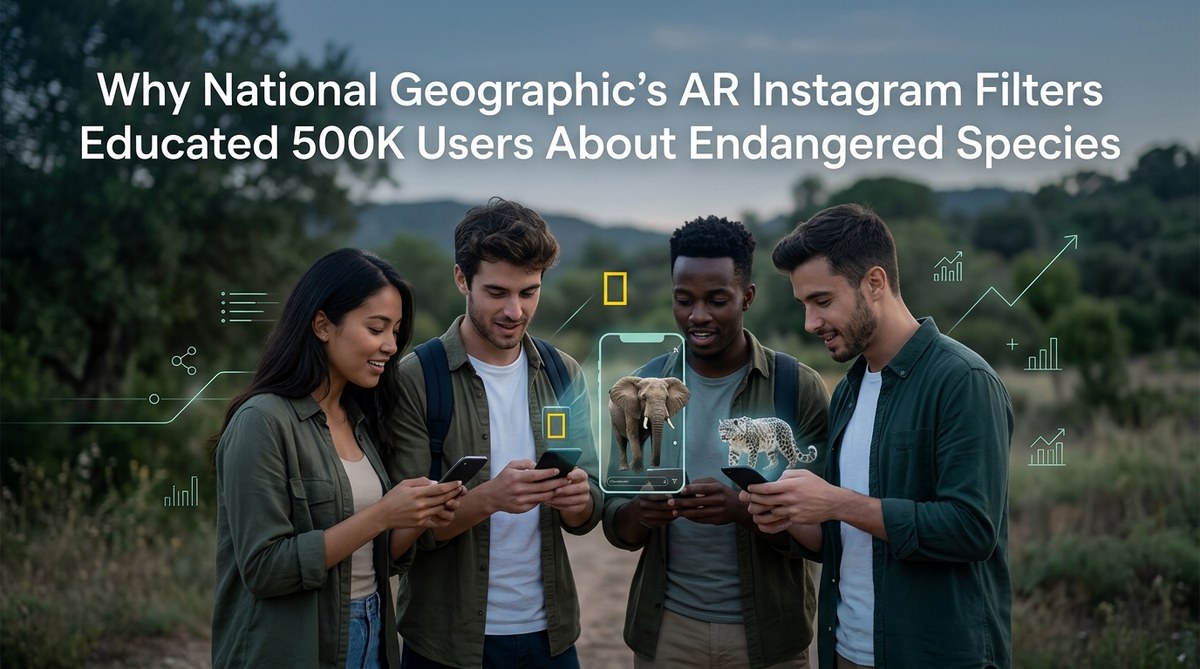
In 2026, National Geographic proved that a smartphone camera can do more than capture selfies. It can save species. Their series of augmented reality Instagram filters focused on endangered animals, and the numbers are stunning. Over 500,000 users interacted with these filters, learning about conservation while having fun. This campaign didn’t just raise awareness. It changed how people connect with wildlife. The best part? You can apply the same principles to your own AR projects.
National Geographic’s 2026 AR filter campaign on Instagram taught half a million people about endangered species by blending face tracking, educational overlays, and shareable design. The campaign shows how augmented reality can transform passive scrolling into active learning. For digital marketers and conservation educators, the takeaway is clear: well-crafted AR filters drive engagement and real knowledge retention, all while building brand trust.
How National Geographic Turned Instagram into a Classroom
National Geographic has always been a master of visual storytelling. With AR, they took that legacy into a new medium. Instead of a documentary you watch, they created an experience you live.
The filters let users see critically endangered species like the vaquita, the Amur leopard, and the Sumatran rhino overlaid onto their own surroundings. But these weren’t simple stickers. Each filter included interactive facts. As you moved your face, the animal reacted. Open your mouth, and a pangolin might curl into a ball. Raise your eyebrows, and a snow leopard might look up.
This combination of anthropomorphic behavior and real-time education made the filters impossible to ignore. Users didn’t just apply the filter once. They shared it with friends. They replayed it. They learned.
The campaign’s success came from three core design principles.
Emotional connection through face tracking
Face tracking technology made each filter feel personal. When the animal responded to your expressions, you formed a bond. That bond made the conservation message stick. It’s one thing to read that vaquitas are endangered. It’s another to have one look at you with big, sad eyes when you frown.
National Geographic understood that empathy drives action. By letting people “interact” with these animals, they turned abstract statistics into tangible relationships.
Gamification and shareability
The filters included small challenges. Can you make the rhino do a spin? Can you get the sea turtle to swim across your screen? These simple game mechanics kept users engaged longer. And because Instagram makes sharing effortless, each challenge completion meant another post, another story, another friend discovering the filter.
Sharing became a form of advocacy. Users weren’t just showing off a cool effect. They were signaling, “I care about this cause.”
Educational value without lecturing
Nobody likes being lectured. But everyone loves discovering a surprising fact. The filters placed tiny knowledge nuggets right next to the animal. A popup might read, “Only about 100 Amur leopards remain in the wild.” That’s a punchy statistic that sticks.
No lengthy paragraphs. No voiceover. Just a visual and a number. Brains process this combination faster than text alone.
Building Your Own Conservation AR Filter: A Step-by-Step Guide
You don’t need National Geographic’s budget to create an impactful AR filter. The tools are free and the process is straightforward. Here’s a practical workflow to get you started.
-
Choose your platform. Start with Instagram using Meta Spark Studio. It’s the most accessible for beginners and the platform where National Geographic launched their campaign. If you want to expand later, consider Snapchat Lens Studio or TikTok’s Effect House.
-
Select a single animal or cause. Focus on one species. Your filter will be more coherent and memorable. Research the animal’s key threats, population numbers, and a surprising behavior. Write three facts max. You’ll use them later.
-
Design the 3D model or use a template. If you’re new to 3D modeling, use pre-made assets from sites like Sketchfab or the built-in asset libraries in Spark Studio. Keep the polygon count low for smooth performance on mobile devices.
-
Implement face tracking and interaction. Make the animal respond to expressions like eyebrow raises or mouth opens. This is where the magic happens. Spark Studio’s face tracker is easy to set up. Map a simple animation to a facial movement.
-
Add educational text overlays. Use the Patch Editor in Spark Studio to trigger text popups when the user performs a specific action. For example, when they smile, show “Did you know? Pangolins have no teeth.” Keep text short and bold.
-
Test on multiple devices. What looks good on your phone might look distorted on a friend’s. Test on both iOS and Android, and adjust the scale and position of the animal.
-
Publish and promote. Submit your filter through Meta Spark’s publishing process. Use Instagram Stories, influencers, and conservation hashtags to spread the word. Encourage users to tag your account.
For more detailed guidance on how to publish your first Instagram filter and get it approved fast, check out our dedicated tutorial.
Common Mistakes in Educational AR Campaigns (and How to Fix Them)
Learning from others’ missteps saves time. Here’s a quick reference table of errors National Geographic avoided but many beginners make.
| Mistake | Why it hurts | The fix |
|---|---|---|
| Too much text | Users scroll past. Information overload kills engagement. | Use two to three words per overlay. Let the visual do the talking. |
| No facial interaction | Feels like a sticker, not an AR experience. Low shareability. | Always include at least one face-triggered reaction. |
| Bad lighting support | Filter fails in common real-world settings like dim rooms. | Test in low light. Use emissive materials for the animal so it stays visible. |
| Ignoring platform guidelines | Filter gets rejected during review. | Read the platform’s content policy before designing. |
| Forgetting a call to action | Users don’t know what to do after trying the filter. | Add a subtle prompt like “Share to save the species” or a donation link in the caption. |
Tools to Build Your Own Conservation AR Filter
You can start building today with free software. Here are the most popular options, each with its own strengths.
-
Meta Spark Studio (for Instagram and Facebook): The go-to for beginners. Visual scripting with Patch Editor means no coding required. National Geographic used this platform for their campaign. If you’re deciding between platforms, our comparison of Meta Spark Studio vs Lens Studio can help.
-
Snapchat Lens Studio: Great for face tracking and world effects. Offers templates that save hours of design time. Check out Snapchat Lens Studio templates that save hours of design time to get started.
-
Effect House (for TikTok): Perfect for viral effects. The platform’s built-in analytics help you see what’s working. See 7 viral TikTok effect trends you can build in Effect House this month for inspiration.
-
WebAR platforms: If you want to reach users without app downloads, WebAR is the answer. Learn how 7 no-code WebAR platforms let you build AR experiences in minutes.
“The most successful AR campaigns don’t just show you something. They make you feel something. National Geographic’s filters worked because they turned a passive viewer into an active participant. That emotional bridge is what drives real learning.” — AR campaign strategist and conservation educator
The Bigger Picture: AR as a Tool for Social Change
National Geographic’s 2026 campaign is not an isolated success. It’s part of a broader movement where non-profits, museums, and environmental groups are using AR to educate and inspire. The technology is still young, but the impact is measurable.
When you create an AR filter for a cause, you’re doing more than gaining impressions. You’re building a memory. Studies show that interactive experiences increase information retention by up to 40% compared to passive video. That’s why half a million users didn’t just see the filters. They remembered the facts.
For digital marketers, this opens a new channel for cause-related marketing. Brands that partner with conservation organizations can build trust and goodwill while educating their audience. The key is authenticity. National Geographic’s brand is built on science and wonder. Their AR filters matched that voice perfectly.
If you’re building filters for a client or your own brand, keep that alignment in mind. The AR effect should feel like a natural extension of your mission, not a gimmick.
Bringing Wildlife Education to Your Audience
You now have the blueprint. National Geographic showed us that AR filters can educate at scale without sacrificing fun. The tools are free, the process is learnable, and the audience is waiting.
Start small. Pick one animal. Design one interaction. Publish it. See what happens. Every great AR creator started with a single filter. You can read about what makes an Instagram filter go viral in 2026 to refine your approach after your first launch.
The next time someone opens Instagram, they might learn about a species they’ve never heard of. They might share that knowledge. And they might care enough to act. All because of a filter you built. That’s the power of accessible augmented reality. Go create something that matters.