
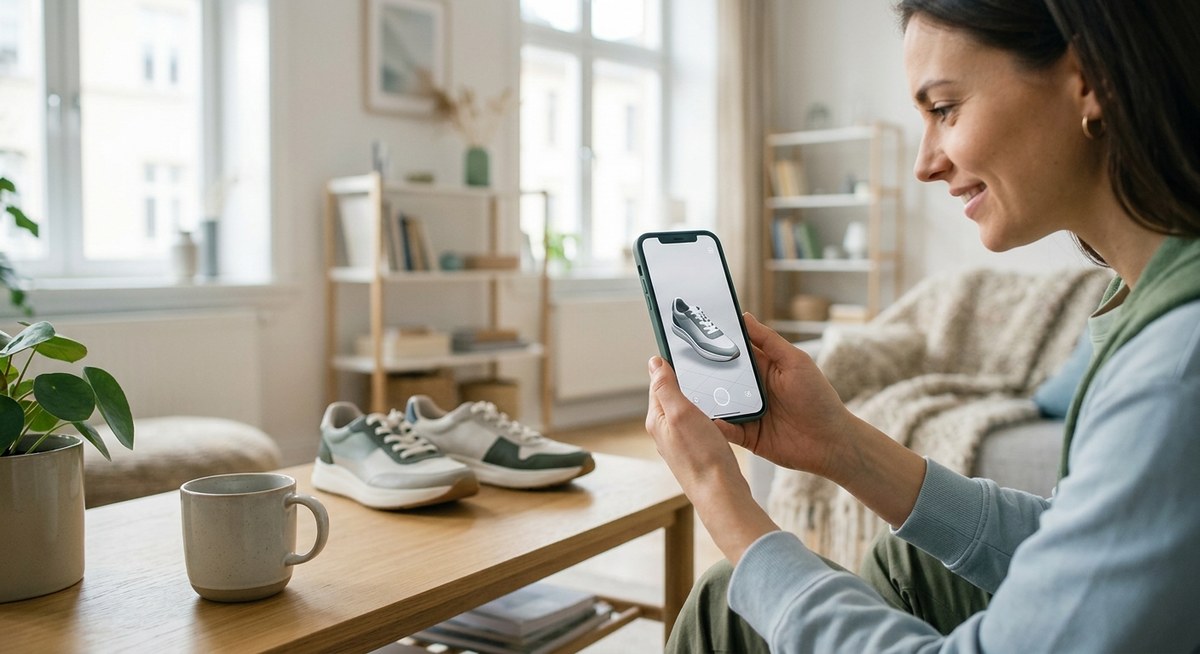
You are tired of static images and product videos that still leave customers asking, “Will it look good in my space?” or “Does that shade really match my skin tone?” The gap between browsing and buying is often a lack of confidence. WebAR product demos solve that by letting shoppers see your products in their real world, right inside a mobile browser. No app download, no friction. Just a direct path from curiosity to checkout.
WebAR product demos remove the guesswork from online shopping by placing 3D models in a customer’s real environment. To convert browsers into buyers, focus on fast loading, simple user flows, and realistic interactions. Test on low-end phones, add clear calls to action, and measure the right metrics. Brands that do this well see conversion rates climb by 30% or more, often paying for the demo within weeks.
Why WebAR Product Demos Outperform Standard Media
Online shoppers need to trust a product before they click “buy.” Static images and even 360 spin views leave room for doubt. Will that sofa fit through the doorway? Will that lipstick look the same under kitchen lights? WebAR closes the trust gap.
When a potential buyer points their phone at their living room floor and sees your coffee table appear in perfect scale, they stop guessing. They start imagining. That mental ownership is the trigger for conversion. According to recent data, products with WebAR demos generate up to 40% more add to cart actions compared to those without.
The 5 Step Process to Build a Converting WebAR Demo
Building a WebAR product demo that actually sells is not about flashy effects. It is about clarity, speed, and relevance. Follow these five steps to create an experience that moves people from browsing to buying.
-
Select the right product for AR. Not every item needs a 3D demo. Choose products where scale, color, or placement are critical. Furniture, home decor, fashion accessories, and beauty items are top candidates. A product with complicated dimensions or multiple color options benefits most.
-
Create or source a clean 3D model. Your model must be optimized for mobile. Keep polygon counts low (under 50k for most objects) and texture sizes small. Use glTF or USDZ formats. If you do not have a 3D designer, platforms like Vectary or Spline offer templates that can be customized.
-
Choose a no code WebAR platform. You do not need a developer. Services like ZapWorks, 8th Wall, or WebAR Studio let you drag and drop your model, add interactions, and generate a link or QR code. Many offer free trials.
-
Design the user flow for one tap. The experience should load in under 3 seconds on a 4G connection. Ask yourself: what does the user see first? A “View in your room” button? A virtual try on mirror? Keep instructions minimal. A short animation that auto plays is better than a paragraph of text.
-
Embed a clear call to action. Once the user places the object, show a button that says “Add to Cart” or “Buy Now.” Do not make them exit the AR view to purchase. If possible, keep the checkout within the same browser tab.
Expert advice: “The moment a user sees the product in their space, they are already halfway to buying. Do not interrupt that flow with a link to a separate page. Use an inline checkout or a simple overlay button.” Samira L., AR Product Lead at a top furniture retailer.
Metrics That Matter for WebAR Product Demos
It is easy to get excited about vanity metrics like “views” or “impressions.” But for conversion focused campaigns, you need to track actions that lead to sales. Here is a table of what to measure and how to interpret each one.
| Metric | What It Tells You | Good Benchmark |
|---|---|---|
| Load to placement rate | Percentage of users who see the loader and successfully place the object. | Above 70% |
| Time spent in demo | How long users interact with the 3D object. | 15 to 30 seconds |
| Tap to purchase rate | Users who click the buy button inside the AR view. | 8% or higher |
| Bounce rate from AR | Users who exit before placing the object. | Below 25% |
| Share rate | How often users save or share the AR experience. | 5% or more |
If your load to placement rate is low, the model is too heavy or the internet connection is too slow. If time spent is under 10 seconds, the demo lacks interactivity. If the tap to purchase rate is below 5%, your call to action might be hidden or confusing.
Common Mistakes That Kill Conversions
Many e-commerce teams rush to launch a WebAR demo and then wonder why sales do not improve. Here are the most frequent errors and how to avoid them.
- Ignoring low end devices. If your demo loads fine on an iPhone 15 but crashes on a three year old Android phone, you lose half your audience. Always test on older devices.
- Overcomplicating the interaction. Do not ask users to tap three times, rotate the object, then double tap to confirm. The best WebAR demos let you place the object with one tap and then adjust with simple drag gestures.
- Forgetting lighting realism. A flat, unlit 3D model looks fake. Use environment lighting or a simple ambient light to make the object blend into the real scene.
- Skipping analytics. Without tracking, you cannot improve. Make sure your platform supports event logging for placements, taps, and time spent.
- Hiding the purchase link. If the user has to close the AR view and hunt for a “Buy Now” button on the product page, you lose momentum.
Designing for Mobile First
WebAR is accessed almost exclusively on mobile phones. That means your design must prioritize small screens and touch gestures.
- Use buttons that are at least 48 pixels tall.
- Place the call to action at the bottom of the screen, near the thumb zone.
- Avoid text that requires zooming. Keep instructions to five words or less.
- Add a subtle loading animation because users expect instant results.
For more on building experiences that work on any device, check out our guide to 7 No-Code WebAR Platforms That Let You Build AR Experiences in Minutes. It walks you through the top tools and their mobile performance.
Real World Examples That Prove WebAR Works
IKEA saw a measurable lift in online sales for furniture items when they introduced AR placement in their app. Sephora’s virtual try on for lipstick drove millions of try on sessions and reduced return rates by 20%. While those are major brands, smaller stores can achieve similar results.
A boutique lighting store used a simple WebAR demo to let customers see pendant lights over their kitchen island. Within two months, the demo accounted for 30% of online orders. The store owner spent only $400 to create the 3D models and used a free WebAR builder.
Putting It All Together: Your First WebAR Demo
If you are ready to start, follow this numbered checklist:
- Pick one product that customers often ask about size or fit for.
- Find or create a 3D model. Use a smartphone scanning app like Polycam if you do not have a designer.
- Upload the model to a no code WebAR platform.
- Set the default scale to match real world dimensions.
- Test the demo on an older Android phone and an iPhone from 2022 or earlier.
- Add a “Buy Now” button that links directly to the product page.
- Share the demo link on social media and your product page.
- Monitor the metrics listed in the table above for one week.
- Iterate based on what you learn.
For a deeper look at measuring impact, read our article on Tracking WebAR Performance: Analytics Metrics That Actually Matter. It covers how to set up events and interpret data.
Ready To Turn Browsers Into Buyers?
WebAR product demos are not a futuristic gimmick. They are a practical tool that builds trust and reduces purchase hesitation. Start small, test often, and let the data guide your next move. Your customers are already holding the device that can show them exactly why they need your product. Give them that experience, and watch your conversion numbers climb.
The best time to begin is today. Pick that one item, create a simple demo, and put it live. Then tweak it until it works. You will be surprised how fast a 3D object in a living room can turn a maybe into a yes.