
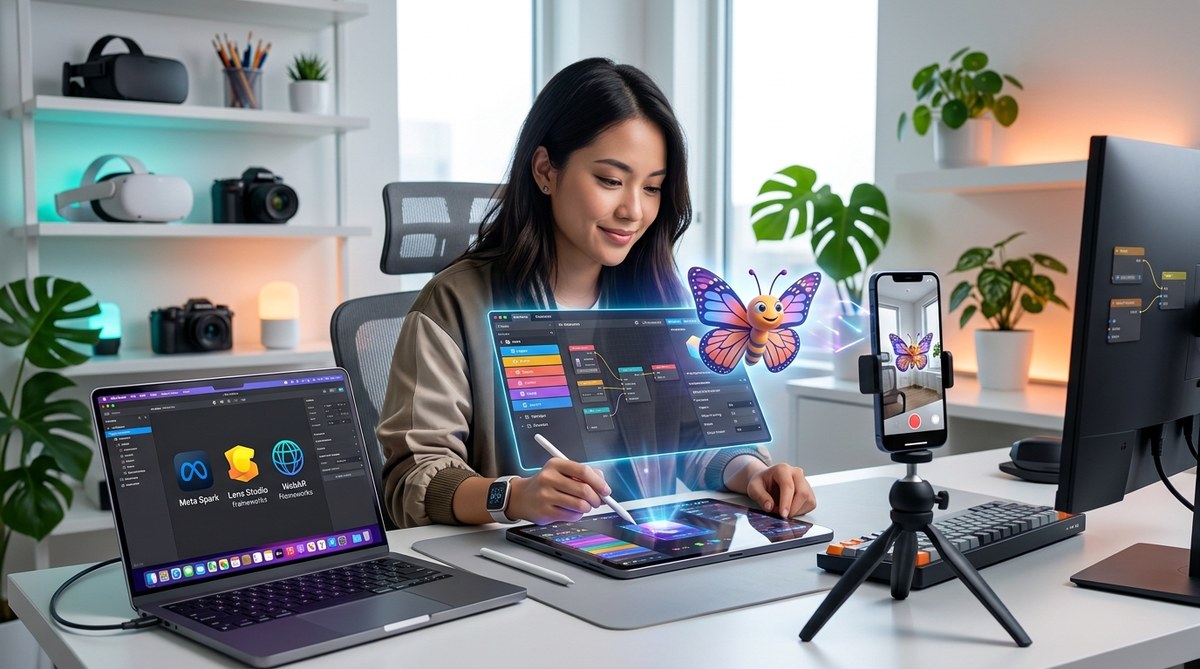
Building your first augmented reality (AR) experience can seem overwhelming at first. The world of AR development is expanding rapidly, with new tools and platforms emerging each year. In 2026, the landscape offers powerful options that are accessible to beginners. Whether you want to create fun filters for social media or develop immersive AR campaigns, knowing which tools to use makes all the difference. This guide will walk you through the essentials, from choosing the right software to practical steps for building your first AR project.
In 2026, beginners can access a range of user-friendly AR development tools that simplify the process. From no-code platforms to robust SDKs, there are options suited for every skill level. Starting with clear goals, choosing the right tools, learning tutorials, and practicing regularly will help you create impressive AR experiences quickly and confidently.
The core tools shaping AR development for beginners in 2026
As the AR industry grows, so do the options available for newcomers. The key to success lies in selecting tools that match your skill level and project goals. Here are some of the most popular AR development platforms and software in 2026, designed with beginners in mind.
1. No-code and low-code platforms
No-code platforms are perfect for those who want to jump into AR creation without extensive programming knowledge. They provide visual interfaces with drag-and-drop features, allowing you to assemble AR effects easily.
- Spark AR Studio: This platform by Meta remains a favorite for creating Instagram and Facebook filters. Its intuitive interface and extensive library of templates make it accessible for beginners. You can also add interactive elements and animations with minimal effort.
- Effect House: TikTok’s AR creation app offers a straightforward way to build effects that go viral. Its user-friendly design is tailored for creators new to AR.
- WebAR builder tools: Platforms like 8th Wall or ZapWorks enable you to develop WebAR experiences that users access directly through their browsers. These tools often include no-code options, making WebAR more approachable.
2. Beginner-friendly SDKs and software development kits
For those interested in diving a little deeper into coding, certain SDKs provide guided environments to learn AR development.
- Unity with AR Foundation: Unity remains a top choice for AR projects. In 2026, many beginner-friendly tutorials and templates make it easier to start. The AR Foundation framework allows you to build cross-platform apps with C# scripts.
- Unreal Engine with ARKit and ARCore: Unreal offers visual scripting with Blueprints, which reduces the need for coding. Its high-quality rendering capabilities make it ideal for more immersive experiences.
3. Specialized tools for filter creation
Creating AR filters involves designing visuals and programming simple interactions. The following tools help streamline that process.
- Snapchat Lens Studio: Perfect for creating face filters, Lens Studio offers tutorials and pre-made templates. Its visual scripting system makes effects accessible for non-programmers.
- Canva AR effects: Canva’s recent updates include AR features geared toward beginners. You can design overlays and basic effects for social media.
4. Educational resources and tutorials
Learning is crucial when starting with AR development. Many platforms provide step-by-step tutorials, community forums, and sample projects.
- Official tutorials: Platforms like Spark AR and Lens Studio host comprehensive guides suitable for newcomers.
- YouTube channels: Popular creators publish hands-on tutorials demonstrating how to build filters and AR effects.
- Online courses: Websites like Udemy or Coursera now offer beginner courses specifically tailored to AR development in 2026.
Practical steps to start creating AR experiences in 2026
Here’s a simple, step-by-step process to help you go from zero to your first AR effect.
1. Define your project goal
Decide what kind of AR experience you want to create. Is it a face filter, a world effect, or a WebAR experience? Setting a clear goal helps you choose the right tools.
2. Choose the right platform
Based on your goal and comfort level, select a platform. For quick social media filters, Lens Studio or Effect House are excellent options. For more complex apps, Unity or Unreal are suitable choices.
3. Gather design resources
Create or gather visual assets like images, 3D models, or animations. Tools like Canva or Blender can help you design assets if you’re comfortable with basic design software.
4. Follow tutorials and build prototypes
Use official tutorials or community-made guides to learn the basics. Start with simple effects like adding stickers or animations to faces.
5. Test and refine your effect
Preview your AR filter on different devices. Use platform-specific simulators or test on actual phones. Adjust your assets and scripts based on feedback.
6. Publish and promote
Once satisfied, submit your AR effect for approval (if needed). Share it on social media or embed it into websites for WebAR experiences.
Common pitfalls and how to avoid them
| Technique | Mistake | How to avoid it |
|---|---|---|
| Overloading effects | Making filters too complex | Keep effects simple; focus on core interactions |
| Ignoring platform specs | Not optimizing assets for mobile | Use compressed images and models for faster load times |
| Skipping testing | Publishing effects with bugs | Test on multiple devices before publishing |
| Neglecting user engagement | Overlooking user experience | Include interactive elements and clear instructions |
Expert tip: Focus on usability and clarity. An effect that is easy to use and visually appealing is more likely to go viral. Always test your filter in real-world conditions.
A peek into the future of AR development for beginners
As tools continue to evolve, the barrier to entry keeps lowering. In 2026, many AR creation platforms focus on making the process more visual and less code-dependent. WebAR is gaining momentum, allowing anyone with a smartphone to experience AR without downloading apps. Additionally, AI-powered design assistants are helping automate parts of the process, giving you more time to focus on creativity.
By starting with accessible platforms today, you will build a strong foundation for future innovations in AR. Whether you aim to craft social media filters or immersive web experiences, your journey begins with understanding the tools available.
Keep creating and pushing boundaries
AR development in 2026 is more friendly than ever for beginners. The key is to start simple, learn from tutorials, and experiment with different tools. As you gain confidence, you can explore more advanced features and platforms. Remember, every expert was once a beginner. With a bit of curiosity and persistence, you’ll be making impressive AR effects before you know it. Keep practicing, stay inspired, and enjoy the process of bringing your ideas into augmented reality.