
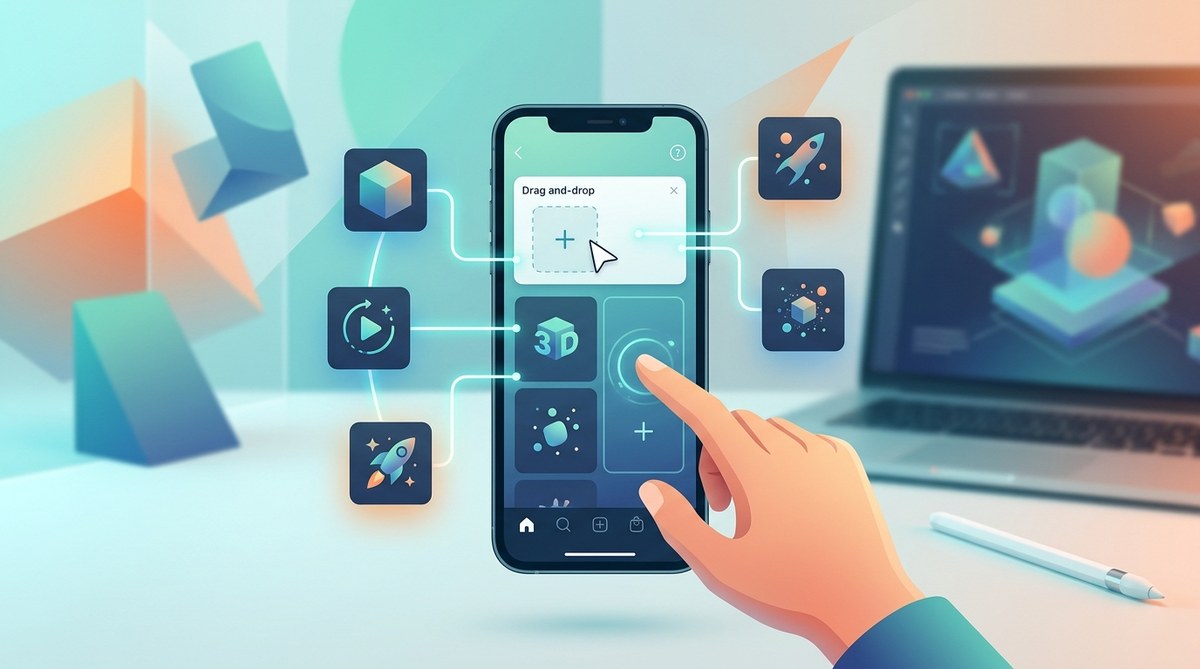
Creating custom Instagram filters used to feel like something only developers could do. You’d see brands and influencers rolling out polished AR effects and wonder how they pulled it off. The truth is simpler than you think. Modern tools have made filter creation accessible to anyone with a computer and a creative idea, no programming knowledge required.
You can build professional Instagram filters using Meta Spark Studio’s visual interface and pre-built templates. The process involves choosing an effect type, customizing assets in the drag-and-drop editor, testing on your phone, and submitting for approval. Most beginners publish their first filter within a few hours, and the software is completely free to use.
Understanding What Instagram Filters Actually Are
Instagram filters are augmented reality effects that overlay digital elements onto real-world camera views. They track faces, hands, or environments to add animations, color adjustments, 3D objects, or interactive elements.
Meta owns Instagram, and they provide Meta Spark Studio as the official creation tool. The platform uses a node-based system where you connect visual blocks instead of writing code. Think of it like assembling LEGO bricks rather than building from scratch.
The beauty of this approach is that you can see results immediately. Change a color, and it updates in real time. Add a 3D model, and you can position it with your mouse.
Setting Up Your Workspace
Before you start building, you need the right setup. Meta Spark Studio runs on both Mac and Windows. Download it directly from the Meta Spark Hub website after creating a free account.
The software requires a Facebook account linked to your Instagram profile. This connection allows you to test filters on your phone and publish them to your Instagram account.
You’ll also want to install the Meta Spark Player app on your smartphone. This app lets you preview your filter in real time as you build it. The preview feature is essential because what looks good on your computer screen might need adjustments when you see it on an actual face.
Hardware requirements are modest. Any computer from the last five years should handle the software smoothly. You don’t need a high-end graphics card or expensive equipment.
Choosing Your First Filter Type
Instagram filters fall into several categories, and picking the right one for your first project matters. Starting with something too complex leads to frustration. Starting too simple might not feel rewarding.
Face filters are the most popular category. They track facial features and add effects like makeup, accessories, or animations that follow your expressions. These work well for beauty brands, entertainment content, or personal branding.
World effects place 3D objects in your environment. Point your camera at a table, and a virtual product appears there. These suit product showcases or interactive experiences.
Color filters adjust the overall look of your camera view, similar to traditional photo filters but with more creative control. They’re the easiest to build and perfect for beginners.
Start with a simple face accessory like virtual sunglasses or a headband. You’ll learn the core workflow without getting overwhelmed by complex interactions.
Building Your First Filter Step by Step
Open Meta Spark Studio and select “Create New” from the welcome screen. The interface shows a preview window, asset panel, scene hierarchy, and properties inspector.
- Choose a template from the built-in library that matches your vision. Templates provide a working foundation you can customize rather than starting from zero.
- Import your custom graphics or 3D models into the assets panel. Meta Spark supports PNG images with transparency, 3D files in various formats, and audio files.
- Drag your asset from the panel into the scene hierarchy. Position it using the visual controls in the preview window.
- Adjust properties like size, rotation, and opacity in the inspector panel. Each element has dozens of customizable attributes.
- Add a face tracker from the scene objects menu if you want your effect to follow facial movements.
- Connect your asset to the face tracker by making it a child object in the hierarchy tree.
- Test the filter using the built-in simulator or send it to your phone via the Meta Spark Player app.
The patch editor is where the magic happens without code. Patches are visual programming blocks that control behavior. Want your effect to appear only when someone smiles? Connect a smile detection patch to a visibility patch. Want colors to change based on audio? Link an audio analyzer patch to a color adjustment patch.
Understanding AR terminology helps you grasp what these patches do, but you can also learn by experimenting. Click on patches, read their descriptions, and see what happens when you connect them differently.
Working With Templates and Pre-Made Assets
Meta Spark Studio includes dozens of templates covering common filter types. These aren’t just examples; they’re fully functional filters you can modify and publish.
The template library includes:
- Face makeup and beauty effects
- Animated backgrounds and portals
- Interactive games and challenges
- Product try-on experiences
- Seasonal and holiday themes
- Text and typography effects
Browse templates by opening the template gallery from the file menu. Each template shows a preview and description of what it does. Select one, and it opens as a new project with all assets and logic already configured.
Your job becomes customization rather than creation from scratch. Swap the default lipstick color with your brand colors. Replace the generic sunglasses with your product design. Change the background from blue to match your aesthetic.
This approach gets you to a publishable filter much faster than building everything yourself. Many successful creators start with templates and gradually learn to build custom elements as they gain confidence.
Testing Your Filter Properly
Testing separates filters that work from filters that frustrate users. What looks perfect in the studio might have issues in real-world conditions.
Send your filter to your phone using the test button in Meta Spark Studio. The Meta Spark Player app receives it instantly. Try the filter in different lighting conditions. Bright sunlight behaves differently than indoor lighting. Face tracking can struggle in dim environments.
Test with different face shapes, skin tones, and facial features. AR effects that work on one person might misalign on another. If your filter includes glasses, make sure they fit properly on wider and narrower faces.
Check performance by watching the frame rate indicator in the preview window. Filters that drop below 30 frames per second feel laggy and won’t get approved. Optimize by reducing texture sizes, simplifying 3D models, or removing unnecessary effects.
Record videos with your filter active. Sometimes issues only appear during movement or specific expressions. Watch these recordings and note anything that looks off.
Common Mistakes and How to Avoid Them
New creators make predictable mistakes that can derail their first filter project. Awareness helps you sidestep these issues.
| Mistake | Why It Happens | How to Fix It |
|---|---|---|
| Oversized file exports | Including high-resolution textures | Compress images to 1024×1024 or smaller |
| Poor face tracking | Not anchoring objects correctly | Use face tracker objects as parents |
| Slow performance | Too many effects running simultaneously | Remove non-essential animations |
| Misaligned elements | Testing on only one face shape | Test with diverse testers before publishing |
| Rejection during review | Violating content policies | Read Instagram’s AR effect guidelines thoroughly |
File size limits are strict. Instagram filters must stay under 4MB. Large 3D models or uncompressed images push you over this limit fast. Use texture compression and optimize models before importing them.
Face tracker alignment requires understanding the anchor point system. Objects need to be children of specific face parts (like nose tip, forehead, or eyes) to track correctly. Random placement in the scene hierarchy won’t work.
Learning from common beginner mistakes saves hours of troubleshooting and speeds up your learning curve.
Adding Interactive Elements
Static filters are fine, but interactive ones get shared more often. Meta Spark Studio includes several interaction types that don’t require coding.
Tap interactions let users trigger actions by tapping the screen. You might hide an element until someone taps, or cycle through different options with each tap. The tap patch connects to any property you want to control.
Facial gestures create responsive experiences. Smile detection, mouth opening, eyebrow raises, and head turns all have dedicated patches. Connect these to animations or visibility toggles for dynamic effects.
Audio reactivity makes filters respond to music or voice. The audio analyzer patch outputs values based on volume or frequency. Map these values to scale, rotation, or color properties for effects that pulse with sound.
Random generators add variety to your filter. Instead of showing the same result every time, randomization can select from multiple options, change colors unpredictably, or create unique combinations for each user.
Preparing for Submission
Before you can publish your filter to Instagram, Meta reviews it for compliance with their policies. Preparation increases your approval chances.
Review the effect guidelines in the Meta Spark Hub. Instagram prohibits filters that:
- Promote tobacco, alcohol, or drugs
- Include violent or disturbing content
- Mimic medical or safety equipment
- Contain copyrighted material without permission
- Collect user data or personal information
Your filter also needs proper metadata. Write a clear name that describes what it does. Create an icon that represents the effect visually. Add relevant categories so users can find it through search.
Test one final time before submission. Run through every interaction, check all visual elements, and verify performance metrics. Getting your Instagram filter approved fast depends on submitting a polished, policy-compliant effect.
The submission process happens through Meta Spark Hub. Upload your effect file, fill in the metadata fields, and submit for review. Approval typically takes 5 to 10 business days, though simple filters sometimes clear faster.
Growing Your Filter’s Reach
Publishing your filter is just the beginning. Getting people to actually use it requires promotion and strategy.
Share your filter on your Instagram story immediately after approval. Use the filter yourself and tag it so followers can find it. The more uses your filter gets in the first few days, the more Instagram’s algorithm promotes it.
Create content that showcases what makes your filter special. Post before-and-after comparisons, demonstrate the interactive features, or show different ways to use it. Video content performs better than static images for filter promotion.
Collaborate with other creators who might find your filter useful. If you built a makeup filter, reach out to beauty influencers. If you created a branded effect, contact the brand’s marketing team about featuring it.
Track performance through Meta Spark Hub analytics. You’ll see impression counts, usage statistics, and demographic data about who’s using your filter. Understanding what your filter analytics mean helps you refine future projects and improve promotion strategies.
Expanding Your Skills Beyond Basic Filters
Once you’ve published your first filter, you’ll want to build more complex effects. The learning curve continues, but each project gets easier.
Study successful filters in your niche. Open Instagram and browse the effects library. Save filters you admire and analyze what makes them work. Try to recreate elements you like in your own projects.
Comparing different AR platforms helps you understand where Instagram filters fit in the broader AR landscape. Snapchat and TikTok have their own creation tools with different strengths.
Join the Meta Spark community forums and Facebook groups. Experienced creators share tips, troubleshoot problems, and post tutorials. The community is surprisingly helpful to beginners who ask specific questions.
Consider building filters for clients once you’ve mastered the basics. Small businesses, local brands, and influencers often need custom AR effects but lack the skills to build them.
Deciding Between Face and World Effects
Your choice between face tracking and world effects shapes the entire filter experience. Each type serves different purposes and requires different approaches.
Face filters excel at personal expression and beauty applications. They feel intimate because they transform the user directly. Makeup try-ons, accessories, and animated masks all fall into this category. Choosing between face tracking and world effects depends on your goals and audience.
World effects work better for product visualization and environmental storytelling. They let users place virtual objects in their physical space, creating shareable moments that feel magical. Furniture previews, virtual pets, and location-based experiences use world tracking.
Building world effects requires understanding plane detection and surface tracking. The camera needs to identify flat surfaces before placing objects. This adds complexity but creates more immersive experiences.
Some filters combine both approaches. A face filter might include world elements, or a world effect might respond to facial expressions. These hybrid filters offer the most creative possibilities but also present the biggest technical challenges.
Resources for Continued Learning
Meta provides extensive documentation and tutorials through the Spark AR website. Video tutorials walk through specific techniques step by step. Written guides explain concepts in detail with screenshots and examples.
YouTube hosts thousands of filter creation tutorials from independent creators. Search for specific effects you want to learn, and you’ll find multiple approaches to building them. Some creators focus on artistic filters, others on technical implementations.
The Meta Spark certification program offers structured learning paths. While not required to publish filters, certification validates your skills and can help if you want to work with clients professionally.
Practice remains the best teacher. Set a goal to publish one new filter per week or month. Each project teaches you something new and builds your portfolio. Getting started with your first AR filter takes less time than you think.
Making Your Filter Stand Out
Thousands of new Instagram filters get published every month. Standing out requires creativity and understanding what makes effects shareable.
Solve a specific problem or fulfill a clear desire. Beauty filters that genuinely improve selfies get used repeatedly. Games that are actually fun get shared with friends. Branded filters that let users express identity or values perform better than generic advertisements.
Keep the user experience smooth and intuitive. Filters that require complex instructions or multiple taps to activate create friction. The best effects work immediately when someone opens them.
Visual polish matters more than complexity. A simple filter with beautiful graphics outperforms a complex filter with rough visuals. Invest time in creating or sourcing high-quality assets.
Timing can boost your filter’s success. Launch holiday filters a few weeks before the actual holiday. Tie filters to trending topics, viral challenges, or cultural moments when relevant.
Your First Filter Awaits
Building Instagram filters without coding knowledge is completely achievable with Meta Spark Studio’s visual tools. The combination of templates, drag-and-drop editing, and real-time preview makes the creation process accessible to anyone willing to learn the interface.
Start with a simple face accessory or color adjustment filter. Work through the entire process from creation to publication. You’ll make mistakes, but each one teaches you something valuable about how AR effects work.
The skills you develop creating Instagram filters transfer to other platforms and opportunities. You’re not just learning one tool; you’re building a foundation in augmented reality creation that’s increasingly valuable across industries.
Your first filter won’t be perfect, and that’s fine. Ship it anyway. Get it out into the world, see how people use it, and learn from the experience. Your second filter will be better, your third even more so. The only way to truly learn is by doing.
Open Meta Spark Studio today and start building. Your audience is waiting to see what you create.