
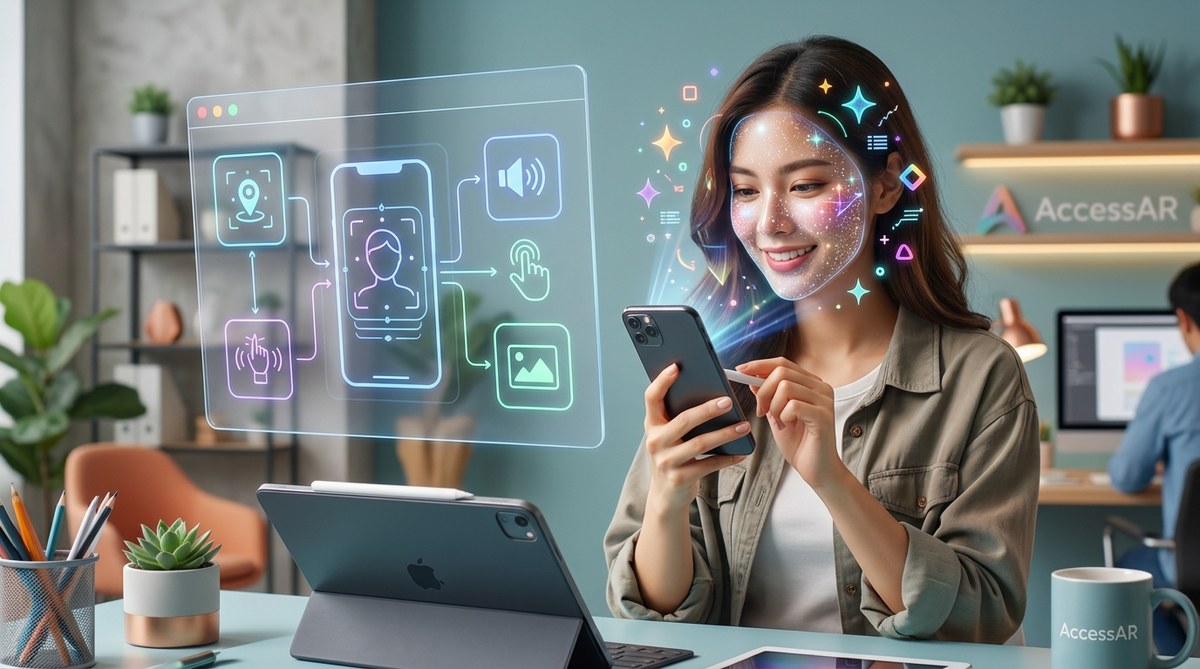
Creating engaging Instagram effects in 2026 isn’t just about trendy filters anymore. It’s about crafting experiences that captivate users and motivate them to interact. As augmented reality continues to dominate social media content, understanding how to design effects that boost user interaction can set your brand or personal account apart. This guide walks you through innovative strategies, practical steps, and creative ideas to maximize engagement with your Instagram effects this year. Whether you’re a content creator, marketing professional, or just starting out, these insights will help you turn your AR effects into powerful tools for connection and growth.
In 2026, designing Instagram effects that engage users requires creativity, interactivity, and smart use of AR tools. Focus on making effects fun, easy to share, and personalized to boost interaction and virality across your audience.
Understanding What Drives Engagement with Instagram Effects
In the world of social media, effects are more than just visual enhancements. They are opportunities for users to participate actively. Instagram’s audience loves effects that are easy to use, fun, and invite participation. When effects encourage sharing or involve user input, they naturally become more engaging.
Key factors influencing effects engagement include:
– Interactivity: Effects that respond to user gestures or expressions.
– Personalization: Effects that allow users to add their own twist.
– Shareability: Effects that are visually appealing and easy to share.
– Relevance: Effects tailored to current trends, holidays, or events.
Understanding these factors sets the foundation for creating effects that resonate and prompt users to engage deeply.
How To Design Instagram Effects That Capture Attention
Designing effects that boost interaction in 2026 involves a combination of technical skill and creative flair. Here are step-by-step methods to craft effects that users will love to try and share.
1. Start with a Clear Concept
Begin by brainstorming themes that align with your audience. Think about current trends, seasonal events, or pop culture moments. For instance, a holiday-themed AR filter can be more appealing during festive seasons.
2. Use User-Friendly AR Tools
Leverage accessible AR platforms such as Meta Spark Studio or Effect House to build your effects. These tools are designed for beginners and seasoned creators alike.
3. Incorporate Interactivity
Add features that respond to user actions. For example:
– Tap gestures to switch effects
– Head movements that trigger animations
– Facial expressions that activate effects
4. Make Effects Personalizable
Allow users to customize elements within the effect. For example, enabling users to change colors, add text, or select accessories increases their involvement and encourages sharing.
5. Optimize for Sharing
Design effects that look good in different contexts:
– Shareable moments (e.g., funny expressions)
– Clear instructions for sharing
– Effects that look impressive in both photos and videos
6. Test and Refine
Before releasing, test your effect across devices. Gather feedback from friends or beta testers to identify bugs or areas for improvement.
7. Launch with a Campaign
Promote your effect via stories, posts, and collaborations. Encourage followers to try it out and share their results.
Practical Steps to Enhance Effects Engagement in 2026
Here’s a simplified process to help you consistently improve your effects’ interaction levels:
- Identify trending themes that match your audience’s interests.
- Use beginner-friendly AR creation tools to build or customize effects.
- Add interactive elements like tap triggers or facial expressions.
- Include personalization options for users to modify.
- Promote your effects actively with clear calls to action.
- Monitor engagement metrics and gather user feedback.
- Iterate and update effects based on user responses.
Tools and Software to Elevate Your AR Effects
| Technique | How to Use | Common Mistakes |
|---|---|---|
| Incorporate gestures | Add tap or swipe interactions | Making effects too complicated for quick interactions |
| Use personalization | Enable color or accessory choices | Overloading effects with options that confuse users |
| Optimize for sharing | Create visually striking effects with simple instructions | Designing effects that are hard to share or look bad in small screens |
| Test across devices | Preview effects on different phones | Ignoring device compatibility issues |
“The key to viral effects is simplicity and relevance. If users can easily personalize and share your filters, they are more likely to use and promote them.” — AR marketing specialist
Review of Popular Techniques for Boosting Engagement
- Interactive Tap Effects: Encourage users to tap or swipe to change effects.
- Expression-Based Effects: Use facial expressions to trigger animations.
- Personalization Layers: Allow users to choose colors, accessories, or text.
- Seasonal Themes: Align effects with holidays or trending topics.
- Collaborative Effects: Enable multiple users to participate simultaneously.
Common Pitfalls to Avoid
| Technique | Mistakes to Watch For |
|---|---|
| Overcomplicated effects | Making effects too complex leads to low participation |
| Lack of shareability | Forgetting to include clear sharing options reduces spread |
| Ignoring device compatibility | Effects that don’t work on older phones frustrate users |
| Not promoting effects | Simply releasing effects without promotion limits engagement |
Expert Advice on Creating Viral Effects
“Always think about the user experience. An effect that is fun, easy to use, and offers room for personalization encourages sharing and increases interaction.” — top AR designer
Building a Community Around Your Effects
Creating effects is just the start. To truly boost engagement, foster a community by:
– Encouraging followers to create their own versions
– Hosting challenges or contests
– Featuring user-generated content in your stories
– Collaborating with influencers to showcase effects
Final Tips for Maximizing Instagram Effects Engagement in 2026
- Keep effects simple yet eye-catching.
- Use trending themes to stay relevant.
- Incorporate interactive elements that respond to gestures or expressions.
- Enable users to personalize effects easily.
- Promote effects across multiple channels.
- Regularly update effects to keep content fresh and engaging.
- Analyze performance metrics to understand what resonates.
Keep Creativity Flowing for Better Interaction
In 2026, the most engaging effects are those that invite participation. Focus on designing filters that are fun, easy to share, and customizable. Don’t be afraid to experiment with new AR features and trends. The more you listen to your audience and adapt, the more your effects will stand out.
By applying these strategies, you’ll increase your effects engagement naturally. Remember, the goal is to create experiences that users want to share and return to. Start simple, test often, and refine your effects to turn your Instagram presence into a hub of interactive fun.
A Final Word on Making Your Effects Shine
The world of AR effects is constantly changing. Staying ahead means being creative, listening to your community, and using the right tools. As you experiment with new ideas and techniques, you’ll find what works best for your audience. Keep your designs fresh and your interactions simple. With persistence and innovation, your effects will become a favorite in users’ stories and reels.
Happy creating!