
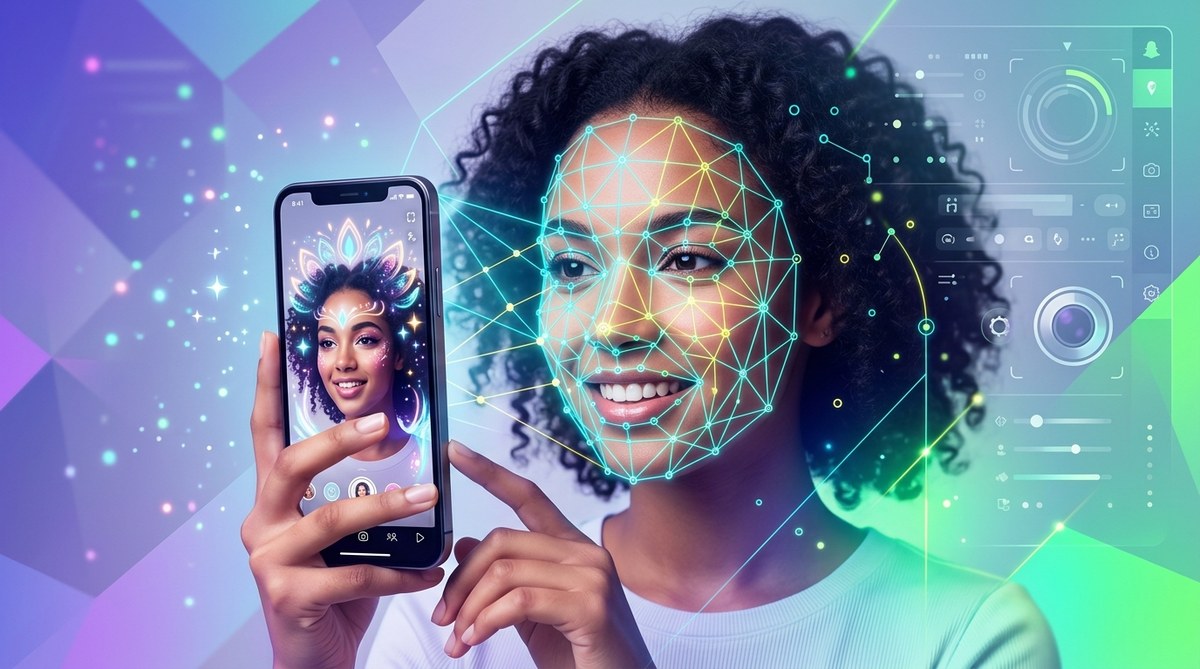
Creating eye-catching Snapchat filters with face-tracking effects opens the door to endless creative possibilities. Whether you’re a content creator, AR developer, or hobbyist, mastering face-tracking is key to building engaging and viral filters. With the right tools and step-by-step guidance, you can turn simple ideas into stunning AR experiences that captivate your audience. Let’s explore how to develop top-tier face-tracking effects for Snapchat and similar platforms.
Mastering face-tracking effects for Snapchat filters involves understanding AR tools, following design best practices, and testing thoroughly. Using accessible software, you can craft dynamic effects that respond naturally to facial movements, boosting engagement and virality.
Understanding face-tracking technology in AR filters
Face-tracking is the backbone of many popular Snapchat filters. It allows digital effects to follow facial features accurately, creating a seamless interaction between the user and the effect. This technology relies on detecting key facial landmarks such as eyes, nose, mouth, and jawline. Once identified, the filter overlays graphics that move in sync with these features.
Developers use specialized software like Lens Studio for Snapchat or Effect House for TikTok to implement face-tracking. These platforms provide built-in tools to facilitate the process, even if you’re new to AR development. The core concept involves mapping facial landmarks onto a 3D or 2D model to animate effects precisely.
Essential tools and software for creating face-tracking effects
-
Lens Studio: Designed specifically for Snapchat, this free software offers a user-friendly interface with powerful face-tracking capabilities. It includes templates and tutorials perfect for beginners.
-
Effect House: TikTok’s AR platform supports face-tracking effects with an intuitive setup process and pre-made assets, making it accessible for hobbyists.
-
Spark AR Studio: Facebook’s platform for Instagram and Facebook filters, offering robust face-tracking features suitable for cross-platform creation.
-
WebAR builders: For web-based AR effects, platforms like 8thWall or ZapWorks provide tools to develop face-tracking experiences that work directly in browsers.
-
3D modeling software: Tools like Blender or Cinema 4D are helpful if you want custom 3D assets to enhance your filters.
“Start with easy-to-use platforms like Lens Studio or Effect House. They simplify face-tracking setup and help you focus on creativity rather than technical complexities.”
Step-by-step process to create face-tracking Snapchat effects
-
Define your concept
Decide on the effect you want to build. Is it a funny mask, an virtual accessory, or an interactive animation? Clear ideas make the design process smoother. -
Set up your workspace
Download and install Lens Studio or Effect House. Browse through tutorials to familiarize yourself with the interface. -
Use templates or build from scratch
Leverage pre-made templates for face effects or start a new project. Templates save time and offer a proven foundation for face-tracking. -
Map facial landmarks
Identify key facial points such as eyes, nose, mouth, and jaw. These landmarks will guide your effect’s movement. -
Design your assets
Create or import graphics, 3D models, or animations that respond to facial movements. Keep assets lightweight to ensure smooth performance. -
Apply face-tracking scripts
Use the platform’s scripting tools or visual programming blocks to link facial landmarks to your assets. -
Test your effect
Preview it on different faces and lighting conditions. Adjust the placement and responsiveness for natural movement. -
Publish and promote
Once satisfied, submit your filter for approval. Share it with your audience and gather feedback for future improvements.
Tips for creating compelling face-tracking effects
-
Stay simple at first. Focus on one or two facial features to ensure smooth tracking.
-
Use contrasting colors to make effects pop against different skin tones and lighting.
-
Include interactive elements like tap gestures or mouth movements for more engaging filters.
-
Test on various faces and devices to ensure consistency.
-
Incorporate humor or surprise to boost virality potential.
-
Follow platform guidelines to avoid rejection during approval.
Common techniques and pitfalls
| Technique | Mistake to Avoid |
|---|---|
| Accurate landmark detection | Using assets that are too heavy or complex, causing lag |
| Responsive animations | Ignoring the importance of testing in different lighting |
| Seamless asset integration | Overlooking facial symmetry, leading to awkward effects |
| Using templates | Relying solely on templates without customizing for uniqueness |
Expert advice on face-tracking effects
“The secret to creating captivating face-tracking effects is paying attention to the details. Ensure your assets respond naturally and are optimized for performance. Always test extensively to catch issues before publishing.”
Practical steps to improve your face-tracking filters
-
Regularly update your skills with online tutorials and community forums.
-
Experiment with different facial landmarks to develop unique effects.
-
Use motion graphics and animations to add flair.
-
Collaborate with artists or designers for more complex assets.
-
Stay informed about new features introduced by AR platforms.
Mistakes to watch out for
-
Overloading effects with large assets that cause lag.
-
Ignoring user feedback and not refining effects after launch.
-
Skipping testing on different face shapes and lighting environments.
-
Relying only on default templates without personalizing.
Here’s a quick comparison table to clarify techniques and common mistakes:
| Techniques | Common mistakes |
|---|---|
| Precise landmark placement | Ignoring performance optimization |
| Lightweight assets | Poor adaptation to different faces |
| Responsive scripting | Lack of thorough testing |
| Creative use of facial features | Overcomplicating effects |
Embracing creativity with face-tracking effects
Creating compelling face-tracking effects for Snapchat filters requires both technical understanding and creative vision. By leveraging accessible tools and following a proven process, you can craft effects that resonate with users. Remember to keep your designs lightweight, test thoroughly, and add interactive touches to boost engagement.
Experiment with different ideas, learn from community examples, and continually refine your skills. The more you practice, the more natural it will feel to develop effects that wow your audience and even go viral.
Making your mark in the AR filter landscape
Building impressive face-tracking effects is a rewarding journey. Start small, focus on quality, and don’t hesitate to seek inspiration from trending filters or viral campaigns. With persistence and creativity, your filters can become the next big hit on Snapchat or other AR platforms.
Happy creating! Let your imagination run wild and bring fun, innovative effects to life that capture attention and spark joy.
Remember, creating stunning face-tracking effects is within your reach. Use the right tools, follow a clear process, and keep experimenting. Your audience awaits the magic only you can bring to their screens.