
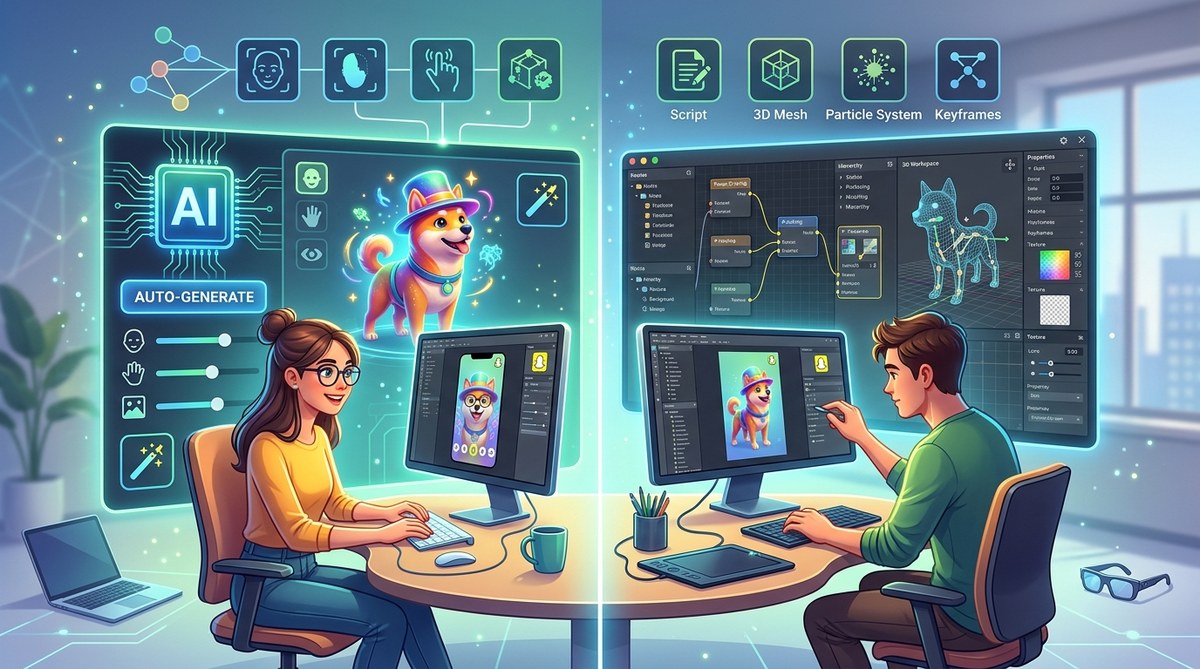
Creating AR filters in Lens Studio can be as straightforward or as intricate as you want it to be. With the rise of artificial intelligence tools, many creators wonder whether it makes sense to rely on AI for effects or stick with hands-on, manual techniques. Both approaches have their advantages and challenges. Understanding this balance can help you craft better filters faster and with more confidence. Let’s compare these two methods and see which suits your style and goals best.
Choosing between Lens Studio AI tools and manual effects depends on your skill level, project complexity, and speed needs. AI accelerates workflows but may limit customization, while manual effects offer detailed control. Combining both approaches can yield optimal results for creating engaging AR filters efficiently.
The basics of effect creation in Lens Studio
Lens Studio is Meta’s free software for building AR filters for platforms like Snapchat. Effect creation generally involves designing visuals, scripting interactions, and fine-tuning effects. Traditionally, this process demands skills in graphic design, 3D modeling, and coding. Manual effects require you to create assets, animate them, and program interactions, which can take hours or days depending on complexity.
Recently, Lens Studio has integrated AI-powered tools that aim to simplify parts of this process. These tools can generate assets, suggest animations, or even build entire effects from simple inputs. For beginners, this can lower the barrier to entry, letting you produce effects without deep technical skills. But does relying on AI mean sacrificing control or quality? Let’s break that down.
Comparing Lens Studio AI tools and manual effects
Advantages of AI tools in Lens Studio
- Speed and efficiency: AI can generate assets and effects rapidly, reducing the time from idea to deployment. For instance, you can create a face filter by describing what you want, and the AI helps produce the assets.
- Ease of use: AI-powered features often come with user-friendly interfaces. Even those with limited design skills can produce professional-looking filters.
- Automation of repetitive tasks: Tasks like background removal, asset placement, or basic animations can be handled automatically, freeing you to focus on creative concepts.
- Inspiration and ideation: AI can suggest effect ideas or variations based on your input, sparking new creative directions.
Challenges of AI tools
- Limited customization: AI-generated effects might lack the unique touch or specific details you desire. You may need to manually tweak assets afterward.
- Potential quality issues: AI outputs might sometimes be inconsistent or not match your vision exactly, especially with complex effects.
- Dependence on input quality: The effectiveness of AI depends on how well you describe your idea. Vague prompts can lead to less satisfying results.
- Less learning opportunity: Relying solely on AI can limit your understanding of effect design and development fundamentals.
Advantages of manual effects creation
- Full control: Manual techniques let you craft effects exactly as envisioned. You decide every detail from asset design to animation.
- Higher quality and uniqueness: Custom-built effects often stand out more because they aren’t templated or auto-generated.
- Skill development: Building effects manually enhances your understanding of 3D modeling, scripting, and design, benefiting long-term growth.
- Flexibility: You can create complex interactions and effects that AI might struggle to produce.
Challenges of manual effects creation
- Time-consuming: Developing effects from scratch can take hours or days, especially for intricate designs.
- Steep learning curve: Beginners may find manual creation intimidating without prior experience.
- Requires multiple skills: To succeed, you might need to learn different software tools, scripting languages, and design principles.
How to decide which approach fits your project
The choice hinges on your goals, skills, and project scope. Here is a practical step-by-step process for evaluating your options:
- Assess your skill level: Are you familiar with graphic design, 3D modeling, and scripting? If not, AI tools can help you get started quickly.
- Define your project complexity: Is your filter simple, like a color overlay or basic face mask? Or are you aiming for complex interactions with animations and 3D objects? Manual effects excel in detailed projects.
- Determine your timeframe: Do you need a quick turnaround or have plenty of time to refine effects? AI can speed up production, while manual effects benefit from meticulous craftsmanship.
- Balance control and speed: If you want precise control, manual creation is better. For rapid prototyping, AI tools can jumpstart your workflow.
- Experiment and combine: Try AI-assisted effects for initial drafts and refine with manual tweaks. This hybrid approach often yields the best results.
Practical steps for effect creation using AI versus manual techniques
Using AI tools in Lens Studio
- Describe your desired effect: Use clear prompts to tell the AI what assets or effects you want.
- Generate assets: Let AI create textures, backgrounds, or models.
- Import and refine: Bring AI outputs into Lens Studio and adjust as needed.
- Automate animations: Use AI suggestions for movements or transitions.
- Test and publish: Preview your effect and make final adjustments before publishing.
Building effects manually
- Sketch your concept: Draw rough designs or list features.
- Create assets: Design or source images, 3D models, and textures.
- Set up in Lens Studio: Import assets, position them, and set up interactions.
- Animate and script: Use keyframes or scripting to bring effects to life.
- Refine and test: Iterate based on testing, adjusting timing, effects, and performance.
- Publish: Submit the final effect for review and release.
Techniques and common mistakes table
| Technique | Mistake to Avoid |
|---|---|
| Using AI prompts with unclear instructions | Vague prompts leading to irrelevant outputs |
| Rushing effect assembly without testing | Skipping testing phases causes bugs or poor performance |
| Over-relying on AI assets | Ignoring the need to customize for uniqueness |
| Failing to optimize assets | Large files slow down performance and user experience |
| Manually scripting without documentation | Difficult to troubleshoot or update effects later |
Expert advice on effect creation
“Combining AI-generated assets with manual adjustments often produces the best effects. Use AI to jumpstart your workflow, but don’t forget the value of your personal touch.” — AR effect designer
Finding the right balance for your AR filters
Choosing between Lens Studio AI tools and manual effects depends on what you want to achieve. For quick prototypes or effects with standard features, AI can significantly streamline your process. When aiming for high-end, unique filters, putting in the effort to manually craft assets and interactions pays off.
You might even find that a hybrid approach works best. Use AI to generate initial ideas or assets, then customize and refine them manually. This method saves time while preserving your creative control.
A friendly reminder for aspiring AR creators
Getting started with AR effect creation can seem complex at first. But with the right mix of AI tools and manual techniques, you can produce eye-catching filters that stand out. Remember to experiment, learn from each project, and gradually build your skills. The more you practice blending these methods, the more natural and efficient your workflow becomes.
Happy creating! Your next viral AR filter is just around the corner, waiting to be built with a smart combination of AI-powered efficiency and manual craftsmanship.