
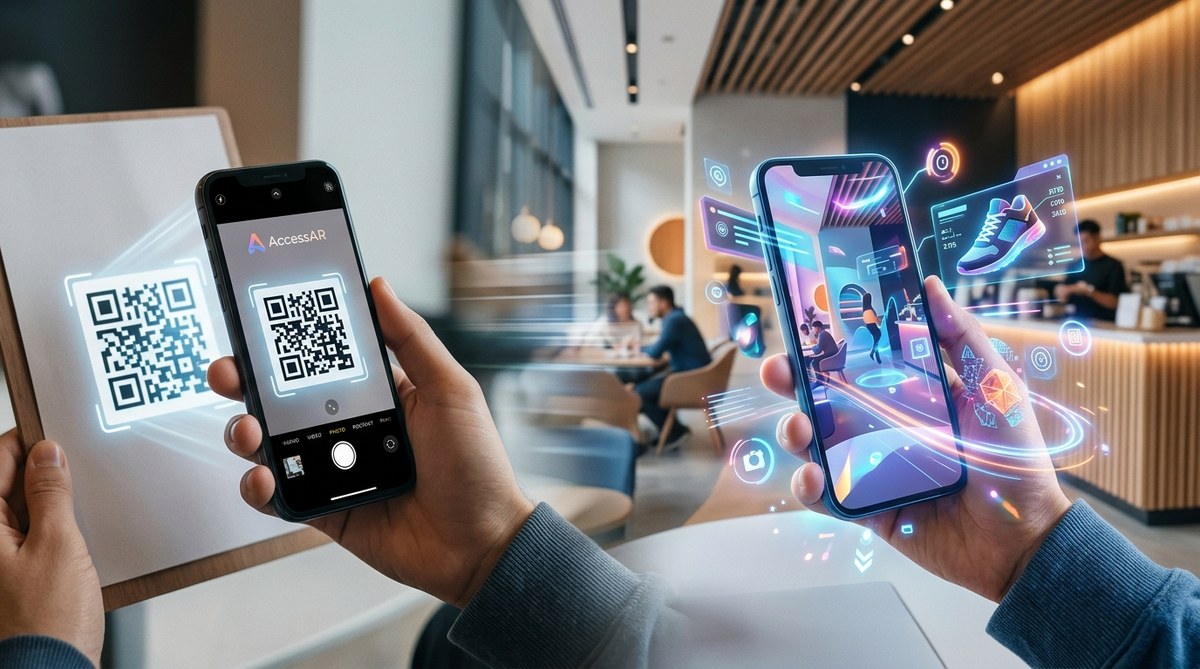
Creating an augmented reality (AR) experience from a simple QR code might seem complex, but it can be surprisingly straightforward. Imagine scanning a QR code and immediately being transported into a 3D model, interactive game, or immersive environment. That is the power of a QR Code to AR experience. With the right tools and a little guidance, anyone can turn a basic QR code into an engaging digital interaction that captures attention and sparks curiosity.
Transforming QR codes into AR experiences is accessible to beginners. By choosing the right platform, following a simple process, and testing thoroughly, you can create immersive interactions that boost engagement and showcase innovation effortlessly.
Turning QR codes into AR experiences: what you need to know
The idea of converting a QR code into an AR experience is increasingly popular among marketers, tech enthusiasts, and brands. It allows for easy access to augmented reality content without requiring users to download an app. Instead, users just scan a QR code and are instantly taken to a web-based AR environment. This approach simplifies deployment while maximizing reach.
You don’t need advanced coding skills to do this. Today’s no-code platforms and tools have made it possible for nearly anyone to create an AR experience from a QR code. This process unlocks new possibilities for marketing campaigns, virtual events, educational content, and more. Here’s how to do it.
How to create a QR code to AR experience in three simple steps
-
Choose the right platform or tool
Select an AR platform that supports web-based experiences and QR code generation. Examples include 8th Wall, ZapWorks, or AR.js. These platforms often come with built-in features to create interactive AR content that can be accessed via a web browser. Some tools even provide templates and tutorials designed for beginners. -
Design your AR experience
Using the platform’s interface, craft your AR content. Options range from 3D models, animations, filters, to interactive elements. Keep in mind that simplicity often works best, especially for first-time creators. Test your experience within the platform to ensure everything functions smoothly. -
Generate the QR code and embed it
Once your AR experience is ready, publish it on the platform’s hosting environment. The platform will provide a URL that links to your experience. Use a QR code generator—many free options are available—to convert this URL into a QR code. Place the QR code on printed materials, posters, packaging, or digital channels.
Practical tips for success:
- Test your QR code with multiple devices and browsers before finalizing.
- Add clear instructions near the QR code to guide users.
- Use high-resolution QR codes for print to prevent scanning issues.
- Track scans and interactions through analytics tools offered by some platforms to measure engagement.
Techniques and common mistakes in QR to AR conversions
| Technique | Mistake to Avoid |
|---|---|
| Using a reliable AR platform with web support | Relying on platforms that require app downloads for a web-based experience |
| Embedding a simple, fast-loading experience | Creating heavy, slow-loading AR content that discourages users from scanning |
| Testing on multiple devices | Overlooking compatibility issues that prevent some users from accessing the AR experience |
| Using high-quality QR codes for print | Using low-resolution or poorly printed QR codes that are hard to scan |
| Incorporating clear call-to-actions | Failing to provide instructions or context to motivate scans |
An expert in AR marketing advises that simplicity is key. “The most successful QR to AR campaigns are those that deliver a seamless, frictionless experience. Keep your content lightweight and easy to access.”
Common pitfalls include:
- Overloading the experience with too many elements, which slows down loading times.
- Forgetting to test on various devices and browsers.
- Placing QR codes in areas with poor lighting or obstructed views.
Techniques for creating effective QR code to AR campaigns
- Use vibrant visuals to attract attention to your QR code. Bright colors and compelling designs can increase scan rates.
- Position your QR code strategically in high-traffic or visible locations, such as posters, product packaging, or digital screens.
- Add instructions like “Scan to see the magic” or “Point your camera here” to guide users.
- Track performance through integrated analytics or by using UTM parameters in your experience URL.
Mistakes to avoid:
- Placing QR codes in low-traffic areas.
- Using cluttered backgrounds that make scanning difficult.
- Not testing the experience across devices, leading to broken interactions.
Expert advice on making your QR to AR experience shine
“Focus on creating experiences that are fun, intuitive, and fast to load. Remember, your audience is more likely to engage if the process is effortless and the content is visually compelling,” recommends an AR strategist.
Final thoughts on building your own AR from a QR code
Creating a QR Code to AR experience opens a world of possibilities. Whether you’re a marketer aiming to boost engagement or a tech enthusiast eager to experiment, the process is more accessible than ever. Start by selecting a platform that aligns with your goals and technical comfort level. Keep your content simple and visually appealing. Test your QR code thoroughly before launching, and always consider your audience’s convenience.
By following these steps, you can turn a basic QR code into an immersive digital interaction. It’s a straightforward way to stand out in crowded environments and deliver memorable experiences. Embrace the tools available, experiment with your ideas, and watch your projects come to life effortlessly.
Your next step into accessible augmented reality
Now that you understand how to convert QR codes into engaging AR experiences, it’s time to put this knowledge into action. Whether for an event, a marketing campaign, or just for fun, creating your own AR from a QR code is within reach. Keep experimenting, learning from each project, and sharing your creations. The world of augmented reality is waiting for your unique touch.