
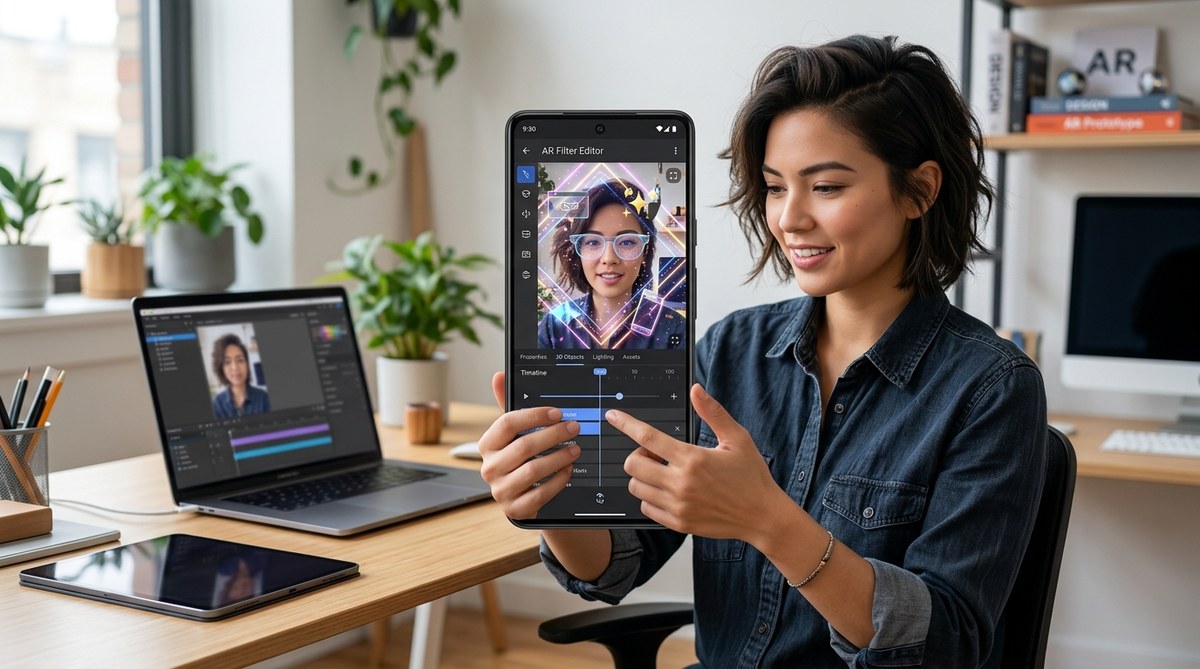
Creating your own AR filters used to require advanced skills and expensive software. Now, with the right tools and a little guidance, you can craft professional-looking AR filters on your phone. This opens up a world of creative possibilities for social media enthusiasts and future AR creators. Whether you’re aiming to boost your online presence or just enjoy making fun effects, you don’t need to be a tech wizard. Let’s walk through how you can start creating high-quality AR filters right from your mobile device.
Creating professional AR filters on phone is fully achievable with accessible apps and simple steps. You can design, test, and publish effects without coding. Start with easy-to-use tools, follow step-by-step tutorials, and experiment regularly to build your AR creation skills. This approach makes high-quality filters accessible for everyone, regardless of technical background.
Understand what makes a professional AR filter
Before jumping into creation, it helps to understand what elevates an AR filter from fun to professional. High-quality filters are visually appealing, smooth, and engaging. They often incorporate face tracking, eye effects, or interactive elements that respond naturally to user movements.
Professional AR filters are not just about adding a cool overlay. They require thoughtful design, proper asset use, and an understanding of platform capabilities. Fortunately, you can achieve this on your phone by leveraging the right apps and techniques.
Choose the right tools for mobile AR filter creation
Many platforms now offer mobile-friendly options for designing AR filters. Here are some of the most beginner-friendly and powerful tools:
- Spark AR Studio Mobile App: Facebook’s platform allows you to create and publish filters for Instagram and Facebook directly from your phone.
- Effect House: TikTok’s AR creation platform offers an intuitive interface for building effects without coding.
- Lens Studio: Snapchat’s AR platform also has a mobile app to design lenses, especially if you’re interested in face filters.
- Web-based tools: Platforms like Gloam offer web-based AR creation that can be accessed via a mobile browser, eliminating the need for desktop software.
Each of these tools provides step-by-step tutorials, templates, and an active community to help you learn quickly.
Step-by-step process to create professional AR filters on your phone
Follow these practical steps to develop your own high-quality filters:
-
Define your concept
Decide what kind of effect you want to create. Is it a face mask, an background effect, or an interactive sticker? Keep it simple if you’re just starting. Think about what will resonate with your audience or reflect your style. -
Gather assets and assets creation
Use your phone’s camera or design apps like Canva or Procreate Pocket to create or customize assets such as images, 3D objects, or animations. Ensure your assets are optimized for mobile use with transparent backgrounds and appropriate resolutions. -
Build the filter using an app
Open your chosen app or platform. Most have a user-friendly interface where you can upload assets, add effects, and set triggers. For face effects, you’ll typically align assets with facial features using built-in face tracking features. -
Test your filter
Use your phone’s preview feature to see how the filter performs in real-time. Make adjustments to asset placement, size, and animation to enhance realism and engagement. -
Publish and share
Once satisfied, follow the platform’s publishing process. Many platforms allow you to share a link or QR code for others to try out your creation immediately.
Practical tips for creating high-quality filters on your phone
- Use high-resolution assets for clarity but keep file sizes small for smooth performance.
- Focus on natural animations that respond to user movements.
- Keep designs simple and avoid clutter.
- Use contrasting colors to make elements pop.
- Regularly test on different devices to ensure compatibility.
“Start small and iterate. The more you experiment with your AR effects, the more natural and professional they’ll look.” — AR design expert
Common pitfalls and how to avoid them
| Technique | Mistake | Solution |
|---|---|---|
| Asset optimization | Using large files that slow down the filter | Compress assets before uploading |
| Overcomplicating effects | Adding too many animations or elements | Keep effects simple and focused |
| Ignoring platform guidelines | Creating filters that get rejected | Read platform-specific design rules carefully |
| Poor asset alignment | Assets not fitting facial features | Use face tracking tools precisely |
| Lack of testing | Uploading without preview | Always test thoroughly on multiple devices |
Additional resources to refine your skills
- For detailed tutorials on effect building, check out platforms like Meta Spark or Effect House.
- To learn about asset creation, explore free design tools like Canva or Pixlr.
- For inspiration, browse trending filters on social media to see what works well visually.
Keep creating and sharing your AR magic
The beauty of designing filters on your phone is the ease of sharing your creations instantly. As you become more comfortable, experiment with different styles, effects, and interactive elements. Building a portfolio of effects can even lead to freelance opportunities or collaborations.
Remember, mastering AR filters is a process. The more you practice, the more natural it will feel to craft effects that stand out. Use community forums, online tutorials, and feedback from users to improve your skills continuously.
Your next step in AR creation
Creating professional AR filters on your phone is no longer reserved for tech experts. With accessible tools and a clear process, you can produce engaging, high-quality effects that captivate your audience. Start with a simple idea, follow the steps, and keep refining your skills. Before long, you’ll be designing filters that look like they were made with professional software.
Happy creating! Dive into your favorite platform, experiment with assets, and share your unique effects with the world. Your journey into AR design begins now.