
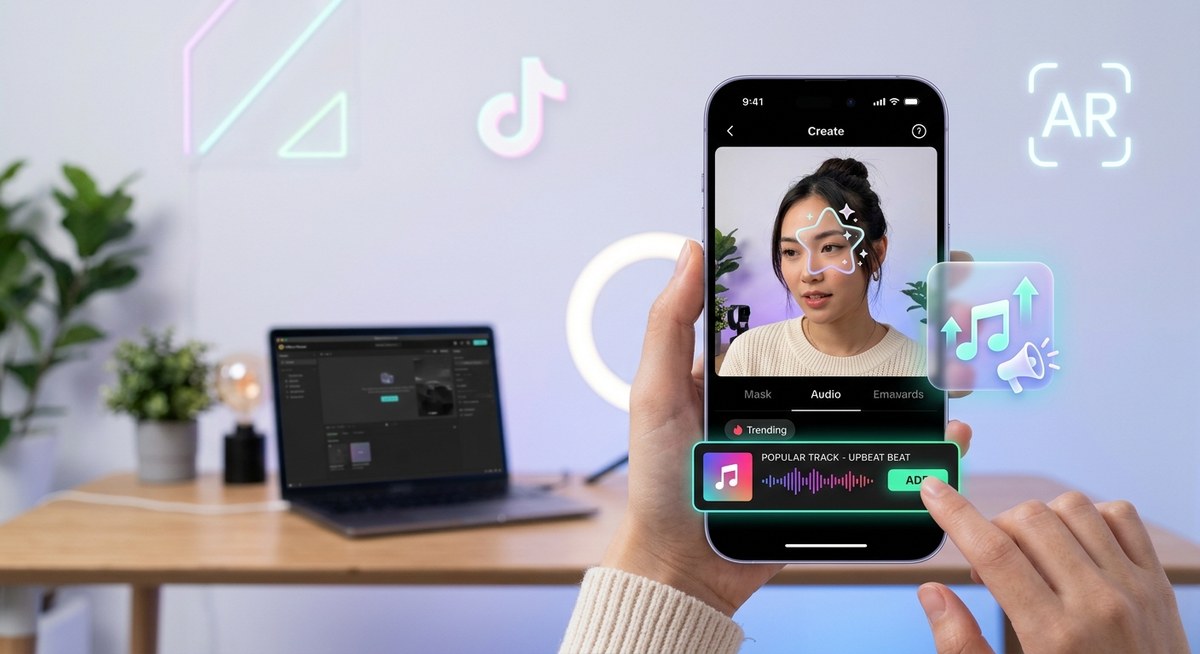
You spent hours perfecting your face tracking logic, tweaking the particle system, and polishing the reaction triggers. You hit submit, the effect gets approved, and then… silence. A few hundred uses, maybe a thousand if you are lucky. But you know your effect deserves more. The missing piece is often the audio.
The secret to breaking through the noise on TikTok is simple: attach your effect to the sound the For You Page is already serving. When you pair your creation with a trending track, you ride the wave of a sound’s natural momentum. Users searching for that audio will see your effect. The algorithm rewards effects that get attached to popular sounds. In 2026, this is one of the most reliable ways to boost discoverability without paying for ads.
Effect House trending sounds act as a discoverability multiplier for your AR effects. By attaching your effect to a trending audio clip, you tap into the existing search and recommendation traffic for that sound. The process involves finding the right audio, importing it into Effect House, syncing your visual triggers to the beat, and avoiding common pitfalls like stale sounds or poor synchronization. This guide walks you through each step.
Why Trending Audio Is Your Secret Weapon for Effect Discoverability
TikTok’s search engine loves audio. When someone opens the TikTok camera and picks a sound from the trending list, the platform shows them effects that are tagged with that audio. If your effect is one of them, you get instant visibility. Without a popular sound, your effect relies entirely on hashtags, external promotion, or lucky timing. With a trending sound, you get free recommendation space.
The effect itself is still critical. Nobody keeps a mediocre filter just because the audio is catchy. But the right sound gives you the chance to be found. Think of it like a billboard on a busy highway versus a sign on a deserted road. The highway is TikTok’s trending audio feed.
How to Identify Trending Sounds for Your Effect House Project
The process starts outside Effect House. You need to spot the sounds that are gaining velocity. Here is a numbered workflow to help you stay ahead.
-
Monitor TikTok’s trending page daily. Open the app and tap the magnifying glass. Look for the “Trending” carousel at the top. The first five to ten sounds there are your best bet. Note the ones that have a clear mood or danceable rhythm. Avoid sounds that are purely dialogue or soundbites unless your effect is a direct response to them.
-
Use the TikTok Creative Center. Navigate to ads.tiktok.com and open the “Trending Sounds” tool. This gives you data on how fast a sound is rising, its peak, and its current momentum. Filter by region (United States) to match your audience. Pick sounds that are still climbing, not already past their peak.
-
Cross reference with Effect House’s own trend data. The Effect House dashboard sometimes highlights which audio clips are being used in high performing effects. Check the “Discover” tab inside Effect House for featured effects that are growing. Note the sound they use.
-
Search for sound challenges. Many trending sounds spawn challenges. Look for the hashtag paired with the sound (for example, #nameofsoundchallenge). If that challenge is getting millions of views, the audio is worth using. Your effect can become the go to for completing that challenge.
How to Add Trending Audio to Your Effect House Effect
Once you have a sound, you need to bring it into Effect House. The process is straightforward, but attention to detail matters.
First, download the audio file. Use a TikTok video that features the sound (or use a third party tool like Snaptik or TTDownloader) to get the MP3 or M4A file. Make sure the audio is clean, not layered with another sound.
Next, import it into Effect House. In the Assets panel, click the plus icon and select “Import from file.” Choose your audio file. Effect House supports common formats like MP3, WAV, and M4A.
Then, add it to the scene. Drag the audio clip from the Assets panel onto the Scene panel. It will appear as an Audio Source object. In the Inspector panel, set the “Play Mode” to “Start” so the sound begins as soon as the effect loads. You can also set it to “Loop” if the effect is meant to play continuously.
Finally, sync your visuals to the beat. This is where the magic happens. Use the “Audio Analyzer” component (available in the Add Component menu) to drive visual parameters based on the sound’s amplitude or frequency. For example, you can map the low frequencies to scale a 3D object up and down, or link the mid frequencies to change the intensity of a color effect. This makes the effect feel reactive and engaging.
If you are new to the process, check out our Complete Beginner’s Roadmap to Publishing Your First TikTok Effect for a full overview.
Best Practices for Syncing Audio with AR Visuals
Getting the audio into Effect House is easy. Making it look seamless is the hard part. Follow these guidelines to ensure your effect feels polished.
- Match the tempo. If the sound has a steady BPM, program your visual changes to happen on the beat. Use a “Pulse” or “Timer” node with the BPM calculated manually, or use the Audio Analyzer’s beat detection.
- Avoid overwhelming motion. Just because the audio is energetic does not mean every element needs to shake. Keep one or two primary visual reactions. Let the rest of the effect stay clean.
- Test on multiple faces. What looks good on your face might look different on someone with a different skin tone or facial structure. Use the preview in Effect House with different face models.
- Keep the audio length reasonable. If the trending sound is 60 seconds, your effect should not loop the entire clip indefinitely. Trim the audio to a loopable section (usually the hook or chorus) and set it to loop. This prevents the effect from becoming repetitive or annoying.
- Add a silent fallback. Some users prefer to use their own audio. Make sure your effect still functions if the audio is muted. The visual triggers can fall back to a default animation.
Common Mistakes to Avoid When Using Trending Sounds
Even experienced creators make errors that tank their effect’s performance. Here is a table of the frequent missteps and how to fix them.
| Mistake | Solution |
|---|---|
| Using a sound that is already past its peak | Check the sound’s trend age. Anything older than 10 days is risky. Aim for sounds in the 2 to 5 day window. |
| Not testing the audio sync on a real device | The desktop preview is not always accurate. Export a development build and test on a phone before submitting. |
| Choosing a sound that is too niche | A niche sound limits your potential audience. Stick to sounds with at least 500K posts, unless your effect is built for a specific challenge. |
| Forgetting to enable audio permission | In Effect House, ensure your effect requests microphone/audio permission properly. Otherwise the sound might not play on the user’s device. |
| Overcomplicating the visual response | Users want a fun, recognizable reaction. Too many variables confuse the interaction. Simplify to one or two clear cause and effect relationships. |
“The best AR effects on TikTok are the ones where the user instantly understands what to do. When you pair a clear visual cue with a trending sound, you remove friction. People record immediately, share, and your effect gets carried by the audio’s momentum.” — From Zero to 100K Uses: A Case Study in TikTok Effect Virality
Expert Tip: Align Your Effect with Sound Challenges
The most explosive growth happens when your effect becomes the de facto tool for a specific sound challenge. For example, if there is a trending “transform” sound where people change outfits or environments, create an effect that triggers a quick transition on the beat. Users will naturally search for an effect to complete the challenge. If yours appears at the top, you win.
To achieve this, monitor the challenge hashtag for a few hours before you start building. Note the common elements: what kind of transition? What facial expression is expected? Build exactly to that need. Do not add extra features that distract from the core action.
For more inspiration on building effects that align with platform trends, read our guide on 7 Viral TikTok Effect Trends You Can Build in Effect House This Month.
How to Test and Iterate Before Publishing
You cannot submit an effect once and hope. Testing reveals problems that the Effect House editor does not catch.
- Use the “Test on Device” feature in Effect House. Connected to your phone via USB, you can see the exact experience users will have.
- Record a few test videos with different lighting conditions. If the effect relies on face tracking, test in low light and direct sunlight.
- Ask a friend with a different phone model to try it. Android and iOS handle audio differently. Make sure the timing is consistent.
- Check the audio sync after each edit. A small change in the timing node can throw off the entire rhythm.
If you encounter issues with audio not playing on certain devices, review our troubleshooting guide: Why Your TikTok Effects Aren’t Going Viral (And How to Fix Them). It covers common audio related problems.
What to Do After Your Effect Goes Live
Publishing is not the end. Monitor the performance. At the moment your effect is approved, open TikTok and search for the sound you attached it to. If your effect appears in the carousel, great. If not, you might need to check that the audio is correctly linked.
Engage with users who use your effect. Comment on their videos. This signals to the algorithm that your effect is active. It also encourages more people to try it.
Finally, track the analytics in Effect House. Look at the number of videos created and the total views. Compare this to your previous effects. The sound is the variable. If it worked, repeat the process with a similar trending sound next week.
Make Trending Audio Your Creative Partner
You already know how to build compelling AR effects. Now let the platform’s own momentum carry your work. By intentionally selecting Effect House trending sounds and syncing your visuals to the beat, you transform a good effect into a discoverable one. It takes a few extra steps during the planning phase, but the payoff is massive. Your next effect could be the one that hits millions of uses.
Try this method with your next project. Pick a trending sound, build a simple reactive visual, and publish. See the difference it makes. Then come back and apply the same blueprint again. Before long, using trending audio will feel like second nature, and your effects will finally get the attention they deserve.