
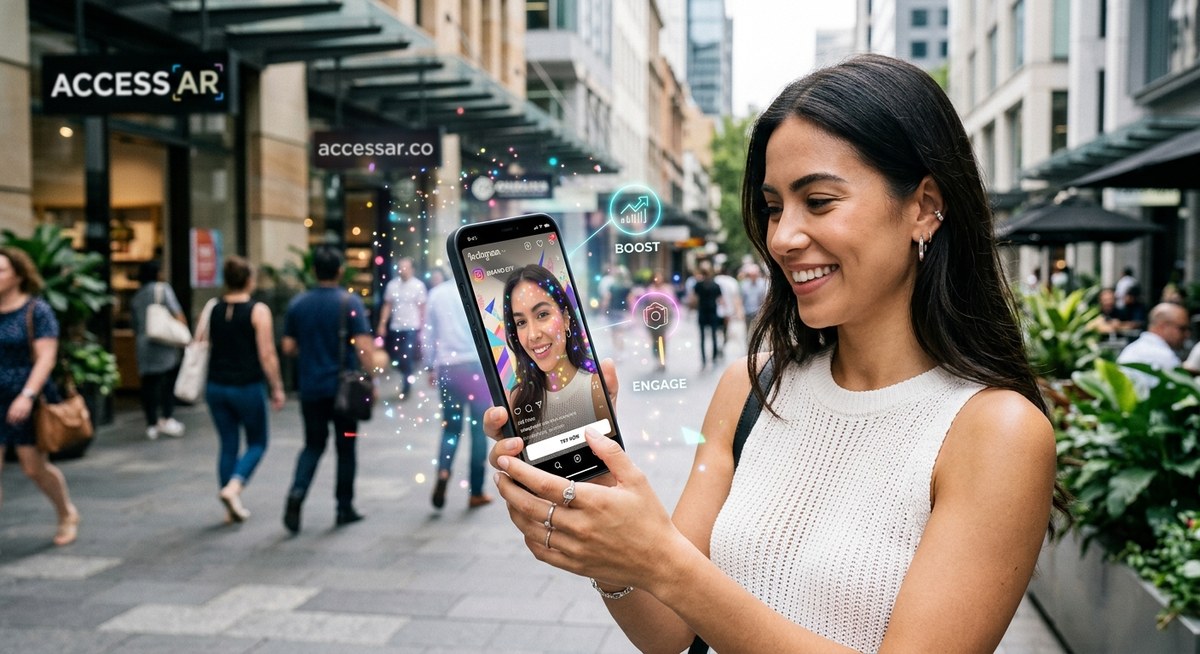
Instagram rolled out a handful of new augmented reality tools this year, and the brands already using them are seeing numbers that make traditional posts look like yesterday’s news. We are talking about filters that let users try on products without leaving the app, interactive effects that respond to facial expressions, and world AR experiences that turn a living room into a brand’s pop-up shop. If you manage social media for a mid-to-large company and your 2026 campaign plan needs a jolt of real audience interaction, these features are your shortcut.
Instagram’s 2026 AR update gives brands four powerful levers: face-tracking filters, world placement effects, interactive gesture triggers, and shoppable AR tags. Each feature can be built using Meta Spark Studio without coding. The brands winning right now pair a clear call-to-action with a fun, shareable moment. This guide walks you through setup, design strategy, and common pitfalls so you can launch a campaign that actually gets used and shared.
Why 2026 Is the Year of Instagram AR
The algorithm now boosts posts that use AR features. When someone records a Story or Reel with your brand’s filter, that content gets preferential reach. It is a simple loop: a fun effect encourages creation, creation drives impressions, and impressions feed the algorithm.
For brand strategists, this changes the math. A single well-designed filter can generate thousands of pieces of user-generated content. Each one acts as a personal endorsement. That is hard to beat with a standard photo carousel.
The Four New AR Features You Need to Know
Instagram’s 2026 toolkit is not just about putting a dog nose on someone’s face. The platform now supports richer interactions that feel less like a gimmick and more like a utility.
Face Tracking with Expression Triggers
This is the evolution of the basic face filter. Instead of just tracking a face mesh, the effect can now respond to specific expressions. Raise your eyebrows to reveal a product. Smile to trigger a color change. Open your mouth to start a countdown timer.
This creates a natural gamification layer. Users want to “solve” the filter by finding all the expression triggers. That keeps them recording longer and sharing more.
World Placement AR
This feature lets you place a 3D object into the user’s physical space through their camera. Think of it as a lighter version of IKEA’s furniture app, but inside Instagram. A shoe brand can let users see how sneakers look on their own floor. A furniture company can place a virtual sofa in a living room.
World placement works best for products where scale and context matter. It builds confidence in a purchase without requiring a trip to a store.
Interactive Tap and Gesture Effects
Users can now tap on specific parts of a filter to trigger animations, sounds, or links. You can build a “spin the wheel” game where tapping a section reveals a promo code. Or a “scratch card” effect where swiping reveals a hidden message.
These are not just fun. They collect engagement data. You can see how many people tapped, where they tapped, and how long they interacted.
Shoppable AR Tags
This is the feature most brand managers have been waiting for. You can now attach a product tag directly to an AR effect. When a user tries on a virtual lipstick shade, a small “Shop Now” button appears. Tapping it opens the product page inside Instagram without closing the camera.
The friction of moving from inspiration to purchase drops to nearly zero.
How to Build Your First Brand AR Filter
Let us walk through the process using Meta Spark Studio, which is still the primary tool for Instagram AR creation. You do not need coding experience, but you will need a Meta Spark account and a basic understanding of layers.
-
Open Meta Spark Studio and select a blank project. Choose the “Face Tracker” template if you are building a face filter. Choose “World” if you are placing objects in a room.
-
Import your assets. These can be 2D images, 3D models (FBX or glTF format), or animated sequences. Keep file sizes under 4MB for smooth performance on mobile.
-
Add a face mesh or plane. For face filters, attach your graphic to the face mesh. For world effects, place the object on a horizontal plane detector.
-
Set up interaction triggers. Use the patch editor to connect a facial expression (like “mouth open”) to an animation or sound. This is where the magic happens.
-
Preview on your phone. Use the Meta Spark Companion app to test the filter in real time. Check for tracking jitter, lighting issues, and tap responsiveness.
-
Upload and submit for review. Fill out the metadata: filter name, description, and category. Choose “Public” to make it available to everyone. Review usually takes 24 to 72 hours.
-
Promote the filter. Share a Story or Reel using the filter. Add a sticker that says “Try it” so viewers can tap directly into the effect.
For a more detailed walkthrough, check out our guide on how to publish your first Instagram filter and get it approved fast.
Design Principles That Drive Engagement
Not every filter gets used. The ones that succeed share a few common traits.
- Low barrier to entry. The effect should work immediately when the camera opens. No complicated setup or calibration.
- Clear visual payoff. The user should see the effect clearly on their face or in their space. Subtle filters get ignored.
- Shareable moment. The result should look good enough to post. Think about how it will appear in a Story or Reel.
- Brand integration, not brand domination. The logo should be visible but not overwhelming. The experience comes first.
“The best AR filters feel like a toy, not an ad. If users forget they are interacting with a brand, you have already won.” — Lead AR Designer at a top beauty brand.
Common Mistakes That Kill Filter Engagement
Even experienced teams make these errors. Here is a breakdown of what to avoid and what to do instead.
| Mistake | Why It Hurts | Better Approach |
|---|---|---|
| Overly complex interactions | Users lose interest before discovering all features | Limit to 1-2 triggers per filter |
| Poor lighting adaptation | Filter looks bad in low light or outdoor settings | Test in multiple lighting conditions before publishing |
| No call to action | Users play but do not convert | Add a subtle tap trigger that links to a product or landing page |
| Large file size | Filter loads slowly or crashes on older phones | Compress textures and limit 3D polygon count |
| Ignoring analytics | No data to improve future filters | Check impressions, saves, and shares in Meta Spark dashboard |
If your filter keeps getting rejected by Instagram’s review team, our troubleshooting guide on why your Instagram filter keeps getting rejected and how to fix it can save you hours of rework.
Real Campaigns That Used These Features Well
Let us look at three brands that executed Instagram AR correctly in 2026.
A major athletic footwear brand launched a world placement filter that let users “unbox” a virtual sneaker in their own room. The filter included a tap gesture that triggered a 360-degree rotation. Users could screenshot the shoe from any angle. The campaign generated 2.4 million impressions in the first week, and the brand reported a 12% lift in online sales for that specific model.
A skincare company built a face filter that tracked skin texture (using the camera’s depth data) and overlayed a “hydration score” graphic. Users could tap to see a recommended product. The filter was shared over 80,000 times in 10 days. The brand attributed 15% of its monthly e-commerce traffic to the AR tag.
A fast-food chain created a simple world effect that placed a giant animated burger on any flat surface. Users could walk around it, zoom in, and record themselves “eating” it. The effect was tied to a limited-time menu item. Store visits during the campaign period increased by 8% compared to the previous month.
For more inspiration, read about how Adidas turned Instagram filters into a community-driven product launch strategy.
Measuring Success Beyond Impressions
Instagram’s native analytics for AR effects are better than they were last year. You can now track:
- Impressions: How many times the effect was viewed
- Uses: How many people recorded with it
- Shares: How many times it was shared to Stories or DMs
- Saves: How many people saved the effect to their tray
- Tap-through rate: If you included a shoppable tag, how many tapped it
Set a baseline before your campaign launches. A good target for a mid-size brand is a 3-5% tap-through rate on shoppable tags and a share rate of at least 10% of total uses.
Your Next Steps for 2026 Campaigns
Instagram AR is no longer a nice-to-have experiment. It is a measurable channel that directly feeds the platform’s algorithm and generates user content at scale. The tools are free, the barrier to entry is low, and the audience is already trained to engage with filters.
Start with one simple effect. A face filter with one expression trigger and a clear brand element. Launch it alongside a Reel that shows the effect in action. Monitor the analytics for one week. Then iterate based on what you learn.
If you want to see what other brands are doing, browse the 7 viral Instagram AR filter ideas you can build this weekend for ready-to-adapt concepts.
Make Your Next Filter the One People Keep Using
The brands that win on Instagram in 2026 are not the ones with the biggest ad budgets. They are the ones that give people a reason to create. A well-timed AR filter, tied to a product or campaign, turns passive scrollers into active participants. That shift is worth more than any boosted post.
Pick one feature from this guide. Build a simple version. Launch it this week. Watch what happens when your audience becomes your creative team.