
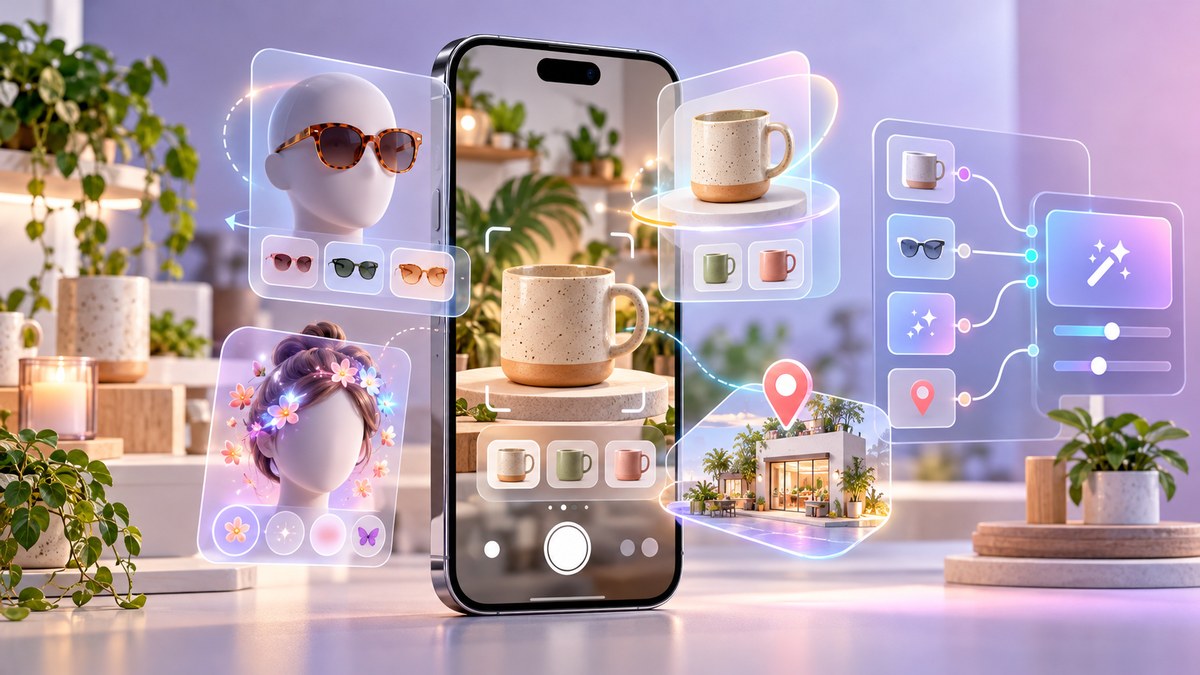
Small business owners are always looking for new ways to stand out on Instagram. The algorithm changes. Ad costs go up. But one tool keeps delivering real results: augmented reality filters. In 2026, the best Instagram AR filters for small businesses are more accessible than ever. You don’t need a big budget or a team of developers. You just need a clear strategy and the right guidance.
The best Instagram AR filters for small businesses in 2026 blend brand identity with shareable fun. This guide covers top filter ideas, a step-by-step creation process using Meta Spark Studio, a comparison of common mistakes, and promotion tips. By the end, you will know exactly how to design, publish, and promote a filter that drives real engagement for your business.
Why Small Businesses Need AR Filters in 2026
Instagram users love trying on filters. It is a form of self-expression. When someone uses your filter, they become a walking billboard for your brand. Every time they share a story or reel with your effect, their followers see your name. That is free exposure.
The best Instagram AR filters for small businesses do more than look pretty. They create a moment of delight. They make people stop scrolling. And in 2026, with more brands competing for attention, a custom filter is one of the few ways to cut through the noise without spending a fortune on ads.
The Best Types of AR Filters for Small Businesses
Not every filter works for every business. The key is matching the filter type to your product or service. Here are the categories that perform best in 2026.
Virtual Try-On Filters
If you sell physical products, let customers try them on virtually. Glasses, hats, jewelry, and makeup are obvious choices. But even home decor brands can use this. Imagine a filter that places a framed print on a blank wall. Customers can see how it looks in their own space before they buy.
Branded Selfie Frames
These are the simplest filters to create. A branded frame wraps around the user’s face or the edge of the screen. It includes your logo, your brand colors, and maybe a fun tagline. These work great for restaurants, cafes, and local service businesses. Customers use them to show support, and you get free promotion.
Interactive Games
Gamification is huge in 2026. Filters that let users tap to collect items, pop bubbles, or match colors keep people engaged longer. A coffee shop could create a filter where users catch falling coffee beans. The top score gets a free drink. That is a filter that drives repeat visits.
Face Effects with a Twist
These filters change the user’s face in a fun way. Big eyes, flower crowns, or cartoon versions of themselves. The trick is to tie it back to your brand. A bakery could add a frosting mustache effect. A pet store could add dog ears and a wagging tongue. The connection should feel natural.
Seasonal and Event Filters
Holiday filters always perform well. Create a filter for the Fourth of July, Halloween, or Christmas. But also think about local events. If your town has a fall festival, make a filter with autumn leaves and your logo. People will use it during the event, and your brand becomes part of the celebration.
How to Create Your Own Instagram AR Filter
Creating a filter is easier than you think. Meta Spark Studio is the official tool, and it is free. Follow these steps to build your first filter.
-
Download Meta Spark Studio on your computer. It works on both Windows and Mac. Create an account using your Instagram or Facebook login.
-
Choose a starting template. Meta Spark Studio offers dozens of free templates. For beginners, pick one that matches your goal. A face effects template is a good place to start.
-
Customize the design. Import your logo, brand colors, and any graphics you want to use. You can use Photoshop or Canva to create PNG files with transparent backgrounds. Keep the design simple. Too many elements can slow down the filter.
-
Add interactivity. You can add tap gestures, face tracking, or background segmentation. For example, you can make a logo appear when the user taps the screen. This makes the filter feel more alive.
-
Test your filter on your phone. Use the Spark AR Hub app to test in real time. Check how it looks in different lighting. Make sure it works on both front and rear cameras.
-
Submit for review. Once you are happy, upload the filter to the Spark AR Hub. Meta will review it. Approval usually takes a few days. Make sure your filter follows the community guidelines. Avoid copyrighted music or logos.
-
Publish and share. After approval, you can share the link to your filter on your Instagram story or bio. Encourage customers to try it and tag your business.
For a more detailed walkthrough, check out our guide on how to publish your first Instagram filter and get it approved fast.
Common Mistakes and How to Avoid Them
Even experienced creators make errors. Here is a table of the most common mistakes and the fixes.
| Mistake | Why It Hurts | The Fix |
|---|---|---|
| Overly complex design | Filter runs slow or crashes | Use fewer than 5 layers. Optimize image sizes under 512 KB. |
| Ignoring skin tones | Filter looks bad on darker skin | Test on multiple skin tones. Use inclusive color palettes. |
| No clear branding | Users forget who made it | Add a small logo or brand name that stays visible. |
| Forgetting to promote | Nobody finds the filter | Share the filter link on stories, posts, and your bio. |
| Skipping the test phase | Filter has glitches | Test on at least 3 different phones before submitting. |
For more details on what not to do, read about 5 common mistakes every AR beginner makes.
Promoting Your Filter for Maximum Reach
Creating the filter is only half the battle. You need people to use it. Here are proven ways to get your filter in front of more eyes.
- Post a story showing the filter in action. Use the “Try It” sticker so viewers can tap and use it immediately.
- Create a reel that demonstrates the filter. Show before and after shots. Make it entertaining.
- Ask customers to try it. Run a contest. The best photo using your filter wins a gift card. This encourages sharing.
- Collaborate with local influencers. Send them your filter and ask them to post a story. Their followers will try it too.
- Add the filter link to your Instagram bio. Use a call to action like “Try our new filter.”
Expert Advice: The filters that go viral are the ones that make people look good or laugh. Focus on fun and flattery first. Branding comes second. If the filter is not enjoyable, nobody will use it, no matter how well it is branded.
Choosing the Right AR Tool for Your Skill Level
You do not need to use Meta Spark Studio. There are other options. Here is a breakdown.
- Meta Spark Studio: Best for full control. Free but requires a computer. Good for custom designs.
- Lens Studio: For Snapchat filters. Similar to Spark Studio. Great if your audience is on Snapchat.
- Effect House: For TikTok effects. Growing fast in 2026. Ideal for reaching Gen Z.
- WebAR platforms: No app needed. Users scan a QR code. Good for product demos and try-ons.
If you are not sure which platform to start with, read our comparison of Meta Spark Studio vs Lens Studio vs Effect House.
Measuring What Works
After your filter is live, track its performance. Instagram provides analytics inside the Spark AR Hub. Look at these numbers.
- Impressions: How many times the filter was viewed.
- Uses: How many people actually used it.
- Shares: How many times users shared content with the filter.
- Reach: The unique number of accounts that saw the filter.
Use these numbers to decide what to improve. If uses are low, the filter might not be fun enough. If shares are low, consider adding a more interactive element. For a deeper look at your data, see our guide on Instagram filter analytics decoded.
Your First Filter Project Plan
Here is a simple plan to get started this week.
- Day 1: Pick one filter idea from the list above. Sketch it on paper.
- Day 2: Gather your assets. Logo, brand colors, and any graphics.
- Day 3: Open Meta Spark Studio. Start with a template. Replace the placeholder elements with your own.
- Day 4: Test the filter on your phone. Make adjustments.
- Day 5: Submit for review.
- Day 6: While waiting, plan your promotion. Write a caption. Design a story.
- Day 7: After approval, publish and promote.
If you want a complete roadmap, read our from idea to published filter guide.
Wrapping Up Your AR Journey
The best Instagram AR filters for small businesses in 2026 are the ones that connect with your audience on a personal level. They are fun, shareable, and clearly tied to your brand. You do not need to be a tech expert to create one. With free tools and a little creativity, you can build a filter that gets people talking.
Start small. Test one filter. See how your customers react. Then iterate. The businesses that embrace AR now will have a huge advantage as the technology becomes more common. Your filter could be the next viral hit for your local community. All it takes is that first step.
So open Meta Spark Studio today. Pick a template. Add your logo. And give your audience a reason to smile.