
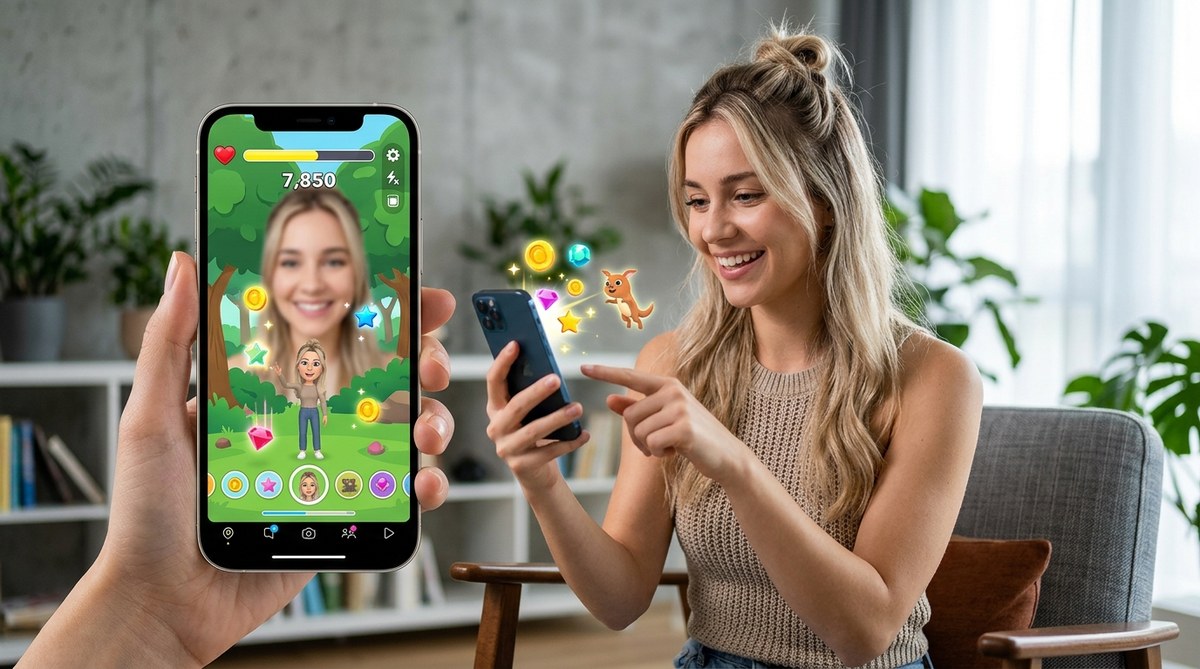
Building engaging Snapchat filters has become a cornerstone of modern social media marketing. The latest trend involves adding augmented reality games directly into filters, transforming passive viewers into active participants. This not only boosts interaction but also creates memorable brand experiences. With Snapchat’s advanced Lens Studio and WebAR tools, anyone from seasoned marketers to beginners can craft captivating AR games that resonate with audiences. In this guide, you’ll find practical steps, creative ideas, and expert tips to help you incorporate AR games into your Snapchat filters seamlessly.
Adding AR games into Snapchat filters transforms passive content into interactive experiences. It increases engagement, brand visibility, and creates fun, memorable moments for users. Leveraging accessible tools and creative ideas allows digital creators to innovate without needing complex coding skills in 2026.
Understanding the Power of AR Games in Snapchat Filters
Augmented reality games integrated into Snapchat filters redefine how brands connect with audiences. These interactive experiences turn viewers into participants, boosting engagement metrics significantly. Whether it’s a quick tapping game or a more complex multi-step challenge, AR games make filters more than just visual effects. They invite users to play, share, and return for more. This approach works well for campaigns, product launches, or simply building brand awareness.
In 2026, Snapchat’s ability to support AR games through its Lens Studio and WebAR platforms has made creating these experiences more accessible than ever. Even those with limited technical background can design fun, interactive filters that resonate with users. The key is understanding the tools, creative potential, and common pitfalls to avoid.
Practical Steps to Incorporate AR Games into Snapchat Filters
Here’s a straightforward process to help you start building AR games for Snapchat filters:
-
Define your game concept
Decide on the type of game that suits your brand or message. It could be a simple tapping game, a puzzle, or a virtual treasure hunt. Keep your target audience in mind and aim for fun, shareable concepts. For example, a cosmetics brand might create a game where users match virtual lipstick shades. -
Choose the right platform
Depending on your skill level and desired complexity, select either Lens Studio or WebAR builders. Lens Studio offers advanced features for developers, but WebAR tools like 8th Wall or ZapWorks provide no-code options for quick deployment. For beginners, tools that require minimal coding are ideal. -
Design the game assets
Create or source 3D objects, animations, and sound effects. Use free resources or simple design software. Focus on making assets lightweight to ensure smooth performance across devices. Remember, the goal is seamless gameplay without lag. -
Build the game logic
Use platform-specific tutorials to add interactive elements. For example, Lens Studio offers visual scripting for simple interactions, while no-code WebAR platforms often use drag-and-drop modules. Test each step as you go to catch issues early. -
Test and refine
Always preview your AR game on different devices. Gather feedback from colleagues or a focus group. Adjust for user experience issues, such as confusing controls or lag. Once satisfied, prepare to publish. -
Publish and promote
Submit your filter for approval if using Lens Studio. For WebAR, generate shareable links or QR codes. Promote your filter across social platforms and encourage users to play and share.
Creative Ideas for AR Games in Snapchat Filters
To inspire engagement, consider these popular AR game formats tailored for Snapchat:
- Tap to catch: Users tap on virtual objects to catch or collect them. Ideal for promoting products or brand mascots.
- Puzzle challenges: Users solve virtual puzzles by moving their face or head. Great for interactive storytelling campaigns.
- Treasure hunts: Hidden virtual items appear in the environment, encouraging users to explore and share.
- Mini-games: Simple game mechanics like bouncing balls or matching colors that fit within the filter’s face or environment.
- AR quizzes: Users answer questions by interacting with virtual objects, perfect for educational or product info campaigns.
These formats can be customized to fit your brand voice and marketing goals. The key is ensuring they are easy to understand and fun to play.
Techniques and Common Mistakes in Creating AR Games
| Techniques | Mistakes to Avoid |
|---|---|
| Use lightweight assets for smooth performance | Overloading filters with too many elements |
| Incorporate intuitive interactions | Confusing controls or complex mechanics |
| Test on multiple devices early | Ignoring user feedback during testing |
| Keep interactions short and engaging | Making the game too long or tedious |
| Use clear visual cues for gameplay | Lack of instructions or guidance |
“Remember, simplicity is key when designing AR games for Snapchat. The goal is to entertain and engage quickly, not overwhelm users with complexity.” — AR development expert
Enhancing Your AR Game Creation Skills
If you’re new to AR development, start with basic tutorials available on Lens Studio or WebAR platforms. You can find step-by-step guides that walk you through creating your first game in less than an hour. As you grow more confident, experiment with adding animations, sound effects, and more complex interactions.
For inspiration, review successful AR campaigns from brands like Nike or Sephora, who have integrated mini-games into their filters with great results. Analyzing these examples will help you understand what works and how to adapt ideas for your own projects.
Tools and Resources That Make AR Game Development Easier
- Lens Studio: Free software from Snapchat with tutorials for creating engaging AR filters and games.
- 8th Wall: WebAR platform that supports interactive experiences without coding.
- ZapWorks: No-code builder with templates designed for quick AR game creation.
- Unity with Vuforia: For more advanced developers interested in 3D game integration.
Many of these tools offer templates and pre-built modules, reducing the time needed to craft engaging AR experiences. If you’re aiming for quick deployment, focus on platforms that emphasize ease of use.
Planning Your First AR Game Campaign
Before launching, set clear goals. Are you aiming to increase brand awareness, drive sales, or gather user data? Decide on the game type that aligns with these objectives. Prepare your visual assets and test thoroughly. Once live, promote your filter across Snapchat and other social media platforms.
Encourage users to share their gameplay moments. Consider running contests or offering prizes for the best scores or most creative shares. These tactics boost visibility and foster community around your AR game.
Final Words: Bring Your Snapchat Filters to Life
Incorporating AR games into your Snapchat filters is a game-changer for engagement. The process is accessible and rewarding, especially with the variety of tools available in 2026. Start with simple concepts, leverage templates, and keep user experience front and center. By doing so, you’ll create memorable, fun interactions that stand out in the crowded digital landscape.
Get creative, test thoroughly, and let your imagination guide your AR game designs. Your audience is waiting to play.