
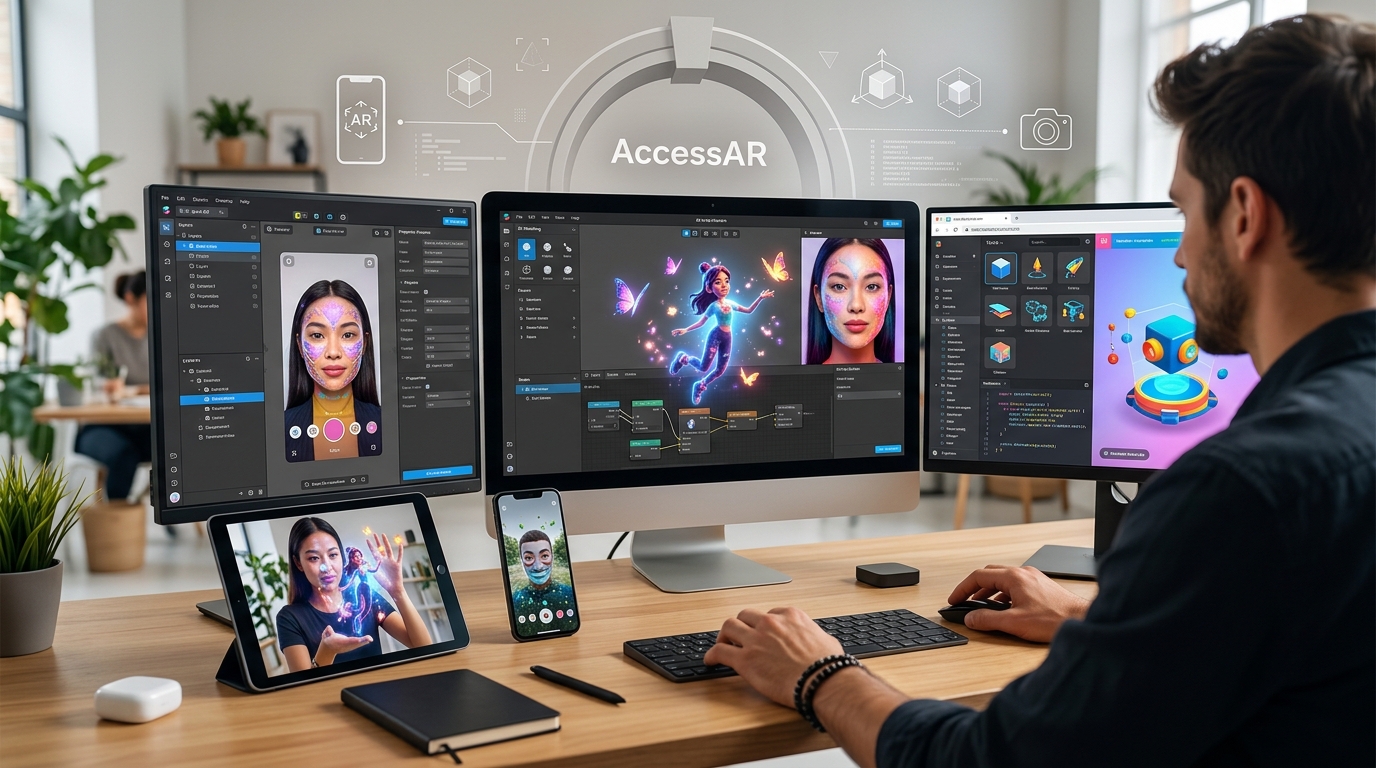
You don’t need a five-figure budget to create professional augmented reality experiences. The AR landscape has shifted dramatically over the past few years, with major social platforms releasing sophisticated tools that rival expensive enterprise software. These free platforms give you access to face tracking, 3D object placement, physics engines, and animation systems that would have cost thousands of dollars just a few years ago.
Free AR creation tools from Meta, Snap, and TikTok now offer professional-grade features including face tracking, 3D rendering, physics simulation, and custom scripting. These platforms provide everything beginners and intermediate creators need to build viral filters, branded experiences, and interactive campaigns without investing in premium software. The main limitations are platform-specific distribution and learning curves, not missing features.
Why free tools now compete with premium software
The gap between free and paid AR software has nearly disappeared. Meta Spark Studio, Snapchat Lens Studio, and TikTok Effect House all offer features that were exclusive to expensive platforms like Unity with Vuforia or Adobe Aero just a few years ago.
These platforms invest heavily in their creator tools because filters and effects drive user engagement. When you build a viral filter, you’re creating content that keeps users on their platform longer. That’s why they give you professional tools for free.
The catch? You’re building for their ecosystem. A Snapchat lens stays on Snapchat. An Instagram filter lives on Instagram. But for most creators, marketers, and small businesses, that’s exactly where your audience already spends time.
Top free AR platforms worth your attention
Let’s break down the major players and what makes each one valuable.
Meta Spark Studio for Instagram and Facebook
Meta Spark Studio powers AR effects across Instagram and Facebook. It handles everything from simple color filters to complex face tracking effects with custom 3D models.
The platform includes a visual programming system called Patch Editor. You can build sophisticated interactions without writing code. Need code? The platform also supports JavaScript for advanced features.
Meta Spark gives you access to face tracking with up to three faces simultaneously, hand tracking, target tracking for images and objects, and a full physics engine. You can import custom 3D models, create particle systems, and build interactive games.
The built-in templates help you start fast. You’ll find starting points for beauty filters, world effects, face games, and branded experiences. If you’re ready to build something more custom, learning to make your first Snapchat lens in under 30 minutes follows similar principles across platforms.
Snapchat Lens Studio for AR lenses
Lens Studio remains one of the most powerful free AR tools available. Snap has been in the AR game longer than most platforms, and it shows in their toolset.
The software runs on Windows and Mac, giving you a full desktop environment for building lenses. You get access to advanced features like body tracking, pet tracking, Landmarkers for location-based AR at famous landmarks, and SnapML for integrating machine learning models.
Lens Studio’s template library is extensive. You’ll find templates for face effects, world lenses, games, utility lenses, and branded experiences. The templates that save hours of design time let you customize professional effects without starting from scratch.
The platform supports custom scripting in JavaScript, giving you fine control over behavior and interactions. You can build anything from simple face filters to complex multiplayer games.
TikTok Effect House for viral effects
Effect House launched more recently but has quickly become a serious contender. TikTok’s massive user base means effects can go viral incredibly fast.
The platform focuses on ease of use while still offering powerful features. You get face tracking, body tracking, hand tracking, and segmentation for background effects. The visual scripting system makes it accessible for beginners.
Effect House includes trending effect templates that reflect what’s currently popular on TikTok. You can build viral TikTok effect trends by starting with these templates and adding your creative spin.
The platform’s strength is its distribution potential. A well-timed effect that catches a trend can reach millions of users in days.
8th Wall for WebAR experiences
8th Wall takes a different approach. Instead of building for a specific social platform, you create web-based AR experiences that work in mobile browsers.
The free tier gives you access to their core features, including world tracking, image targets, face effects, and lighting estimation. You build experiences using HTML, CSS, and JavaScript, or use their visual editor for simpler projects.
WebAR makes sense when you need AR outside social platforms. Product visualizations, virtual try-ons for e-commerce, educational experiences, and location-based AR all work better as web experiences. Understanding why WebAR is the future of mobile shopping helps clarify when to choose this approach.
The learning curve is steeper if you’re not familiar with web development. But the flexibility and distribution options make it worth considering for business applications.
Getting started with your first AR project
Here’s a practical roadmap for beginners moving from zero to published effect.
-
Choose your platform based on where your audience spends time. Instagram users skew slightly older and more female. Snapchat captures younger audiences. TikTok dominates Gen Z. WebAR works for any audience but requires more technical skill.
-
Download and install your chosen software. All the major platforms offer free downloads for Mac and Windows. System requirements are modest. Most modern laptops handle these tools without issues.
-
Complete the official tutorials. Every platform offers guided tutorials that walk you through core concepts. Spend two hours on these. They teach you the interface and basic workflows.
-
Start with a template. Don’t build from scratch on your first project. Pick a template close to your vision and modify it. Change colors, swap assets, adjust behaviors.
-
Test on real devices. The desktop preview helps, but nothing replaces testing on actual phones. Every platform lets you preview on your device through their mobile app.
-
Publish and iterate. Get your first effect live, then watch how people use it. User behavior will teach you more than any tutorial.
The complete beginner’s roadmap to publishing your first TikTok effect offers a detailed walkthrough that applies across platforms with minor adjustments.
Features that matter most for beginners
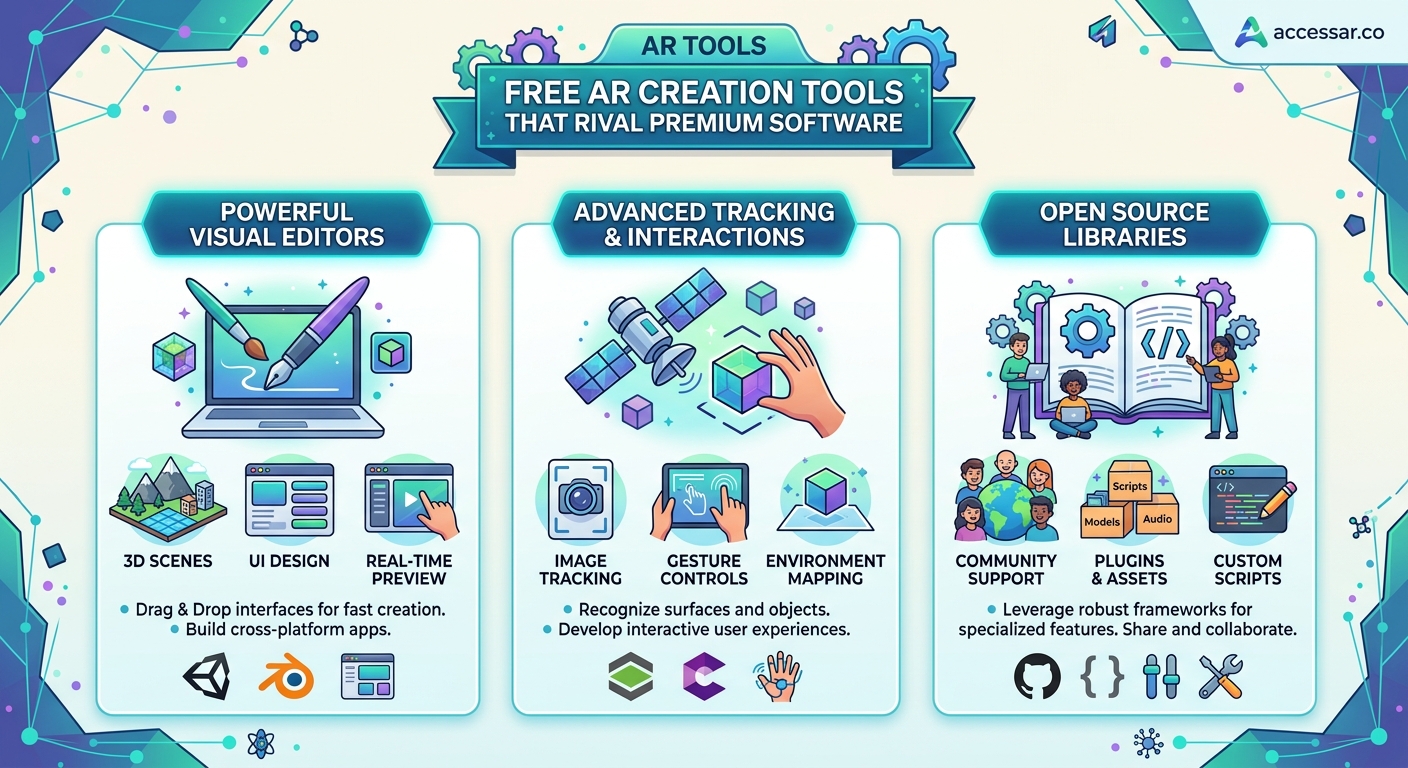
Not all features are equally important when you’re starting out. Focus on these capabilities first.
Face tracking is the foundation of most social AR effects. The ability to detect faces, track facial features, and attach 3D objects or effects to specific points matters more than almost anything else. All major platforms handle this well.
Asset import lets you bring in custom 3D models, textures, and animations. You’ll want to use your own assets or purchased models rather than relying solely on built-in options. Check what file formats each platform supports.
Visual scripting makes complex interactions possible without coding. Look for node-based or patch-based systems that let you connect behaviors visually. This dramatically lowers the technical barrier.
Preview and testing tools save time. The easier it is to see changes in real-time and test on devices, the faster you’ll learn and iterate.
Template libraries accelerate your learning. Platforms with extensive, well-documented templates let you learn by example and modification.
Start with face effects before moving to world effects or hand tracking. Face tracking is more forgiving, works in more lighting conditions, and users understand how to interact with it intuitively. Build confidence with simple face filters before attempting complex world-based experiences.
Common features across free platforms
Despite different interfaces, free AR creation tools share core capabilities that match premium software.
| Feature | Meta Spark | Lens Studio | Effect House | 8th Wall |
|---|---|---|---|---|
| Face tracking | Up to 3 faces | Multiple faces | Single face focus | Available |
| Hand tracking | Yes | Yes | Yes | Yes |
| Body tracking | Limited | Full body | Full body | Limited |
| 3D model import | Yes (glTF, FBX) | Yes (OBJ, FBX, glTF) | Yes (FBX, glTF) | Yes (glTF) |
| Custom scripting | JavaScript | JavaScript | Visual + Script | JavaScript |
| Physics engine | Yes | Yes | Basic | Yes |
| Particle systems | Yes | Yes | Yes | Yes |
| Audio reactive | Yes | Yes | Yes | Yes |
This table shows that free tools aren’t lacking in features. The differences come down to implementation details and platform-specific optimizations.
Skills you’ll develop using free tools
Working with free AR creation tools builds transferable skills that apply across platforms and even into premium software.
You’ll learn 3D concepts like coordinate systems, transforms, and scene hierarchies. These fundamentals apply whether you’re using Lens Studio or Unity.
Visual programming skills translate across tools. Once you understand node-based logic in Meta Spark, you’ll recognize similar patterns in Unreal Engine’s Blueprints or TouchDesigner.
Asset preparation becomes second nature. You’ll learn to optimize 3D models, compress textures, and prepare files for real-time rendering. These skills apply to game development, web 3D, and virtual production.
User experience design for AR has unique challenges. You’ll learn how people interact with face filters, what gestures feel natural, and how to guide users without traditional UI elements.
When free tools have limitations
Free platforms have some constraints compared to enterprise AR solutions. Understanding these helps you choose the right tool for each project.
Platform lock-in is the biggest limitation. Effects built for Instagram only work on Instagram. You can’t easily port a Lens Studio project to TikTok. If you need cross-platform distribution, you’ll need to rebuild for each platform or use WebAR.
Advanced computer vision features like SLAM (Simultaneous Localization and Mapping) or custom machine learning models have restrictions. Some platforms limit ML model size or don’t support custom training.
Commercial licensing varies by platform. Read the terms carefully if you’re building for clients or selling AR experiences. Some platforms restrict commercial use or require revenue sharing.
File size limits constrain complex experiences. Each platform sets maximum file sizes for published effects. This limits the number and quality of 3D assets you can include.
Distribution control belongs to the platform. They can reject effects that violate guidelines or remove published effects without notice. You don’t own the distribution channel.
For most creators, educators, and small businesses, these limitations don’t matter. The free tools handle 95% of use cases perfectly well.
Choosing between platforms
Your choice depends on your goals and audience more than technical capabilities.
Choose Meta Spark if your audience uses Instagram or Facebook, you want the largest potential reach, or you’re building beauty, fashion, or lifestyle effects. The platform excels at face beautification and fashion try-on experiences.
Pick Lens Studio if you’re targeting younger audiences, building games or interactive experiences, or want access to location-based AR at landmarks. Snapchat users expect more playful, experimental effects.
Go with Effect House if you want viral potential, you’re following trends, or your audience is on TikTok. The platform’s strength is rapid distribution when you catch trending content styles.
Select 8th Wall if you need AR outside social platforms, you’re building e-commerce experiences, or you want full control over distribution. WebAR makes sense for business applications and permanent installations.
Many creators build for multiple platforms. A successful Instagram filter can be adapted for Snapchat and TikTok, tripling your reach. The core concepts transfer even if you’re rebuilding the effect.
The comparison of Spark AR vs Lens Studio vs Effect House breaks down the nuances in more detail.
Real examples of professional work built with free tools
Major brands and successful creators build viral campaigns using these free platforms. The tools aren’t just for hobbyists.
Beauty brands regularly launch Instagram filters that let users try on makeup virtually. These beauty brands that mastered Instagram AR filters used Meta Spark Studio, not expensive custom software.
Fashion brands create Snapchat lenses for product launches. Gucci’s Snapchat AR campaign used Lens Studio to let users virtually try on sneakers, generating massive engagement.
Musicians and entertainers use TikTok effects to promote releases. A well-designed effect that encourages user-generated content can reach millions organically.
Small businesses create WebAR experiences for product visualization. Furniture stores let customers see items in their homes. Jewelry brands offer virtual try-on. These experiences run in browsers without app downloads.
You don’t need a premium tool to build professional AR experiences. You need creativity, understanding of your audience, and willingness to iterate based on user behavior.
Building your AR creation workflow
Efficiency matters when you’re creating multiple effects or working with clients. Develop a consistent workflow.
Asset preparation happens before you open your AR tool. Create or source 3D models, optimize polygon counts, prepare textures at appropriate resolutions, and organize files logically. This preparation saves hours of troubleshooting.
Project setup follows a template. Create a standard folder structure, name layers and objects consistently, and document your approach. Future you will appreciate the organization.
Iterative testing catches problems early. Test on device every 30 minutes, not just at the end. Try different lighting conditions, various face shapes, and different phone models.
Documentation helps you remember what worked. Screenshot successful node setups, note useful parameter values, and keep a swipe file of effects you want to reference later.
Version control prevents disasters. Save numbered versions as you work. Most platforms don’t have built-in version control, so manual saves to dated folders protect your work.
Learning resources beyond the basics
Once you’ve mastered fundamentals, these resources help you level up.
Official documentation from each platform is surprisingly good. Meta, Snap, and TikTok all maintain detailed docs with examples and API references. Start there before searching elsewhere.
YouTube tutorials cover specific techniques. Search for the exact effect you want to create plus your platform name. You’ll find step-by-step guides for most popular effects.
Creator communities exist on Discord, Reddit, and platform-specific forums. Other creators answer questions, share techniques, and provide feedback on your work.
Template marketplaces let you study professional work. Many creators sell effect templates. Even if you don’t buy, browsing shows you what’s possible and how effects are structured.
The common mistakes every AR beginner makes helps you avoid frustrating problems that slow down learning.
Equipment you actually need
One of the best parts about free AR creation tools is that they don’t require expensive hardware.
Your computer needs moderate specs. Most tools run fine on laptops from the past five years. You need at least 8GB RAM, a decent graphics card (integrated graphics work for simple effects), and 10GB of free storage.
Your phone serves as your testing device. Any iPhone from the past four years or Android phone from the past three years works. You don’t need the latest flagship model.
Optional equipment improves your workflow but isn’t required. A second monitor helps when working with complex node graphs. A drawing tablet makes creating custom textures easier. A ring light provides consistent lighting for testing face effects.
That’s it. You don’t need motion capture systems, professional cameras, or specialized sensors. Understanding what equipment you actually need prevents overspending on unnecessary gear.
Monetization opportunities with free tools
You can build a business or side income using free AR creation tools.
Client work is the most direct path. Brands need AR effects for campaigns. Small businesses want product visualization. Event organizers need custom filters. You can charge $500 to $5,000+ per effect depending on complexity and client budget.
Effect monetization programs exist on some platforms. Snapchat and TikTok have programs that pay creators based on effect usage. Payments vary widely, but successful effects can generate meaningful income.
Portfolio building for other opportunities matters too. A strong AR portfolio opens doors to jobs in marketing agencies, tech companies, and creative studios. Many AR creators transition into full-time roles.
Educational content creates passive income. Once you’re proficient, teaching others through courses, tutorials, or coaching generates revenue while helping the community grow.
Staying current with platform updates
AR platforms evolve constantly. New features, updated workflows, and changed policies require ongoing learning.
Follow official blogs and social channels for each platform. They announce new features, showcase creator work, and share best practices.
Join creator programs when available. Meta Spark Community, Lens Network, and TikTok Effect Creator programs provide early access to features and direct support.
Experiment with new features immediately. When platforms release new capabilities, try them right away. Early adopters often see more success because they’re first to market with new effect types.
Watch trending effects on each platform. Understanding what’s popular helps you create relevant content and spot emerging patterns.
Making the jump from free tools to premium software
Most creators never need premium AR software. But if you do, the transition is easier than you think.
Unity with AR Foundation is the most common next step. It supports ARKit, ARCore, and multiple platforms. The learning curve is steep, but your knowledge of 3D concepts and scripting transfers directly.
Unreal Engine offers cutting-edge graphics for high-end AR experiences. It’s overkill for social filters but makes sense for location-based entertainment or industrial applications.
Adobe Aero bridges the gap between 2D design and AR. If you’re already deep in the Adobe ecosystem, Aero provides a familiar interface for creating AR experiences.
Most creators find that free tools meet their needs indefinitely. Premium software makes sense when you need cross-platform distribution, advanced computer vision, or features not available in free tools.
Building effects that people actually use
Technical skills matter, but understanding what makes effects successful matters more.
Utility beats novelty in the long run. Effects that solve problems or enhance how people look perform better than gimmicks. Beauty filters, measurement tools, and educational effects have staying power.
Simplicity wins on social platforms. Users won’t spend time learning complex interactions. The best effects work instantly and obviously.
Trends matter on TikTok and Instagram. If you want viral success, pay attention to what’s working now and create your version while the trend is hot.
Branding opportunities exist everywhere. Businesses pay for effects that subtly promote their products while providing genuine value to users.
The viral Instagram AR filter ideas you can build this weekend provide specific examples of effects that gain traction.
Your path forward with free AR tools
You have everything you need to start creating professional augmented reality experiences today. The software is free, the learning resources are abundant, and the potential audience is massive.
Start with one platform that matches your audience. Spend a weekend learning the basics through official tutorials. Build something simple, publish it, and see how people respond. Then iterate and improve.
The gap between hobbyist and professional in AR creation isn’t about access to expensive tools. It’s about understanding your audience, iterating based on feedback, and consistently creating value. Free tools give you the same capabilities that professionals use. What you build with them is up to you.
Whether you’re a content creator looking to stand out, a marketer building campaigns, an educator making learning interactive, or a small business owner exploring new customer experiences, these platforms provide everything you need to get started. The only question is what you’ll create first.