
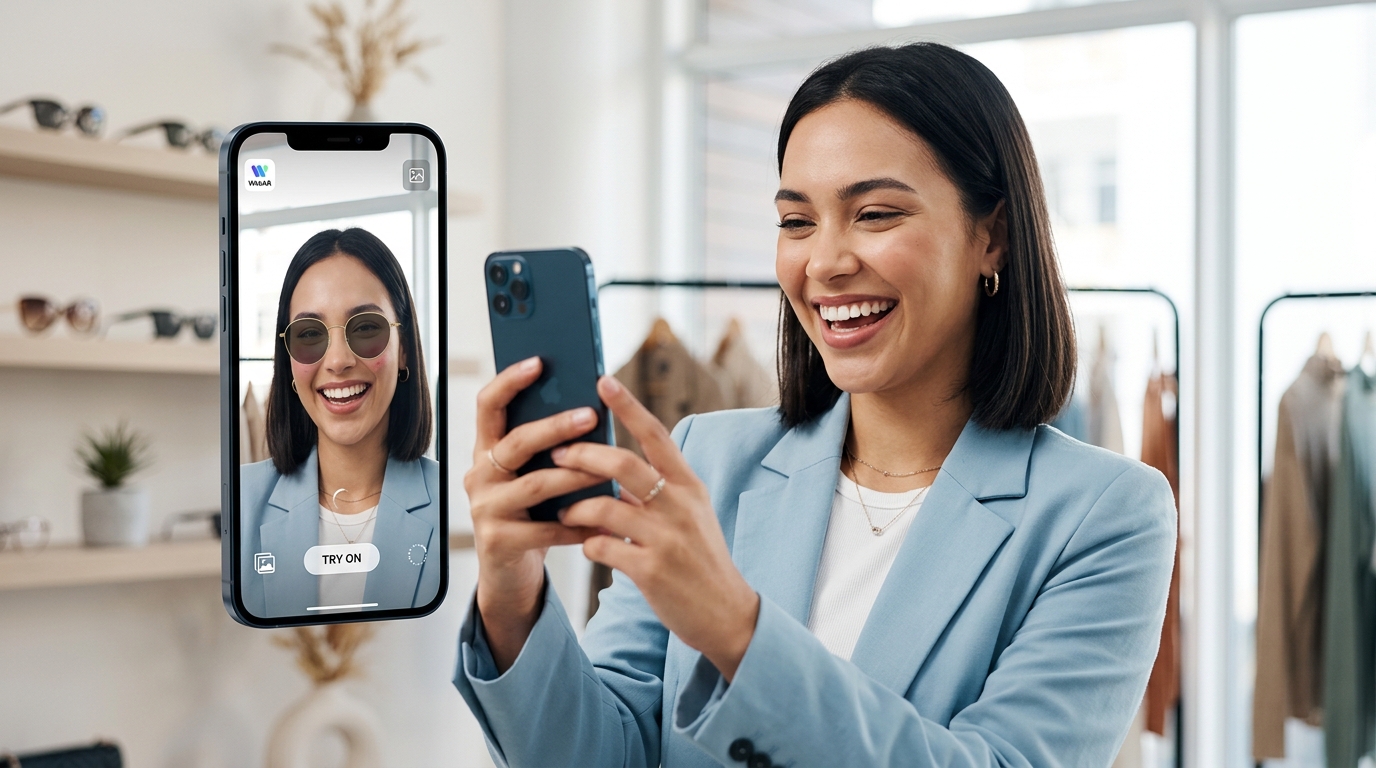
Online shoppers want to see products on themselves before buying. They want confidence that a pair of sunglasses will fit their face shape or that a lipstick shade will complement their skin tone. WebAR virtual try-on technology makes this possible without forcing customers to download a single app.
WebAR virtual try-on lets customers test products directly in their browser using their phone camera. This technology reduces return rates by up to 40%, increases conversion rates by 94%, and creates memorable shopping experiences. E-commerce stores can implement these features using no-code platforms or custom development, depending on budget and technical resources available.
What WebAR virtual try-on actually means for your store
WebAR stands for web-based augmented reality. It runs directly in mobile browsers without requiring customers to install dedicated apps.
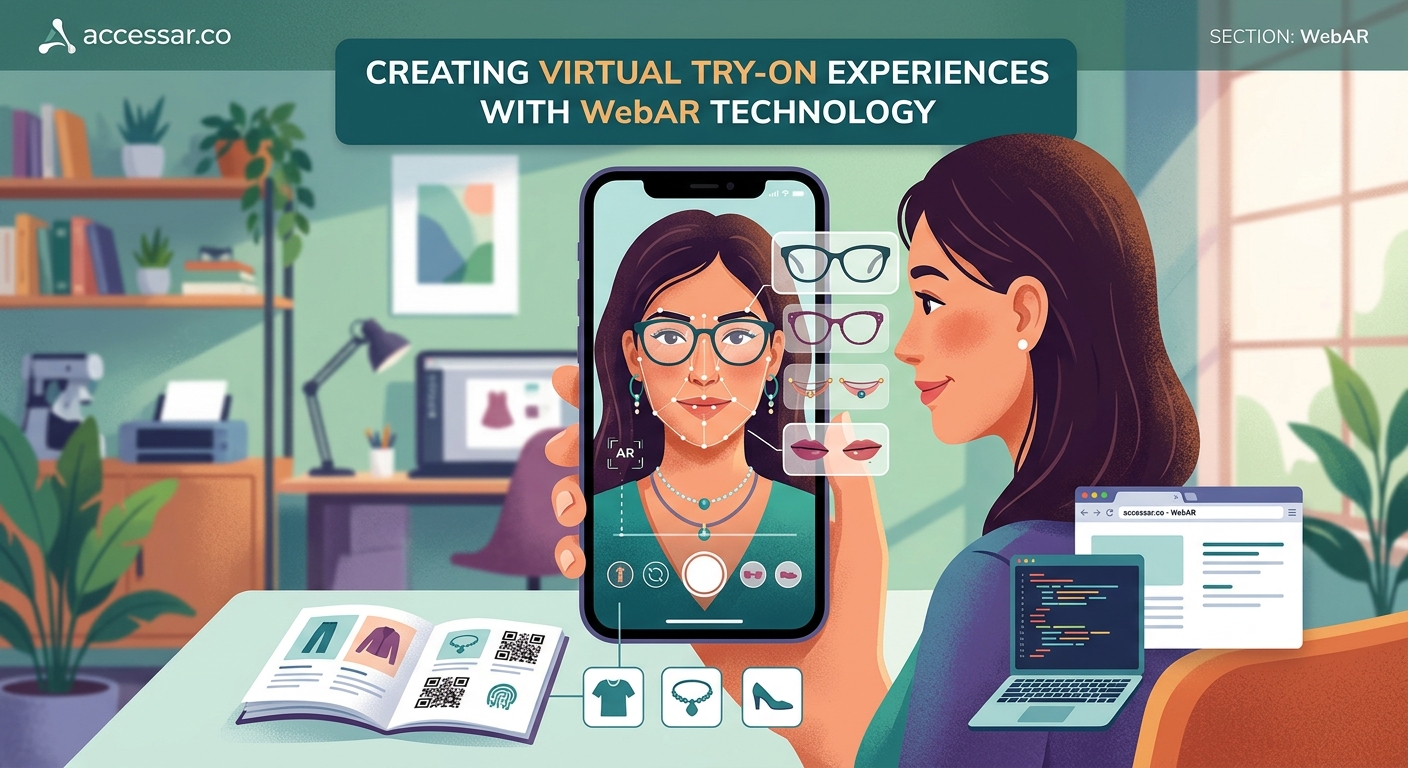
Virtual try-on uses your phone’s camera to overlay digital products onto real-world images. A customer points their camera at their face, and your sunglasses appear on them in real time. They turn their head, and the glasses move naturally with their face.
This happens entirely in Safari, Chrome, or any modern mobile browser.
The technology relies on face tracking, surface detection, and 3D rendering. But you don’t need to understand the technical details to implement it. Many platforms handle the complexity for you.
Traditional e-commerce shows static product photos. Customers guess how items will look. WebAR eliminates that guesswork by showing them exactly how products appear on their body, face, or in their space.
Why e-commerce managers are prioritizing try-on experiences
Return rates kill profit margins. Apparel returns average 20 to 30 percent. Cosmetics can hit 40 percent when customers buy the wrong shade.
Virtual try-on addresses the core reason people return products. They bought something that looked different than expected.
Studies show stores using AR try-on features see these results:
- 94% higher conversion rates compared to stores without AR
- 40% reduction in product returns
- 2.7 times longer session duration
- 3 times higher engagement rates
Customers also share AR experiences on social media. Your product becomes content. Free marketing spreads organically when people screenshot themselves trying on your sunglasses or jewelry.
The competitive advantage matters too. If your competitor offers try-on and you don’t, customers choose them. The technology is no longer novel. It’s becoming expected.
Products that work best with virtual try-on technology
Not every product category benefits equally from AR try-on. Some categories see massive improvements. Others gain minimal advantage.
High-impact categories:
- Eyewear (glasses, sunglasses)
- Cosmetics (lipstick, eyeshadow, foundation)
- Jewelry (rings, necklaces, earrings)
- Watches
- Hats and headwear
- Hair color and wigs
Medium-impact categories:
- Footwear (requires floor tracking)
- Furniture (room visualization)
- Home decor items
- Clothing (more complex to render accurately)
Low-impact categories:
- Electronics
- Books
- Food products
- Generic household items
Face-worn products perform best. The technology tracks facial features with high accuracy. Body tracking and room scanning work but require more sophisticated implementation.
If you sell eyewear, cosmetics, or jewelry, virtual try-on should be your top priority. The return on investment is immediate and measurable.
Step-by-step process to implement WebAR try-on
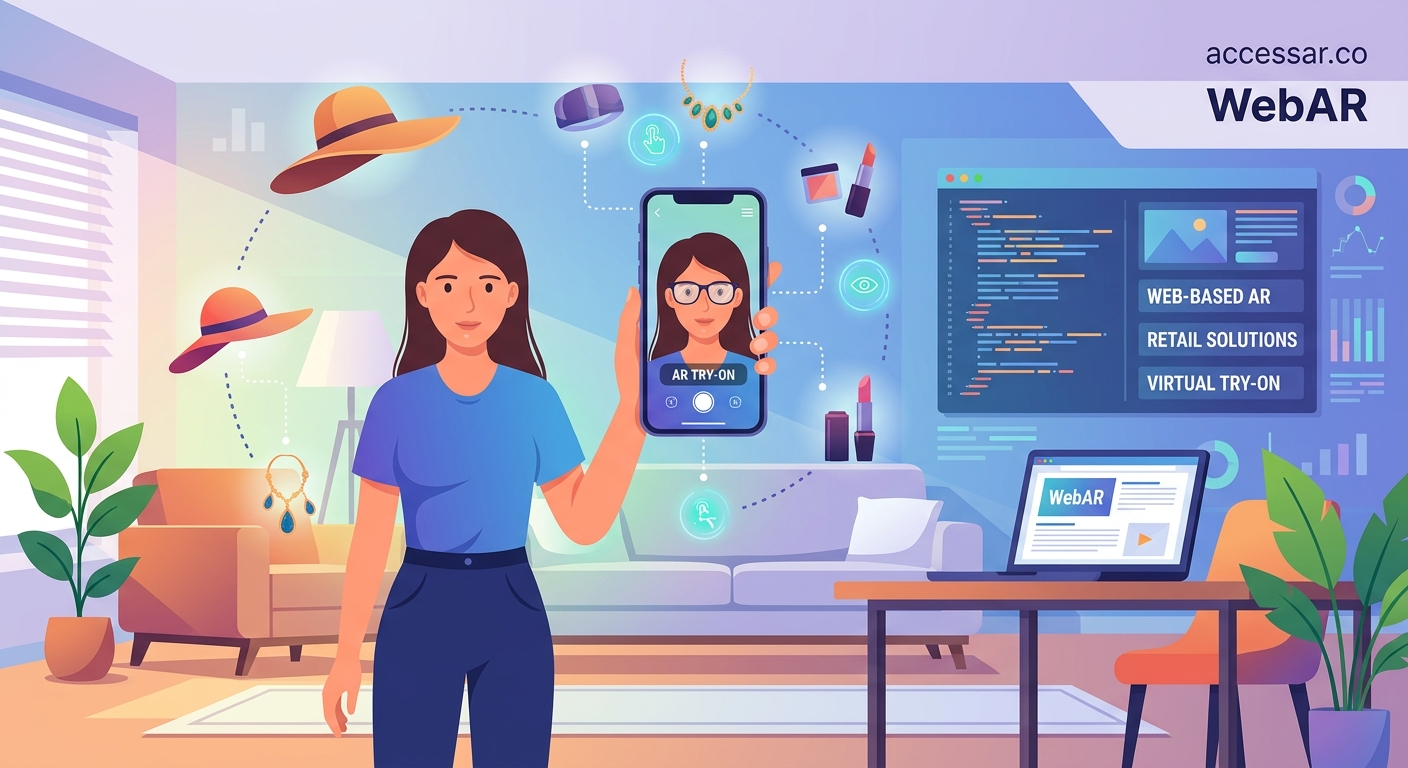
Getting started with WebAR virtual try-on follows a clear path. The complexity depends on your budget and technical resources.
-
Audit your product catalog. Identify which products will benefit most from try-on features. Start with your bestsellers or highest-return items.
-
Create 3D models of your products. You need digital versions of physical items. Hire a 3D artist, use photogrammetry software, or work with your manufacturer to obtain CAD files.
-
Choose your platform. Decide between no-code solutions like Banuba, Jeeliz, or Perfect Corp, or custom development using frameworks like 8th Wall or AR.js.
-
Set up face tracking parameters. Configure how products attach to facial features. Glasses need to align with eyes and ears. Lipstick needs to follow lip contours.
-
Test across devices. WebAR performs differently on iPhone versus Android. Test on multiple devices and browsers to ensure consistent experiences.
-
Integrate with your e-commerce platform. Add try-on buttons to product pages. Make the feature obvious but not intrusive.
-
Monitor performance metrics. Track conversion rates, return rates, and session duration for products with try-on versus those without.
-
Iterate based on data. Adjust 3D model positioning, lighting, and rendering quality based on user feedback and analytics.
The timeline varies. No-code platforms can launch in weeks. Custom development takes months but offers more control and branding opportunities.
For brands just starting with AR creation, learning platforms like best no-code AR platforms for social media creators in 2024 can help you understand the basics before committing to enterprise solutions.
Comparing no-code platforms versus custom development
You face a fundamental choice: use existing platforms or build custom solutions.
| Approach | Cost | Timeline | Customization | Technical Skill Required |
|---|---|---|---|---|
| No-code platforms | $50 to $500/month | 2 to 4 weeks | Limited templates | Minimal |
| Custom development | $15,000 to $100,000+ | 3 to 6 months | Complete control | Advanced |
| Hybrid solution | $5,000 to $25,000 | 6 to 10 weeks | Moderate flexibility | Intermediate |
No-code platforms work well for small to medium businesses testing the waters. You get functional try-on features without major investment. The tradeoff is limited branding and feature customization.
Custom development makes sense for large brands with specific requirements. You control every aspect of the experience, from loading animations to how products respond to lighting changes.
Hybrid solutions use platforms like 8th Wall but customize the interface and user flow. This balances cost with brand consistency.
Consider your answers to these questions:
- Do you have an in-house development team?
- Is your product catalog constantly changing?
- Do you need the try-on feature to match your exact brand guidelines?
- What’s your budget for the first year?
- How many SKUs need 3D models?
Most e-commerce managers start with no-code platforms. They prove the concept with real customer data. Then they decide whether custom development justifies the investment.
The 7 no-code WebAR platforms that let you build AR experiences in minutes guide breaks down specific platform capabilities if you want detailed comparisons.
Technical requirements your website needs
WebAR virtual try-on requires specific browser capabilities. Not all devices support every feature.
Browser support:
- iOS Safari 11+ (iPhone 6s and newer)
- Chrome 67+ on Android
- Samsung Internet 9.2+
- Firefox Reality for AR headsets
Device requirements:
- Front-facing camera
- Gyroscope and accelerometer
- Sufficient processing power (most phones from 2017 onward)
- Stable internet connection for initial load
Website infrastructure:
- HTTPS protocol (required for camera access)
- Fast loading times (3D models add file size)
- Mobile-responsive design
- Clear call-to-action buttons
The biggest technical hurdle is 3D model optimization. High-quality models look realistic but load slowly. Low-quality models load fast but look cheap.
Target these specifications:
- Model file size under 2MB
- Texture resolution 1024×1024 or 2048×2048
- Polygon count under 50,000 for face-worn items
- Compressed file formats like .glb or .usdz
Your hosting also matters. 3D assets should load from a CDN (content delivery network) to minimize latency. Customers abandon experiences that take more than 3 seconds to load.
Test on actual customer devices, not just your development machines. A MacBook Pro renders 3D models differently than a three-year-old Android phone.
Common mistakes that tank conversion rates
Even well-implemented try-on features fail if you make these errors.
Poor 3D model quality. If your digital sunglasses look pixelated or unrealistic, customers won’t trust them. Invest in proper 3D artists or high-quality photogrammetry.
Misaligned tracking. Glasses that float above ears or lipstick that doesn’t follow lip movement destroy the illusion. Spend time calibrating face tracking parameters.
Slow loading times. Customers won’t wait. Optimize model file sizes and use progressive loading techniques.
Hidden features. If customers don’t see the try-on button, they won’t use it. Make it prominent on product pages.
No mobile optimization. Most try-on happens on phones. Desktop experiences are secondary.
Ignoring lighting conditions. Products should look good in bright sunlight and dim indoor lighting. Test in multiple environments.
Forgetting social sharing. Customers want to screenshot and share. Make it easy with built-in sharing buttons.
“The biggest mistake brands make is treating AR try-on as a technical checkbox rather than a core part of the shopping experience. The feature needs to be as polished as your product photography.” – AR implementation consultant
How to measure ROI and success metrics
You need concrete data to justify the investment in WebAR virtual try-on.
Track these metrics:
Primary metrics:
- Conversion rate for products with try-on versus without
- Return rate comparison
- Average order value
- Revenue per visitor
Engagement metrics:
- Try-on feature usage rate (percentage of visitors who activate it)
- Time spent using try-on
- Number of products tried per session
- Social shares of try-on screenshots
Technical metrics:
- Load time for 3D models
- Error rates across devices
- Browser compatibility issues
- Feature abandonment rate
Set up A/B tests. Show try-on to 50% of visitors and track differences in behavior. This isolates the impact of the feature from other variables.
Most analytics platforms don’t track AR interactions by default. You’ll need custom event tracking. Google Analytics 4 can track AR events with proper configuration.
Calculate ROI using this formula:
ROI = (Revenue increase from higher conversion + Savings from reduced returns – Implementation cost – Maintenance cost) / Total investment
For a typical mid-sized e-commerce store, breakeven happens within 6 to 12 months. High-return categories like cosmetics see faster payback.
Integrating try-on with your existing e-commerce platform
WebAR try-on needs to fit seamlessly into your current tech stack.
Shopify integration:
Shopify supports AR through native features and third-party apps. Apps like Threekit, Vertebrae, and Shopify AR work with minimal coding. You upload 3D models, configure settings, and the app handles the rest.
WooCommerce integration:
WooCommerce requires more manual setup. Use plugins or embed WebAR code directly into product pages. The flexibility is higher but requires more technical knowledge.
Magento integration:
Magento offers robust customization. You can build custom modules or use extensions. The platform handles complex product catalogs well.
Custom platforms:
If you built your own e-commerce system, you have complete control. Implement WebAR using JavaScript libraries and REST APIs.
Key integration points:
- Product detail pages (primary try-on location)
- Category pages (preview try-on availability)
- Shopping cart (remind customers they can try before buying)
- Marketing emails (link to try-on experiences)
The try-on button should appear near the add-to-cart button. Make it visually distinct but not overwhelming. Use clear language like “Try it on” or “See it on you” instead of technical terms like “AR experience.”
If you’re working across multiple platforms, understanding how to embed WebAR experiences directly into your website will help you maintain consistency.
Privacy and data considerations customers care about
Camera access makes people nervous. Address privacy concerns proactively.
What customers worry about:
- Is the store recording video of my face?
- Where does facial data go?
- Can this technology identify me?
- Will my image be used for marketing?
What you should communicate:
- Processing happens on-device (not on servers)
- No facial data is stored
- No video recording occurs
- Images aren’t shared without explicit permission
Add clear privacy messaging near the try-on button. A simple statement like “Your camera feed is processed locally and never stored” builds trust.
Comply with GDPR, CCPA, and other privacy regulations. Even though WebAR typically processes data on-device, you still need proper disclosures.
Best practices:
- Request camera permission with clear explanation
- Provide an easy way to deny access
- Never require try-on to view products
- Allow customers to delete any saved images
- Don’t track facial features for advertising
Transparency wins customer trust. Being upfront about data usage prevents negative reviews and social media backlash.
Future trends shaping virtual try-on technology
WebAR virtual try-on is evolving rapidly. Staying ahead of trends gives you competitive advantages.
Emerging capabilities:
- Full-body tracking for clothing try-on
- Multi-person try-on for shared shopping experiences
- AI-powered size recommendations based on facial measurements
- Virtual fitting rooms with multiple products simultaneously
- Integration with voice assistants
Technology improvements:
- Better low-light performance
- More accurate skin tone matching
- Realistic fabric simulation
- Faster loading times through improved compression
- Cross-platform consistency
Business model evolution:
- Try-on as a service (rent the technology instead of building it)
- Revenue sharing with AR platform providers
- Subscription models for premium try-on features
- White-label solutions for smaller brands
The line between WebAR vs native AR apps continues to blur. Web capabilities are catching up to native apps while maintaining the advantage of no downloads.
Expect AI to play a bigger role. Machine learning will improve face tracking accuracy and predict which products customers are most likely to buy based on try-on behavior.
Social commerce integration is accelerating. Platforms like Instagram and TikTok are building native try-on features. Your WebAR implementation should work alongside these social features, not compete with them.
Making virtual try-on work for your specific product category
Different products need different approaches to try-on experiences.
Eyewear strategy:
Focus on accurate temple positioning and lens transparency. Customers need to see their eyes through lenses. Offer multiple angles so they can check side profiles.
Cosmetics strategy:
Nail skin tone matching. Poor color accuracy destroys trust. Offer before/after comparisons and let customers adjust intensity. The technology behind 5 beauty brands that mastered Instagram AR filters and boosted sales by 300% shows what’s possible.
Jewelry strategy:
Show how pieces catch light. Jewelry is about sparkle and movement. Static 3D models don’t capture this. Add subtle animations that simulate light reflection.
Watch strategy:
Let customers see different band options. Watches have modular components. Allow mixing and matching of faces, bands, and bezels.
Headwear strategy:
Account for different head sizes and hair styles. Hats sit differently on different head shapes. Offer size adjustment sliders.
Each category has unique challenges. Study successful implementations in your space before building your own.
Building customer confidence through better try-on experiences
Virtual try-on only works if customers trust it. Building that trust requires attention to detail.
Accuracy builds trust:
Show real-world comparisons. Include photos of actual customers wearing products next to AR try-on images. This proves your digital representations are accurate.
Transparency builds trust:
Explain how the technology works. A simple tooltip saying “This uses your camera to show how the product looks on you” reduces anxiety.
Quality builds trust:
Invest in realistic 3D models. Cheap-looking graphics suggest cheap products. Your digital assets should match your brand quality.
Feedback builds trust:
Let customers rate try-on accuracy. Add a simple “Did this help you decide?” prompt after try-on sessions. Use feedback to improve.
Social proof builds trust:
Show how many people have tried on each product. Numbers like “12,847 people have tried this on” create confidence through popularity.
Customer testimonials specifically mentioning try-on features validate the experience. Feature reviews that say “The try-on feature helped me choose the perfect shade” on product pages.
Scaling try-on across your entire product catalog
Starting with a few products makes sense. Scaling to hundreds or thousands requires systems.
Prioritization framework:
- Products with highest return rates
- Bestselling items
- New releases
- High-margin products
- Seasonal items
3D model production at scale:
- Hire a dedicated 3D artist or team
- Work with overseas 3D modeling services
- Use photogrammetry for faster creation
- Request models from manufacturers
- Build templates for similar products
Workflow optimization:
Create standard operating procedures for each step. From receiving product samples to publishing live try-on experiences, document everything.
Quality control:
Test every new 3D model on multiple devices before going live. One poorly-rendered product damages trust in your entire try-on system.
Maintenance schedule:
Products change. New colors launch. Packaging updates. Your 3D models need regular updates to match current inventory.
Consider starting with product families. If you sell sunglasses, create try-on for one frame style in all colors. This maximizes impact while minimizing unique 3D model creation.
Your path forward with WebAR virtual try-on
WebAR virtual try-on isn’t optional anymore. Your customers expect it. Your competitors are implementing it. The technology is accessible and affordable.
Start small. Choose your five highest-return products. Get 3D models created. Test a no-code platform. Measure results. Then scale based on data, not assumptions.
The stores winning with virtual try-on treat it as a core shopping feature, not a novelty. They invest in quality 3D models, optimize for mobile, and continuously improve based on customer feedback.
Your first try-on implementation won’t be perfect. That’s fine. Launch, learn, and iterate. The competitive advantage goes to stores that start now, not stores that wait for perfect conditions.
The technology is ready. The platforms are available. Your customers are waiting. Time to give them the confidence to buy.