
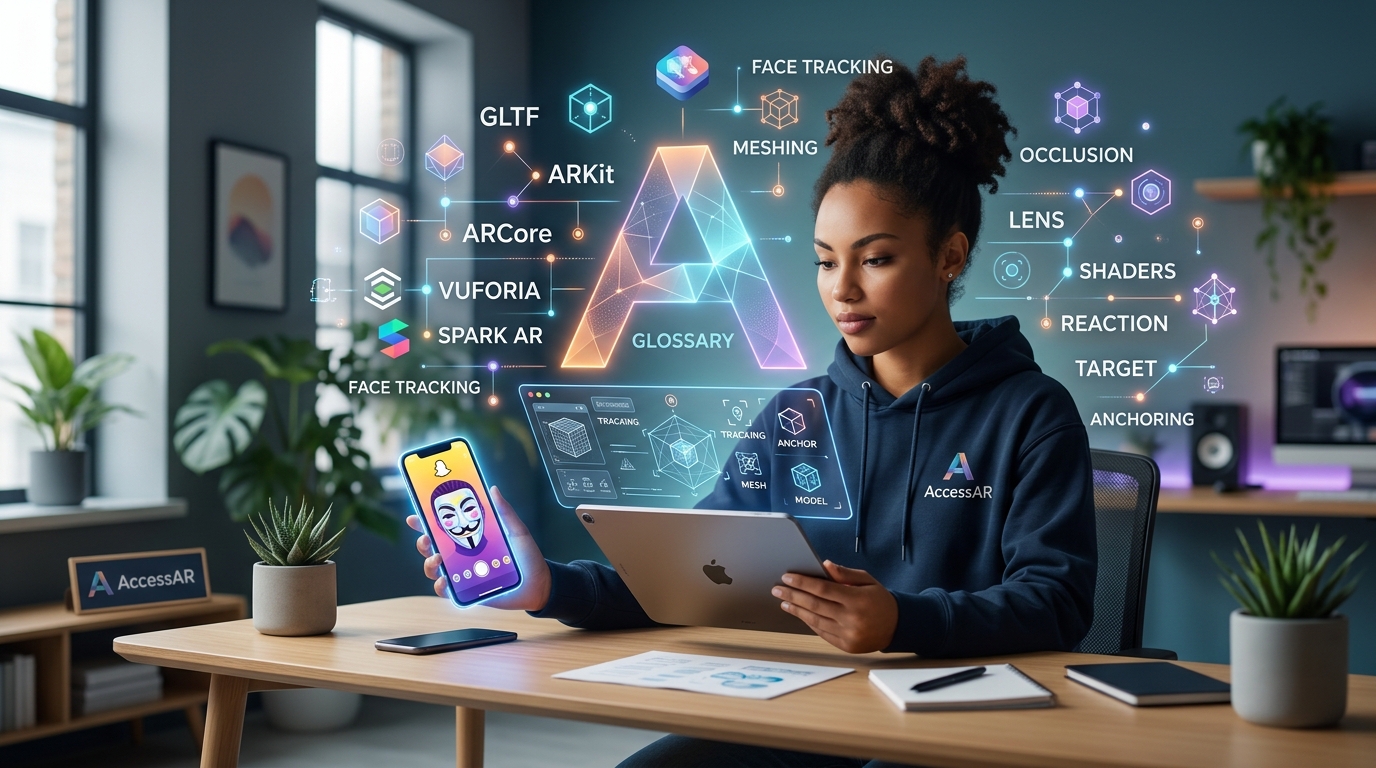
You’re ready to create your first augmented reality filter, but the tutorials might as well be written in another language. Anchor points, occlusion, SLAM, world tracking… the jargon alone can stop you before you even open Lens Studio or Meta Spark.
Here’s the thing: AR development isn’t as complicated as the terminology makes it sound. Most of these terms describe simple concepts that you already understand intuitively. You just need someone to translate them into plain English.
This AR glossary breaks down every essential term you’ll encounter as a beginner creator. No confusing technical explanations. No assumptions about your background. Just clear definitions with real examples that show you exactly what each term means in practice.
This comprehensive AR glossary defines 50+ essential augmented reality terms for beginners. You’ll learn platform terminology, tracking concepts, technical jargon, and creative terms used across Snapchat Lens Studio, Meta Spark Studio, and TikTok Effect House. Each definition includes practical examples to help you understand how these concepts apply to real filter creation.
Core AR concepts every creator needs to know
Let’s start with the fundamental terms that apply across all AR platforms and tools.
Augmented reality (AR) overlays digital content onto the real world through your phone’s camera. Unlike virtual reality, which replaces your environment entirely, AR adds layers on top of what you’re already seeing.
Filters and effects are often used interchangeably, though some platforms prefer one term over the other. Instagram and Snapchat typically say “filters,” while TikTok uses “effects.” Both refer to AR experiences that modify how you appear or interact with your camera view.
Face tracking uses your device’s camera to detect and follow facial features in real time. This technology powers everything from puppy ears to makeup try-on effects. The software identifies key points on your face (eyes, nose, mouth) and anchors digital objects to those positions.
World tracking (also called surface tracking or plane detection) lets you place digital objects on real-world surfaces. When you see furniture apps that let you preview a couch in your living room, that’s world tracking at work.
Marker-based AR requires a specific image or QR code to trigger the AR experience. Point your camera at the marker, and the effect activates. Museums and product packaging often use this approach.
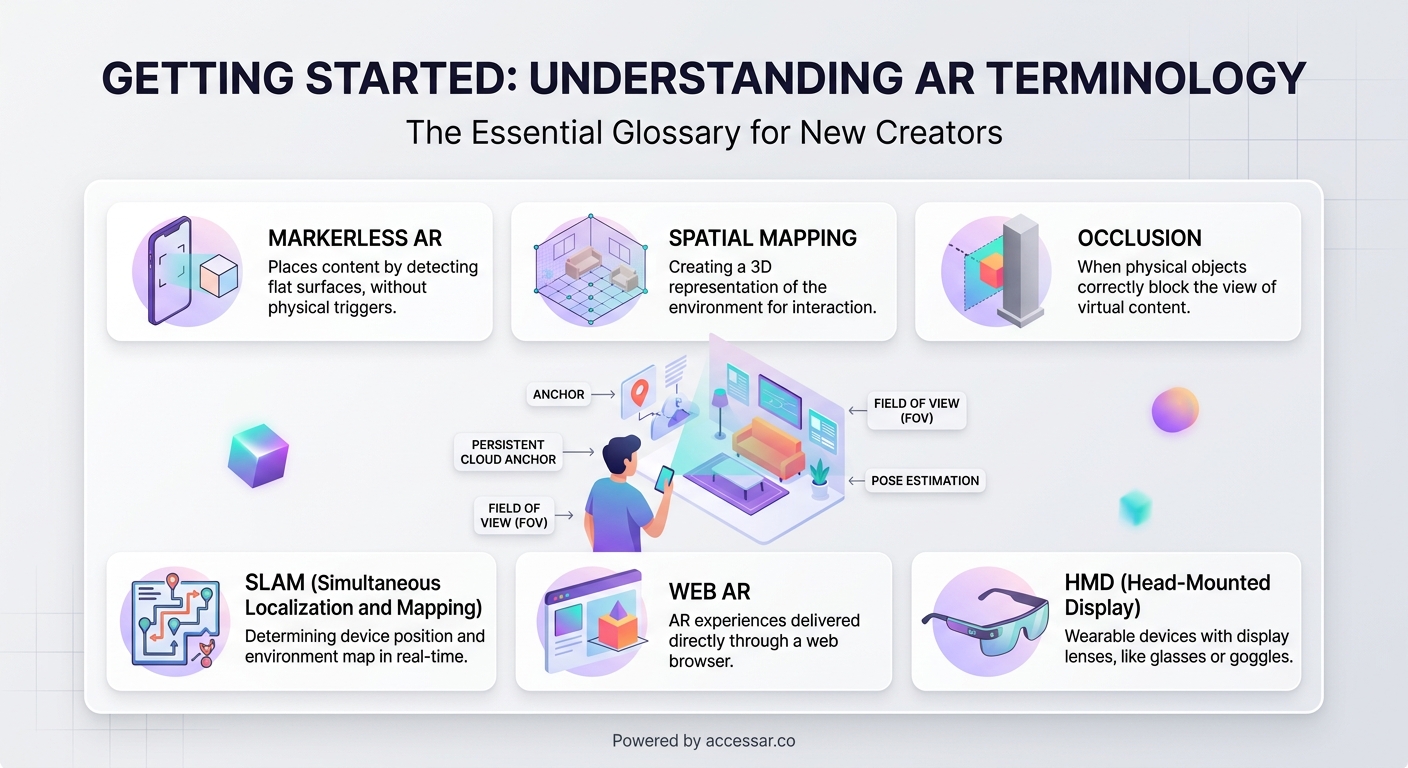
Markerless AR works without any special triggers. It uses your environment itself (walls, floors, tables) to anchor content. Most social media filters use markerless AR because users can activate them anywhere.
Platform-specific terminology you’ll see everywhere
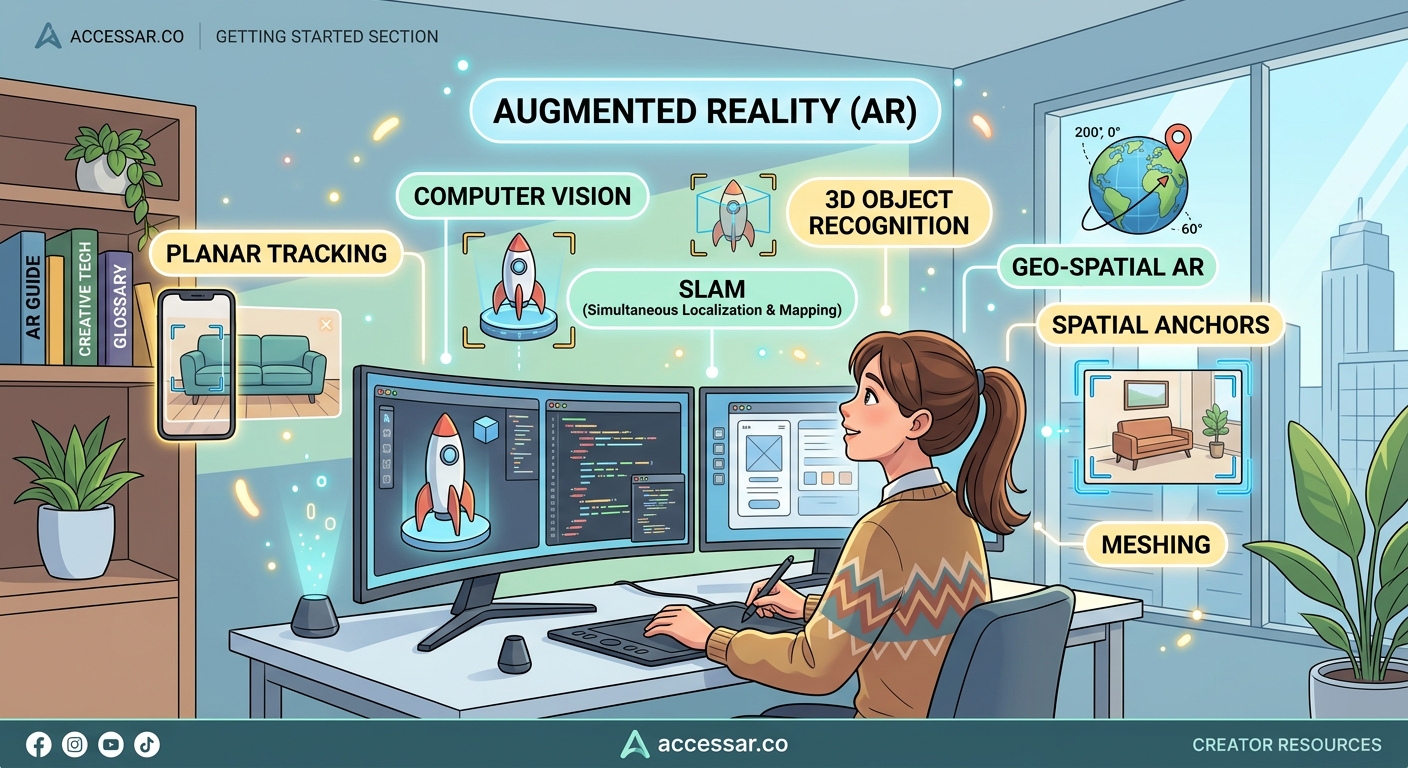
Each AR creation platform has its own vocabulary. Understanding these terms helps you follow tutorials and troubleshoot issues.
Lens Studio is Snapchat’s free AR creation software. When someone talks about “building a lens,” they’re creating a Snapchat filter. The platform uses “lenses” instead of “filters” as its primary term.
Meta Spark Studio (formerly Spark AR Studio) is the tool for creating Instagram and Facebook filters. Meta recently rebranded the platform, so you’ll see both names in tutorials and documentation.
Effect House is TikTok’s AR creation platform. It’s the newest of the major tools, launched in 2021, but it’s growing fast. Building effects for TikTok has become increasingly popular as the platform expands its creator tools.
Templates are pre-built starting points that include common features and effects. Instead of building from scratch, you can customize a template to save time. Lens Studio offers dozens of templates that handle the technical setup for you.
Assets include any files you import into your project: 3D models, images, audio files, textures, or animations. Your asset library is basically your creative toolkit.
Technical terms that sound scarier than they are
These concepts seem intimidating, but they describe straightforward ideas.
Occlusion determines what appears in front of what. When you wear virtual sunglasses and they correctly hide behind your hand when you wave, that’s occlusion working properly. Without it, digital objects would always appear on top of everything, breaking the illusion.
SLAM (Simultaneous Localization and Mapping) is how your phone understands three-dimensional space. It builds a map of your environment while tracking your device’s position within that space. This technology makes world tracking possible.
Anchor points are specific locations where you attach digital objects. On a face, anchor points might be the tip of your nose or the center of your forehead. In world tracking, an anchor point could be a detected floor or table surface.
Depth mapping creates a 3D understanding of distance in your camera view. It knows that your face is closer than the wall behind you, which helps with realistic occlusion and object placement.
Render means to generate the final visual output. When your effect “renders,” the software processes all your layers, objects, and animations into the image you see on screen.
Frame rate (measured in FPS or frames per second) determines how smoothly your effect runs. Higher frame rates look smoother but require more processing power. Most mobile AR aims for 30 or 60 FPS.
Creative and design terminology
These terms describe the visual and interactive elements you’ll build.
Textures are images wrapped around 3D objects to give them color and detail. Think of a texture like gift wrap on a box: the box provides the shape, but the wrap provides the appearance.
Materials define how surfaces look and react to light. A material might make something appear metallic, glossy, matte, or transparent.
Particle systems create effects like sparkles, smoke, rain, or confetti. Instead of animating each particle individually, you set rules and let the system generate hundreds or thousands of particles automatically.
Shaders are programs that control how pixels are colored and displayed. They create effects like color grading, distortion, or stylized looks. You don’t need to code shaders as a beginner, but understanding what they do helps when you use pre-made ones.
Blending modes determine how layers combine. Similar to Photoshop layer modes, they control whether elements multiply, add, screen, or overlay on top of each other.
Alpha channel controls transparency. An image with an alpha channel can have areas that are fully opaque, fully transparent, or anywhere in between.
Interaction and trigger terms
These describe how users activate and control your effects.
Tap triggers activate when users tap the screen. You might use this to switch between different looks or spawn an object.
Facial gestures include actions like opening your mouth, raising your eyebrows, or smiling. Many filters trigger animations or changes based on these movements. Face tracking effects often combine multiple gesture triggers for interactive experiences.
Segmentation separates different parts of the camera view. Person segmentation isolates the user from the background. Hair segmentation identifies just the hair. This lets you apply effects to specific areas.
Landmarks are specific facial feature points that AR software can detect. Your eyes, nose tip, mouth corners, and eyebrows all have landmark points that you can track.
Bounding box is an invisible rectangular area that defines an object’s size and position in space. Even if your object is circular, its bounding box is always rectangular.
Publishing and distribution vocabulary
These terms come up when you’re ready to share your creation.
Publishing means submitting your effect to a platform for approval and distribution. Each platform has different requirements and review processes. Getting your Instagram filter approved involves specific guidelines about content and performance.
Effect preview is the video or image that shows users what your filter does before they try it. A compelling preview dramatically increases your usage rates.
Impressions count how many times users see your effect in their feed or search results. This metric helps you understand your effect’s visibility.
Opens track how many times users activate your effect. High open rates relative to impressions mean your preview is working well.
Shares measure how often users send your effect to friends or post content created with it. This is often the most important metric for virality.
Attribution ensures you get credit when users create content with your effect. Your username appears on posts, helping build your creator profile.
Performance and optimization terms
These concepts matter when you want your effects to run smoothly on all devices.
Draw calls are requests to render objects on screen. More draw calls mean more processing work. Reducing draw calls improves performance.
Polygon count measures the complexity of 3D models. Higher polygon counts create more detailed models but require more processing power. Mobile AR typically needs low-poly models.
Texture resolution is the size of your image files in pixels. A 1024×1024 texture is higher resolution than 512×512, but also larger in file size and harder to process.
Optimization means making your effect run efficiently on various devices. This might involve reducing polygon counts, compressing textures, or simplifying effects.
Target device refers to the phone models you’re designing for. Effects that work perfectly on the latest iPhone might struggle on older Android devices.
How to actually use this AR glossary
Reading definitions helps, but you’ll really learn these terms by using them. Here’s how to make this knowledge stick.
- Pick one AR platform to start with (Lens Studio, Meta Spark, or Effect House).
- Open a beginner tutorial for that platform.
- Keep this glossary open in another tab.
- When you hit an unfamiliar term, look it up immediately.
- Try to use the term correctly when describing your own work.
- Join creator communities where people use this vocabulary naturally.
The terminology becomes second nature faster than you think. After creating just two or three filters, you’ll find yourself using these terms without thinking about it.
Starting with a simple first project gives you context for all these terms. Theory only gets you so far. You need to see “anchor point” in action, struggle with “occlusion” settings, and celebrate when your “particle system” finally looks right.
Common term confusions cleared up
Some AR terms sound similar or get used interchangeably. Let’s sort out the confusion.
| Term confusion | The difference |
|---|---|
| Filter vs Effect | Same thing, different platforms. Instagram says filter, TikTok says effect |
| Lens vs Filter | Snapchat calls them lenses, most other platforms say filters |
| Texture vs Material | Textures are image files, materials define surface properties |
| World tracking vs Surface tracking | Same concept, different terminology across platforms |
| Marker vs Trigger | Markers are physical images, triggers can be any activation method |
| Asset vs Object | Assets are imported files, objects are elements in your scene |
| Render vs Export | Rendering creates the visual output, exporting saves your project file |
Face mesh and face model both refer to the 3D representation of a face that the software creates. The mesh is made of thousands of tiny triangles that follow your facial movements.
Scene and project are sometimes used interchangeably, though technically your project contains multiple scenes in some platforms.
Script and code mean the same thing in AR contexts. If someone says “add this script,” they mean copy this code into your project.
AR glossary terms for different skill levels
Not all terms matter equally when you’re starting out. Here’s how to prioritize your learning.
Essential for absolute beginners:
– Face tracking
– World tracking
– Anchor points
– Assets
– Templates
– Publishing
Important after your first few projects:
– Occlusion
– Segmentation
– Particle systems
– Textures
– Materials
– Blending modes
Advanced terms for later:
– Shaders
– SLAM
– Draw calls
– Depth mapping
– Custom scripts
You don’t need to memorize everything at once. Focus on the terms that appear in the tutorials you’re following. Choosing the right platform will determine which specific terms you encounter most often.
“I spent my first week feeling completely lost in AR tutorials. Then I realized I only needed to understand about ten core terms to get started. Everything else made sense once I had those basics down. Don’t let the jargon intimidate you out of trying.” — Sarah Chen, AR creator with 2M+ filter impressions
Platform comparison table for terminology
Different platforms use different words for the same concepts. This table helps you translate between them.
| Concept | Snapchat Lens Studio | Meta Spark Studio | TikTok Effect House |
|---|---|---|---|
| The AR experience | Lens | Effect or Filter | Effect |
| Creation software | Lens Studio | Spark Studio | Effect House |
| Face detection | Face Tracking | Face Tracker | Face Detection |
| Background removal | Background Segmentation | Segmentation | Segmentation |
| User interaction | Behavior | Patch Editor | Visual Scripting |
| 3D space | Scene | Scene | Hierarchy |
Understanding these differences prevents confusion when you follow cross-platform tutorials or switch between tools. Comparing platforms side by side shows you how the same creative concepts translate across different interfaces.
Mistakes beginners make with AR terminology
Getting the vocabulary wrong can lead to real problems in your projects.
Confusing world tracking with face tracking means you’ll pick the wrong template. Face tracking follows your face. World tracking places objects in your environment. They’re completely different technologies.
Mixing up textures and materials leads to frustration when trying to change how objects look. You apply textures to materials, not directly to objects.
Not understanding occlusion results in unrealistic effects where digital objects don’t interact properly with the real world.
Ignoring optimization terms means your effects might work on your phone but crash on older devices. Avoiding common beginner mistakes includes learning basic performance vocabulary early.
Using platform-specific terms in the wrong context confuses people. If you’re asking for help with Meta Spark, don’t call your project a “lens.” Use the correct platform terminology.
Where AR terminology is heading
The AR industry hasn’t fully standardized its vocabulary yet. New terms emerge as technology advances.
WebAR refers to augmented reality experiences that run in web browsers without requiring an app. WebAR platforms are introducing new terminology around browser-based experiences.
Spatial computing is becoming the umbrella term for AR, VR, and mixed reality technologies. You’ll hear this more as the field matures.
Hand tracking is newer than face tracking and brings its own vocabulary around gesture recognition and hand landmarks.
Body tracking extends beyond faces to track full-body movement and pose detection.
As platforms evolve and merge, expect some terminology to become standardized while other terms fade away. The core concepts remain consistent even when the words change.
Your AR vocabulary grows with practice
This glossary gives you the foundation, but real fluency comes from creating. The first time you successfully adjust an anchor point or fix an occlusion issue, that term becomes permanently part of your working vocabulary.
Don’t try to memorize everything at once. Bookmark this page and return to it when you encounter unfamiliar terms. Within a month of active creation, you’ll find yourself using this terminology naturally, explaining concepts to other beginners, and understanding advanced tutorials that seemed incomprehensible at first.
The AR community is welcoming to newcomers who make an effort to learn the language. Ask questions. Use terms in context. Correct yourself when you mix things up. Every experienced creator started exactly where you are now, confused by the same jargon, looking up the same definitions.
Your journey from confused beginner to confident creator starts with understanding what people are actually talking about. Now you have the vocabulary. Time to put it to work.