
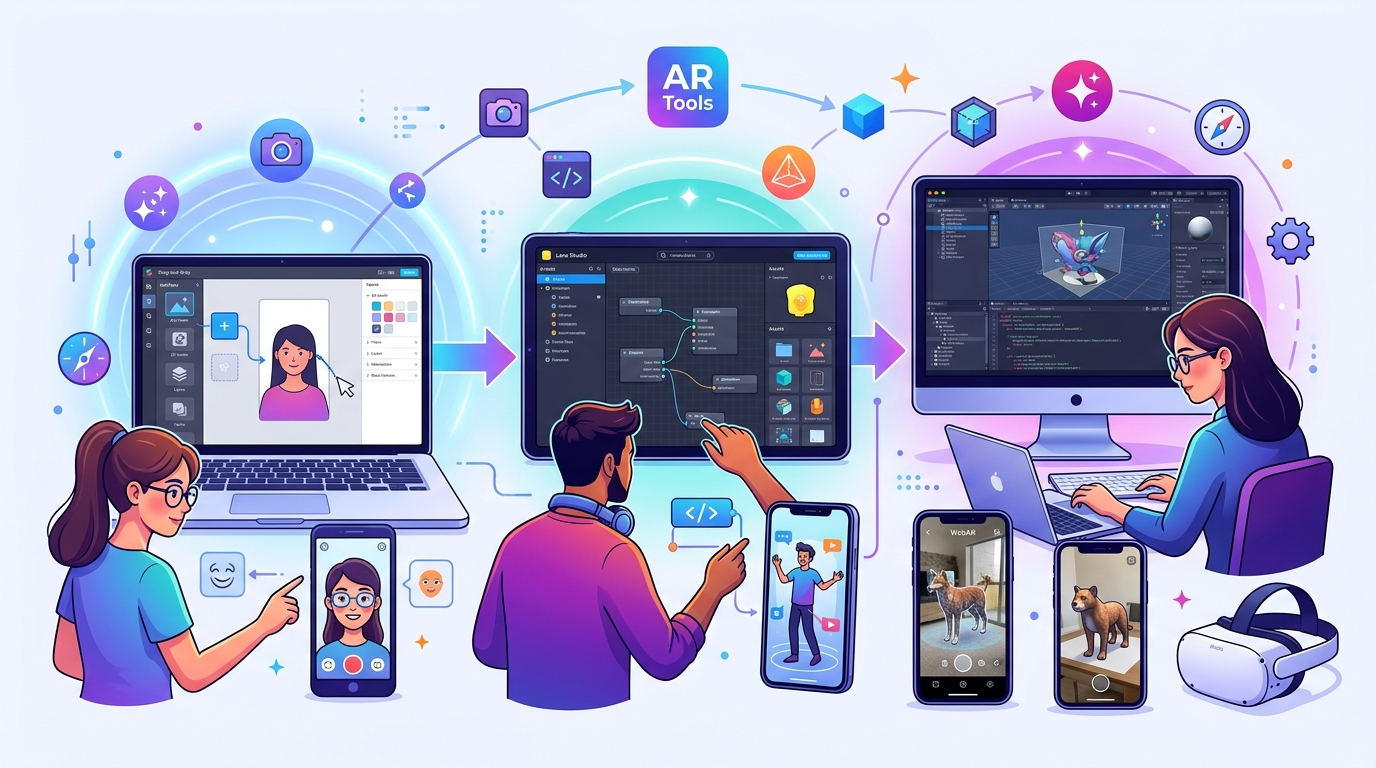
Choosing the wrong AR software can waste weeks of your time. You download a tool that looks perfect, open it up, and realize you need a computer science degree just to place a 3D object in space. Or worse, you pick something too simple and outgrow it in days.
The AR development world offers dozens of platforms, each built for different skill levels and use cases. Some require zero coding knowledge. Others demand fluency in C# or JavaScript. The difference between picking the right tool and the wrong one determines whether you publish your first effect this month or give up frustrated.
Selecting AR software depends on your current technical skills, project goals, and target platform. Beginners should start with no-code tools like Lens Studio or Effect House. Intermediate developers benefit from [visual scripting](https://en.wikipedia.org/wiki/Visual_programming_language) platforms like Meta Spark Studio. Advanced creators need Unity or web-based frameworks for custom experiences. Match your abilities to the right tool to avoid frustration and accelerate your learning curve.
Understanding the AR Software Landscape
AR development tools fall into three clear categories based on technical requirements.
No-code platforms let you build effects using drag-and-drop interfaces and pre-built templates. Visual scripting tools add logic through node-based editors without writing traditional code. Full development environments require programming languages but offer unlimited creative control.
Each category serves different creators. A brand manager launching a social media campaign needs different tools than a game developer building a mobile AR app.
The platform you target also matters. Social media AR lives on Snapchat, Instagram, and TikTok. Each network has its own creation tool. WebAR experiences run in browsers without app downloads. Native mobile AR requires iOS or Android development skills.
Matching Your Current Skills to the Right Platform
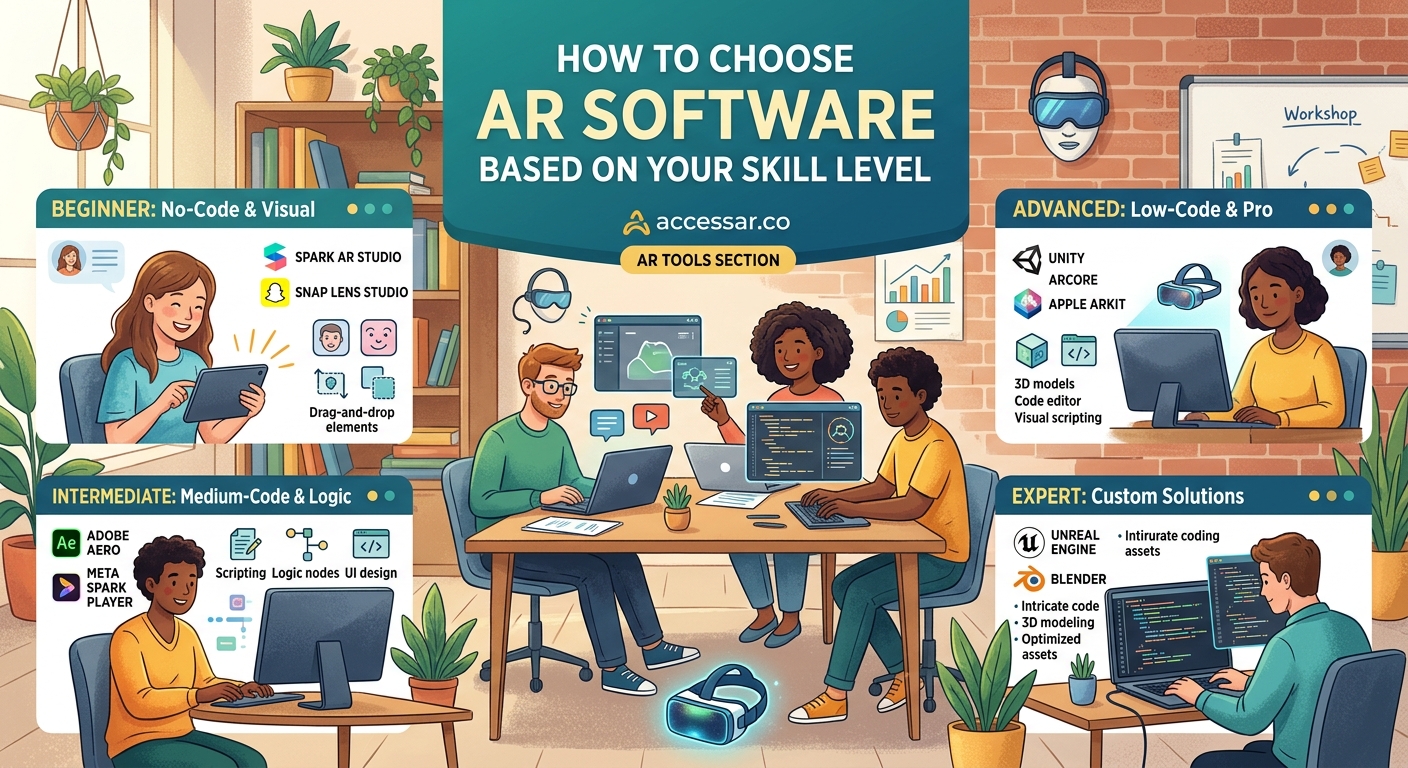
Start by honestly assessing where you stand today.
Complete Beginners (No Technical Background)
You have never written code. Design software feels intimidating. You want to create AR effects but worry about the learning curve.
Start with these platforms:
- Snapchat Lens Studio offers the gentlest introduction with extensive templates and a visual interface
- TikTok Effect House provides similar ease of use with trending effect templates built in
- Meta Spark Studio works well for Instagram filters with strong community support
These tools hide technical complexity behind intuitive interfaces. You can build your first Snapchat lens without touching a single line of code.
Templates save hours of design time by providing pre-built frameworks. You swap assets, adjust colors, and customize behavior through simple menus.
Intermediate Creators (Some Technical Experience)
You understand basic programming concepts. Maybe you have dabbled in HTML, CSS, or visual scripting. You feel comfortable learning new software interfaces.
These platforms match your abilities:
- Meta Spark Studio with its Patch Editor for visual logic
- Lens Studio using its advanced scripting features
- 8th Wall for browser-based AR with JavaScript integration
Visual scripting bridges the gap between no-code simplicity and full programming power. You connect nodes to define behavior instead of writing syntax. The logic remains the same, but the interface feels more approachable.
Publishing your first Instagram filter becomes realistic within your first week of learning.
Advanced Developers (Programming Proficiency)
You write code regularly. JavaScript, C#, or Python feel like second languages. You want complete creative control without platform limitations.
Consider these environments:
- Unity with AR Foundation for cross-platform mobile AR apps
- A-Frame or Three.js for custom WebAR experiences
- Vuforia or ARKit/ARCore for native mobile development
These tools offer unlimited possibilities but demand significant time investment. You build everything from scratch, which means longer development cycles but total creative freedom.
Step-by-Step Process for Choosing Your First AR Tool
Follow this framework to pick the right software today.
-
Define your end goal clearly. Do you want to create social media filters, build a product visualization tool, or develop a mobile game? Your objective determines which platforms even make sense.
-
Identify your target audience and platform. A Gen Z audience lives on TikTok and Snapchat. Business clients might need WebAR shopping experiences. Platform choice often dictates tool choice.
-
List your current technical skills honestly. Can you write JavaScript functions? Do you understand 3D coordinate systems? Have you used visual scripting before? Write down specific capabilities.
-
Research platform requirements and limitations. Each tool has file size limits, supported features, and approval processes. TikTok effects have different constraints than standalone AR apps.
-
Test free versions before committing. Most AR platforms offer free tiers. Download two or three options and spend an afternoon with each. The right tool feels intuitive within the first hour.
-
Join the community and find learning resources. Active forums, tutorial libraries, and template marketplaces indicate healthy platforms worth your time investment.
Common Decision Points and How to Navigate Them
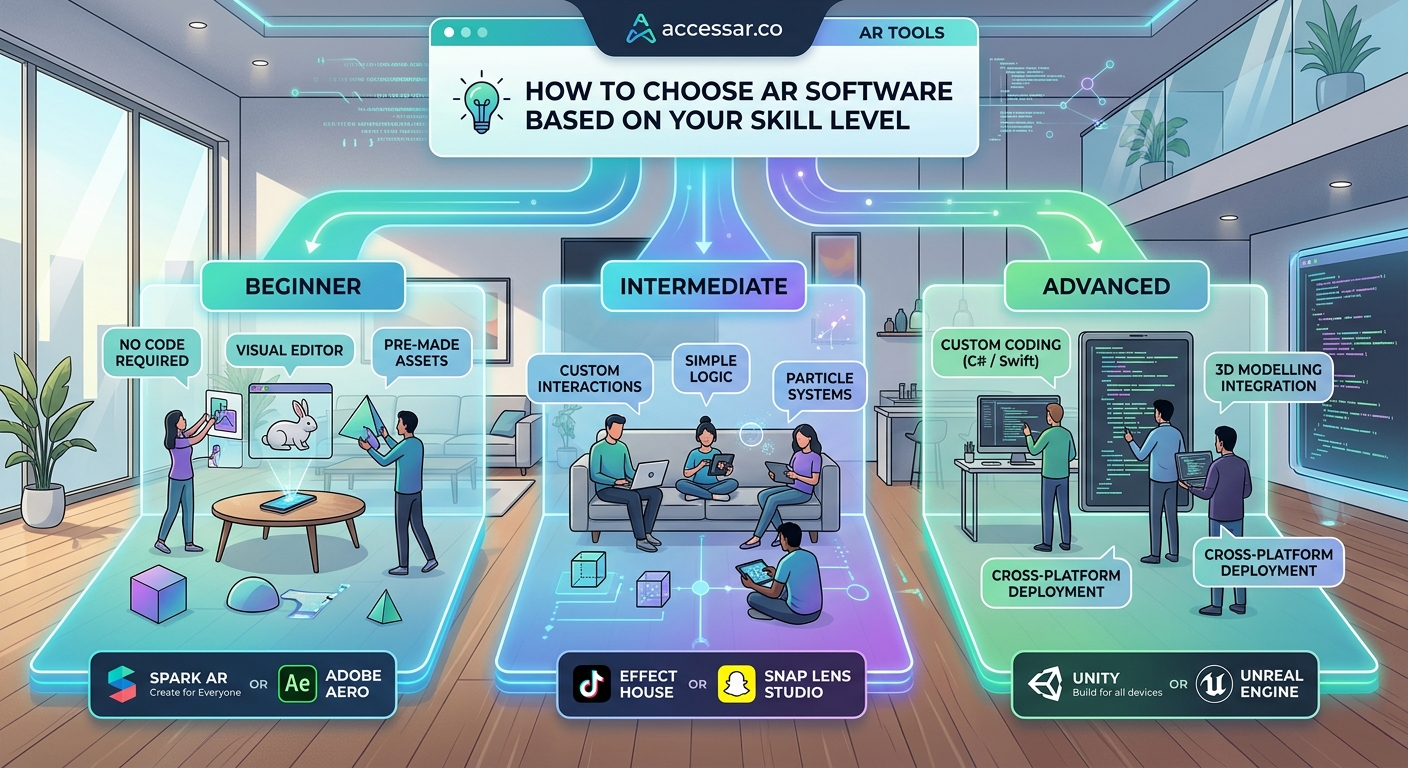
Several factors beyond skill level influence your choice.
Budget constraints matter less in AR development than other fields. Most social AR platforms cost nothing. Unity offers free personal licenses. No-code WebAR platforms provide free trials before paid tiers.
Time to first publish varies wildly. Social media tools let you ship effects in days. Custom mobile apps take months. If you need results fast, prioritize platforms with shorter learning curves.
Monetization potential differs across platforms. Instagram filters can become client projects relatively easily. TikTok effects build audience but rarely generate direct revenue. Native apps offer the most monetization flexibility.
Long-term growth paths deserve consideration. Will this tool support your skills in six months? Lens Studio grows with you from beginner to advanced. Some no-code platforms hit creative ceilings fast.
Platform Comparison at Different Skill Levels
| Skill Level | Best Starting Platform | Learning Time | Creative Ceiling | Best For |
|---|---|---|---|---|
| Complete Beginner | Lens Studio | 1-2 weeks | Medium-High | Social media filters |
| Some Design Skills | Effect House | 1 week | Medium | TikTok effects |
| Basic Coding | Meta Spark Studio | 2-3 weeks | Medium-High | Instagram AR |
| Intermediate Developer | 8th Wall | 3-4 weeks | High | WebAR experiences |
| Advanced Programmer | Unity AR Foundation | 2-3 months | Very High | Custom mobile AR |
This table simplifies complex decisions but provides a starting framework.
Red Flags That Signal the Wrong Tool Choice
Certain warning signs indicate a poor platform match.
You spend more time fighting the interface than creating. Tutorials assume knowledge you do not have. The community forum shows dozens of unanswered basic questions. File exports fail repeatedly for unclear reasons.
Common beginner mistakes often stem from choosing overly complex tools too early. Frustration builds. Motivation dies. The AR dream ends before it starts.
If a platform feels wrong after a genuine week of effort, switch. No shame exists in finding a better match. Every professional AR creator has abandoned tools that did not fit their workflow.
When to Graduate to More Advanced Software
You will know when your current tool feels limiting.
Templates no longer satisfy your creative vision. You want features the platform does not support. You find yourself working around limitations instead of building freely. Other creators’ work on different platforms makes you jealous.
These feelings signal readiness for the next level.
Comparing platforms directly helps identify which advanced tool matches your new skills. Your beginner experience transfers. Concepts remain consistent across platforms even when interfaces change.
Many creators maintain multiple tools in their workflow. Lens Studio for social filters. Unity for client projects. 8th Wall for web experiences. Specialization beats trying to force one platform into every use case.
Building Your AR Development Toolkit
Most successful AR creators use complementary software alongside their primary platform.
3D modeling tools like Blender create custom assets. Image editors like Photoshop prepare textures. Animation software brings objects to life. Version control systems track project changes.
Equipment needs extend beyond software. A decent computer, smartphone for testing, and reliable internet connection form the foundation. Specialized hardware comes later if needed.
Free alternatives exist for nearly every tool category. Blender costs nothing. GIMP replaces Photoshop. GitHub offers free repositories. Budget should never block your AR journey.
Learning Resources That Actually Work
Official documentation provides the foundation but rarely teaches effectively.
YouTube tutorials from experienced creators show real workflows. Community forums answer specific questions. Template marketplaces demonstrate professional techniques. Case studies reveal what works in production.
Viral filter ideas teach more than abstract tutorials. Reverse engineering successful effects builds practical skills faster than following generic lessons.
Set a learning schedule and stick to it. Thirty minutes daily beats four-hour weekend binges. Consistency compounds. Skills stack. Confidence grows.
Platform-Specific Considerations
Each major AR platform has unique quirks worth understanding upfront.
Snapchat Lens Studio excels at face tracking and world effects. The approval process moves fast. Distribution happens through Snap Codes and the lens carousel. Face tracking effects perform particularly well on the platform.
Meta Spark Studio targets Instagram and Facebook. The Patch Editor enables complex interactions without code. Approval takes longer but reaches massive audiences. Brand partnerships happen frequently.
TikTok Effect House prioritizes trending effects and music integration. The algorithm favors timely, culturally relevant content. Publishing your first TikTok effect requires understanding platform culture as much as technical skills.
WebAR platforms offer the widest creative freedom but demand more technical knowledge. No app downloads lower user friction. Embedding WebAR into websites creates seamless brand experiences.
Choose the platform where your target audience already spends time. The best AR software means nothing if nobody sees your work. Distribution matters as much as creation.
Making the Final Decision
You have researched platforms, assessed your skills, and identified your goals. Now decide.
Pick one tool and commit to it for at least a month. Shallow exploration of five platforms teaches less than deep practice with one. Mastery requires focus.
Your first filter in 30 minutes proves the platform works for you. That initial success builds momentum. Each project after that gets easier.
Track your progress honestly. Keep a learning journal. Note what clicks and what confuses you. This self-awareness guides future tool choices as your skills evolve.
Why Your First Choice Matters Less Than You Think
The AR industry moves fast. Platforms update monthly. New tools launch regularly. Skills transfer between similar systems.
Your first AR software choice matters, but not as much as starting. Analysis paralysis kills more AR careers than wrong platform selection. The creator who ships mediocre filters on a suboptimal platform learns more than the perfectionist still researching.
Free AR tools remove financial risk from experimentation. Download something today. Build something simple tomorrow. Publish something rough next week.
The right AR software matches where you are now, not where you hope to be someday. Start with tools that feel approachable. Graduate when they feel limiting. Repeat this cycle throughout your AR journey. Growth happens through creation, not contemplation.