

You post a new Instagram story, check your analytics an hour later, and see “impressions” sitting at 247. But your follower count is only 180. Something doesn’t add up, right?
This confusion trips up nearly every creator, business owner, and social media manager at some point. The term “impressions” sounds simple enough, but Instagram’s analytics dashboard doesn’t exactly come with a user manual. Understanding this metric matters because it tells you whether your content is getting repeat views, being shared, or just sitting there unseen.
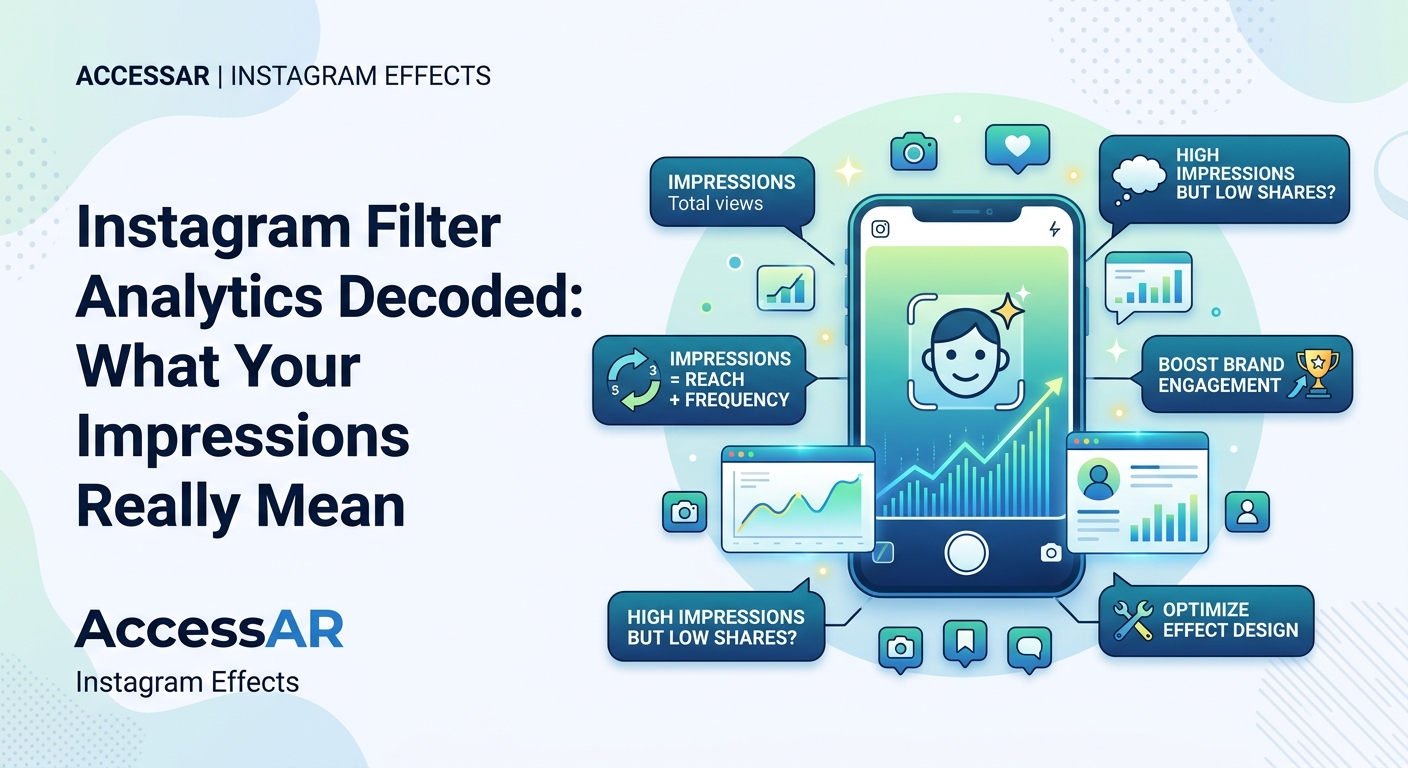
Impressions measure the total number of times your Instagram content appears on someone’s screen, including multiple views from the same person. This differs from reach, which counts unique viewers only. High impression-to-reach ratios indicate strong engagement, reshares, or algorithm favorability. Tracking impressions helps you identify which content formats, posting times, and topics resonate most with your audience, making it essential for refining your strategy.
Breaking Down Instagram Impressions
Impressions count every single time your content loads on a screen. If someone scrolls past your post three times in a day, that’s three impressions. If they watch your story twice, both views count.
Instagram doesn’t care whether the viewer studied your caption or just glanced at the thumbnail. The platform registers an impression the moment your content becomes visible in someone’s feed, story tray, explore page, or profile grid.
This metric exists across all Instagram content types:
- Feed posts
- Stories
- Reels
- IGTV videos
- Live broadcasts
- AR filters and effects
For AR creators specifically, filter impressions track how many times your effect appears in the camera interface, gets previewed, or gets used in a story. This becomes particularly valuable when you’re building Instagram AR filters and want to measure actual usage versus discovery.
Impressions vs Reach (And Why the Difference Matters)

Most people mix these up. Here’s the distinction:
Reach counts unique accounts. If 100 different people see your post once, your reach is 100.
Impressions count total views. If those same 100 people each view your post twice, your impressions jump to 200.
The ratio between these two numbers tells you something important about your content’s stickiness. A post with 500 impressions and 450 reach means people mostly saw it once. A post with 500 impressions and 200 reach suggests people came back multiple times, or your content got shared and reshared.
“The impression-to-reach ratio is one of the most underutilized metrics in Instagram analytics. When that number climbs above 2.0, you know you’ve created something that demands repeat attention.” – Social media strategist who analyzed 10,000+ Instagram campaigns
Where Impressions Get Counted
Instagram breaks down impression sources in your analytics. Understanding these categories helps you figure out where your content is actually showing up.
| Source | What It Means | Why It Matters |
|---|---|---|
| Home | Feed views from followers | Core audience engagement |
| Profile | Views from your profile page | Direct interest in your account |
| Hashtags | Discovery through hashtag searches | Content discoverability |
| Explore | Algorithm-driven recommendations | Viral potential indicator |
| Other | Shares, saves, direct messages | Strongest engagement signal |
The “Other” category deserves special attention. High numbers here mean people are actively sharing your content beyond their own feeds. This is where AR filters shine, since users actively send effects to friends or feature them in stories.
When you publish your first Instagram filter, watch the “Other” category closely. Filters spread through direct sharing more than any other content type.
How to Find Your Impression Data
Getting to your impression numbers takes just a few taps:
- Open Instagram and navigate to your profile
- Tap the menu icon (three horizontal lines) in the top right
- Select “Insights” from the menu
- Choose the content type you want to analyze (posts, stories, reels)
- Tap any individual piece of content to see detailed metrics
- Scroll to find “Impressions” along with the source breakdown
For AR filters, the process differs slightly. Filter analytics live in Meta Spark Hub, not the Instagram app itself. You’ll see impressions, opens, captures, and shares as separate metrics.
Business and creator accounts get access to these analytics. Personal accounts don’t. If you’re serious about tracking performance, switching to a professional account takes about 30 seconds and costs nothing.
Reading Between the Impression Numbers
Raw impression counts mean nothing without context. A post with 10,000 impressions sounds impressive until you realize it came from an account with 500,000 followers. That’s a 2% impression rate, which actually signals poor performance.
Here’s what healthy impression benchmarks look like for different account sizes:
- Under 1,000 followers: 200-400% of follower count
- 1,000-10,000 followers: 150-300% of follower count
- 10,000-100,000 followers: 100-200% of follower count
- Over 100,000 followers: 80-150% of follower count
These ranges account for the fact that not all followers see every post, but engaged audiences view content multiple times and share it beyond your immediate network.
Low impression numbers relative to your follower count usually point to one of these issues:
- Posting at times when your audience isn’t active
- Using content formats your audience doesn’t prefer
- Hashtags that aren’t relevant or are oversaturated
- Algorithm penalties from previous low-performing content
- Inconsistent posting schedule
High impression numbers with low engagement (likes, comments, shares) suggest your content is getting shown but isn’t resonating. The algorithm is giving you a chance, but viewers aren’t biting.
Impressions and the Instagram Algorithm
Instagram’s algorithm uses impression data to decide whether your content deserves wider distribution. The platform watches how quickly impressions accumulate in the first hour after posting.
Fast initial impression growth signals to Instagram that your content is engaging. The algorithm then pushes it to explore pages and non-follower feeds. Slow growth keeps your content contained to your existing follower base.
This creates a snowball effect. Content that hooks viewers immediately gets more impressions, which generates more engagement, which triggers even more impressions. Content that starts slow rarely recovers.
Timing your posts for maximum initial velocity matters more than posting at “optimal” times. If your core audience is most active at 9 PM, posting at 8:55 PM gives you a five-minute head start before peak traffic hits.
AR filters follow different algorithmic rules. Instagram promotes filters based on:
- How many people use them within 24 hours of discovery
- How many stories get created with the filter
- How many times the filter gets shared directly
- Whether the filter gets saved to someone’s favorites
Creating face tracking effects that encourage interaction gives your filter better odds of algorithmic promotion.
Using Impression Data to Improve Your Strategy
Impression tracking becomes useful when you compare performance across different variables. Run these experiments to extract actionable insights:
Content format testing: Post the same core idea as a carousel, single image, and reel. Compare impressions to see which format the algorithm favors for your account.
Timing experiments: Post identical content at different times across two weeks. Track which time slots generate the fastest impression growth in the first hour.
Hashtag performance: Use different hashtag sets on similar posts. Check which hashtags drive impressions from the “Hashtags” source category.
Caption length impact: Alternate between short captions (under 50 words) and long captions (over 200 words). See if one style generates more repeat views.
First-frame testing for reels: Create multiple versions of the same reel with different opening shots. The version with higher impressions has a more compelling hook.
Track these experiments in a simple spreadsheet:
| Post Date | Content Type | Topic | Impressions | Reach | Ratio | Top Source |
|---|---|---|---|---|---|---|
| Jan 15 | Reel | Tutorial | 3,847 | 2,103 | 1.83 | Home |
| Jan 18 | Carousel | Behind scenes | 1,923 | 1,654 | 1.16 | Profile |
| Jan 22 | Single image | Quote | 2,441 | 2,087 | 1.17 | Hashtags |
After 30 posts, patterns emerge. You’ll see which content types consistently generate higher impression-to-reach ratios, which topics get shared most, and which posting times trigger algorithmic promotion.
Common Impression Mistakes That Tank Your Numbers
Most creators sabotage their own impression counts without realizing it. Here are the biggest culprits:
Posting too frequently: Instagram penalizes accounts that flood feeds. More than two feed posts per day usually hurts more than it helps. Your second and third posts of the day compete with each other for impressions.
Ignoring story impressions: Stories with high impression counts tell you which topics deserve full feed posts. Many creators treat stories as throwaway content instead of using them as testing grounds.
Chasing viral trends too late: Jumping on a trend after it peaks means you’re competing with thousands of similar posts. Late-trend content gets impressions but rarely reaches new audiences.
Using banned or flagged hashtags: Some hashtags trigger Instagram’s spam filters. Your post still goes live, but impressions get throttled. Check hashtag status before using them.
Deleting low-performing content: The algorithm tracks your account’s overall performance history. Deleting posts doesn’t erase their impact on your account’s reputation. Better to learn from them and improve.
Buying fake engagement: Purchased likes and follows create artificial impression spikes that the algorithm detects. This triggers lasting penalties that suppress all future content.
For AR creators, the biggest mistake is not optimizing filters for actual use. Filters that look impressive in previews but are awkward to actually use generate initial impressions but no sustained growth.
Impressions for Business Accounts and ROI
Business owners often fixate on follower counts and ignore impressions. This is backwards. Impressions directly correlate with brand awareness, which drives sales more reliably than follower numbers.
A coffee shop with 800 followers but 5,000 weekly impressions reaches more potential customers than a competitor with 2,000 followers but only 1,500 weekly impressions. The first shop’s content is getting shared, saved, and viewed multiple times. The second shop’s followers are passive.
Calculate your impression-based CPM (cost per thousand impressions) to understand your organic reach value:
- Add up your total monthly impressions across all content
- Divide by 1,000
- Estimate how much you’d pay for equivalent paid ad impressions
- Compare that number to your content creation costs
If your organic content generates 50,000 monthly impressions and equivalent ad impressions would cost $250, your organic strategy is worth $250 per month. If you’re spending 10 hours monthly on content creation, that’s $25 per hour of value generated.
This math helps justify content creation time and potentially hiring help. It also reveals when paid promotion makes sense. If organic impressions plateau despite consistent effort, strategic ad spend can break through that ceiling.
AR filters offer unique ROI potential because they generate impressions long after publication. A successful filter can accumulate millions of impressions over months with zero additional effort. This is why monetizing Instagram filters has become a viable business model for creators.
Advanced Impression Tracking Techniques
Once you’ve mastered basic impression analysis, these advanced techniques provide deeper insights:
Cohort analysis: Group your content by topic, format, or posting time. Calculate average impressions for each cohort. This reveals patterns that individual post analysis misses.
Decay rate tracking: Monitor how impression counts change over time. Some content generates most impressions in the first 24 hours. Other content accumulates impressions steadily for weeks. Understanding your content’s decay rate helps you time reposts and updates.
Cross-platform comparison: If you post similar content on Instagram and other platforms, compare impression rates. Platform differences tell you where your content style fits best.
Follower impression rate: Divide total impressions by follower count for each post. Track this percentage over time. Declining rates signal algorithm issues or audience fatigue even if absolute impression numbers stay steady.
Saved-to-impression ratio: Instagram doesn’t directly show this, but you can calculate it. High save rates with high impressions mean your content has lasting value. Low save rates with high impressions suggest your content is eye-catching but not useful.
Making Impressions Work for Your Content Goals
Different content goals require different impression strategies. Align your approach with what you’re actually trying to achieve.
Goal: Brand awareness
Focus on maximizing total impressions across all sources. Prioritize shareable content formats like reels and filters. Don’t worry if impression-to-reach ratios are low, as long as absolute numbers keep climbing.
Goal: Community building
Target high impression-to-reach ratios, which indicate your existing followers are viewing content multiple times. This suggests strong connection and interest. Prioritize content that encourages saves and return visits.
Goal: Lead generation
Track impressions from the “Profile” and “Other” sources. These indicate people are interested enough to visit your profile or share your content, both strong buying signals. Create content that drives profile visits rather than passive scrolling.
Goal: Product launches
Concentrate impressions in a short time window. High impression velocity during launch week creates urgency and FOMO. Use stories, reels, and countdown features to stack impressions rapidly.
Goal: Thought leadership
Prioritize impressions from “Explore” and “Hashtags” sources. These indicate your content is reaching beyond your existing network. Focus on educational content that attracts new audiences searching for specific information.
Your Impression Strategy Moving Forward
Impressions aren’t just a vanity metric to glance at and forget. They’re a diagnostic tool that reveals whether your content is working, who’s seeing it, and where it’s spreading.
Start tracking your impression-to-reach ratios today. Pick your last 10 posts and calculate the ratio for each one. Find the three highest-performing pieces and identify what they have in common. That’s your blueprint for content that actually gets seen.
Then commit to one month of deliberate impression optimization. Test different posting times, content formats, and topics while tracking the results. By the end of 30 days, you’ll have concrete data showing what works for your specific audience, not just generic best practices that may or may not apply to you.
The creators and businesses winning on Instagram right now aren’t guessing. They’re measuring, testing, and adapting based on what their impression data tells them. Your analytics dashboard is already full of answers. You just need to know which questions to ask.