
Face tracking effects have transformed Snapchat from a simple messaging app into a creative powerhouse. Every day, millions of users apply filters that follow their facial movements, creating content that spreads across platforms and drives massive engagement.
But not all face tracking effects perform equally.
Some lenses rack up millions of views while others barely register. The difference comes down to understanding how face tracking technology works and applying specific techniques that resonate with audiences.
Face tracking effects on Snapchat use advanced [AR technology](https://en.wikipedia.org/wiki/Augmented_reality) to map facial features and movements in real time. Successful creators combine technical precision with creative concepts, focusing on effects that trigger emotional responses, encourage interaction, and align with current trends. Understanding anchor points, occlusion handling, and performance optimization separates viral content from forgettable filters.
Understanding Face Tracking Technology on Snapchat
Face tracking works by identifying key facial landmarks on your face. These landmarks include your eyes, nose, mouth, eyebrows, and jawline.
Snapchat’s Lens Studio uses a sophisticated mesh that maps to these points. The system tracks up to 68 facial landmarks simultaneously, updating their positions 30 to 60 times per second.
This real-time tracking allows digital objects to stick to your face as you move. Turn your head left, and the effect follows. Smile, and the animation responds.
The technology distinguishes between different facial expressions too. It can detect when you raise your eyebrows, open your mouth, or wrinkle your nose. Each of these triggers can activate different visual responses.
Three core components make face tracking possible:
- Detection algorithms that locate faces in the camera frame
- Landmark identification that pinpoints specific facial features
- Tracking systems that maintain accuracy as you move
Modern face tracking also handles partial occlusion. If your hand covers part of your face, the system predicts where those hidden features should be based on visible landmarks.
Types of Face Tracking Effects That Drive Engagement
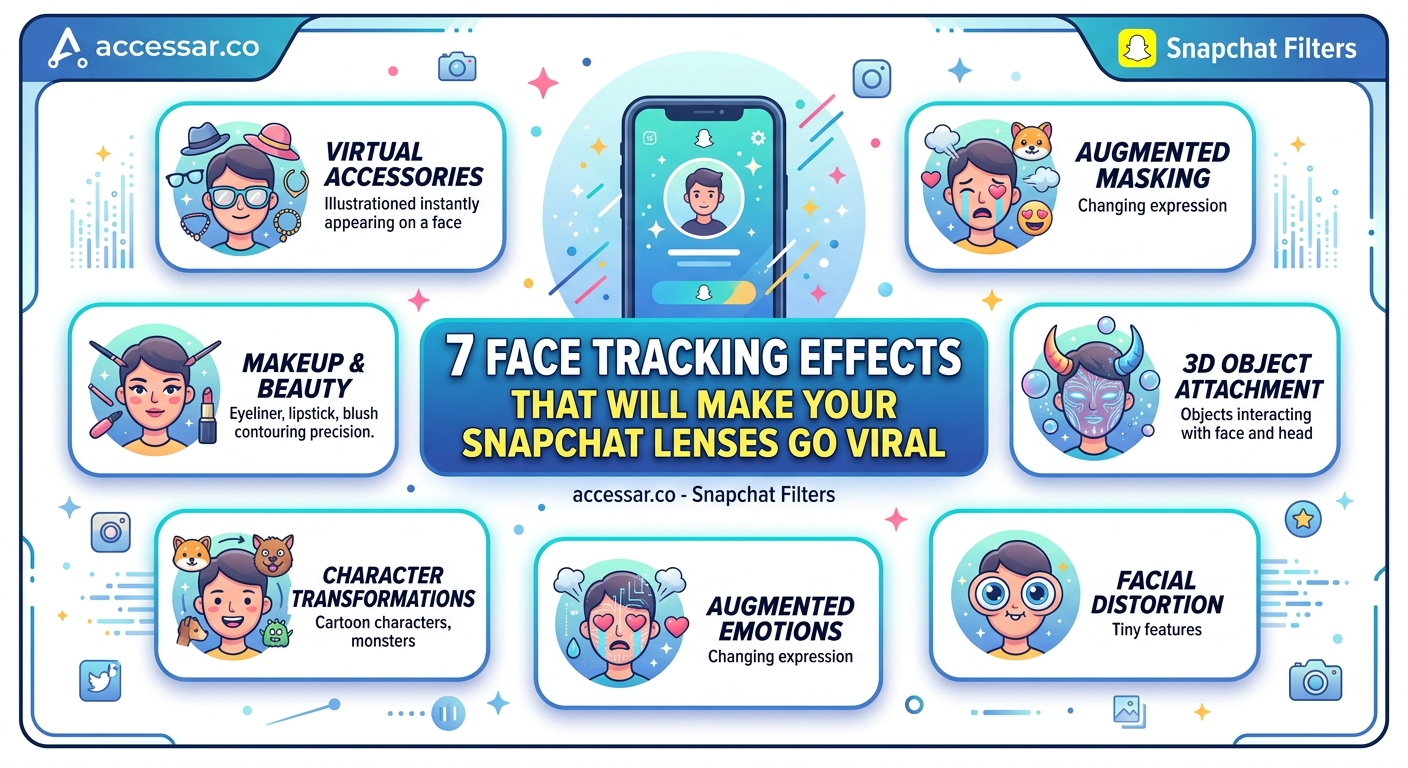
Different effect categories perform better with specific audiences. Understanding these categories helps you choose the right approach for your content goals.
Transformation effects completely change your appearance. These might turn you into an animal, age you by decades, or swap your gender. They work because they satisfy curiosity about “what if” scenarios.
Enhancement effects amplify existing features. Think glowing skin, sparkly eyes, or perfectly shaped eyebrows. These filters get shared because they make users feel confident about their appearance.
Interactive effects respond to specific actions. Open your mouth and butterflies fly out. Raise your eyebrows and a crown appears. These create natural moments of surprise that feel rewarding to capture.
Game-based effects turn your face into a controller. Catch falling objects with your mouth, guide a character by tilting your head, or score points through facial expressions. The competitive element drives repeated use.
Story-driven effects place you inside a narrative. You become a character in a mini-movie, complete with props, backgrounds, and animated sequences triggered by your movements.
| Effect Type | Best For | Typical Engagement |
|---|---|---|
| Transformation | Curiosity and humor | High shares, moderate retention |
| Enhancement | Daily use and selfies | Lower shares, high retention |
| Interactive | Discovery and play | Very high initial engagement |
| Game-based | Challenges and competition | Moderate shares, high replay value |
| Story-driven | Creative expression | High saves, moderate shares |
Building Your First Face Tracking Effect
Creating a face tracking effect requires Lens Studio, Snapchat’s free desktop application. The software runs on both Mac and Windows.
Here’s how to build a basic effect from scratch:
- Download and install Lens Studio from the official Snapchat website
- Open the application and select “Face” from the template options
- Choose a starter template that matches your concept or start with a blank project
- Import your 3D models, images, or animations into the assets panel
- Attach objects to specific face landmarks using the Face Mesh feature
- Test your effect using the preview panel with different facial expressions
- Adjust positioning, scaling, and timing based on how the effect performs
- Submit your lens for review through the publishing interface
The Face Mesh object serves as your foundation. This invisible mesh deforms with facial movements, and anything you attach to it moves naturally with the face.
Anchor points determine where objects sit on your face. The nose tip, forehead center, and chin are popular choices because they provide stable tracking even during movement.
Start simple with a single object attached to one anchor point. Master that before adding complexity. A well-executed simple effect outperforms a buggy complex one every time.
Technical Considerations for Smooth Performance
Performance issues kill user experience faster than anything else. Laggy effects get closed immediately, destroying any chance of going viral.
Frame rate matters enormously. Your effect should maintain at least 30 frames per second on mid-range devices. Anything lower feels choppy and unprofessional.
Polygon count directly impacts performance. Keep 3D models under 10,000 triangles total for all objects combined. Optimize meshes by removing unseen faces and simplifying geometry.
Texture resolution creates another bottleneck. Use power-of-two dimensions (512×512, 1024×1024) and compress textures without visible quality loss. A single 4K texture can crash older phones.
Particle systems eat processing power. Limit particle counts to 50-100 maximum, and use simple sprites rather than complex 3D particles.
Script efficiency matters too. Avoid running heavy calculations every frame. Cache values when possible and use event triggers instead of continuous checks.
Test on actual devices, not just the simulator. The preview panel doesn’t accurately represent real-world performance on budget smartphones.
Common Mistakes That Tank Engagement
Even technically sound effects fail if they ignore user psychology. Certain mistakes appear repeatedly among unsuccessful lenses.
Overcomplicated designs confuse users. If someone can’t understand your effect within two seconds, they’ll skip it. Clarity beats cleverness.
Poor lighting adaptation makes effects look terrible in dim environments. Test your lens under various lighting conditions and adjust materials to compensate.
Ignoring facial diversity creates effects that only work on certain face shapes or skin tones. Your tracking should accommodate wide variations in facial structure.
Excessive screen coverage blocks too much of the user’s face. People want to be recognizable in their content. Leave at least 40% of the face visible.
No clear trigger moments leave users wondering what to do. Include visual cues or text prompts that guide interaction.
Forgetting sound design misses a huge engagement opportunity. Audio feedback makes interactions feel more satisfying and increases shareability.
Ignoring current trends means your effect arrives too late. Monitor what’s popular and adapt concepts while they’re still relevant.
Optimizing for Viral Potential
Viral effects share specific characteristics. Understanding these patterns helps you design with spread in mind.
Emotional triggers drive sharing behavior. Effects that make people laugh, feel attractive, or experience surprise get shared more than neutral ones.
Novelty creates initial buzz. Being first with a new technique or concept gives you a massive advantage. Once the market saturates, that effect type loses impact.
Challenge potential extends lifespan. If your effect can inspire a challenge format, it gains momentum through participation. Think of the “pass it on” style effects that dominated TikTok crossovers.
Screenshot worthiness determines saves. People save effects they want to use again or show others. Design for that single perfect frame that looks amazing as a still image.
Cross-platform appeal matters more now. Effects that work well when reposted to Instagram, TikTok, or Twitter reach broader audiences.
Timing your release around events, holidays, or trending topics multiplies visibility. A Halloween effect launched in October performs 10x better than the same effect in March.
- Release during peak usage hours (7-9 PM in your target timezone)
- Coordinate with influencer partnerships for launch day
- Create teaser content showing the effect in action before release
- Use relevant hashtags in your lens description
- Engage with early users who share their content
Advanced Techniques for Professional Results
Professional-level effects incorporate sophisticated techniques that separate amateur work from creator-quality content.
Blend shapes allow facial expressions to trigger specific animations. Map a smile to one animation sequence and a frown to another. This creates dynamic responses that feel personalized.
Procedural animation generates movement through code rather than pre-baked sequences. Objects that respond to physics or mathematical functions feel more organic than looped animations.
Multi-layer effects combine several visual elements that activate under different conditions. A base layer might always show, while additional layers appear based on facial expressions or head position.
Custom shaders give you precise control over visual appearance. Learning basic shader code opens possibilities that standard materials can’t achieve.
Segmentation masking separates the user from the background, enabling effects that only apply to the person or only to the environment behind them.
Hand tracking integration extends beyond just face tracking. Combining hand gestures with facial tracking creates richer interactions.
World tracking features anchor objects in 3D space rather than just on faces. This allows effects where you can walk around virtual objects or place them in your environment.
Testing and Iteration Strategies
Your first version will never be your best version. Professional creators test extensively and iterate based on real feedback.
Beta testing through Snapchat’s unlisted link feature lets you share effects with a small group before public release. Gather feedback on:
- How intuitive the effect feels
- Whether instructions are clear
- Performance on different devices
- Unexpected visual glitches
- Emotional response to the concept
A/B testing different versions helps identify what works. Change one variable at a time (color scheme, trigger mechanism, object placement) and compare engagement metrics.
Analytics tell you what’s actually happening. Monitor:
- View count and view duration
- Share rate and save rate
- Scan-to-use conversion
- Drop-off points in interactive effects
- Geographic performance differences
User-generated content reveals unexpected use cases. Watch how people actually use your effect. They’ll often find creative applications you never considered.
Seasonal updates keep effects relevant. Refresh popular lenses with new themes or features rather than always starting from scratch.
Making Your Effects Discoverable
Creating a great effect means nothing if nobody finds it. Distribution strategy matters as much as technical execution.
Snapchat’s Lens Explorer serves as the primary discovery mechanism. Optimize your listing with:
- A clear, descriptive name that includes key terms
- An eye-catching icon that shows the effect in action
- Tags that match how users search
- A compelling description that explains what makes your lens special
Influencer partnerships accelerate growth. A single story from a creator with 100K followers can generate thousands of scans. Reach out to influencers whose content aligns with your effect’s style.
Cross-promotion on other platforms builds awareness. Post preview videos on Instagram Reels, TikTok, and YouTube Shorts with clear instructions on how to find the effect on Snapchat.
Community engagement creates loyal users. Respond to comments, feature user-generated content, and build relationships with people who use your effects regularly.
Timing seasonal releases around holidays or events catches algorithmic momentum. Snapchat promotes timely content more aggressively than evergreen effects.
Collaboration with brands opens commercial opportunities. Companies constantly seek AR creators for sponsored lenses, providing both income and exposure.
Measuring Success Beyond View Counts
Views tell part of the story, but other metrics reveal true impact.
Retention rate shows how long people actually use your effect. High views with low retention mean people try it once and leave. High retention indicates genuine value.
Share rate measures viral potential. If 10% of users share content created with your effect, you’ve hit something special. Most effects see 2-3% share rates.
Favorite rate indicates lasting appeal. Users who favorite your lens plan to use it again. This metric predicts long-term performance better than initial view spikes.
Scan-to-use conversion reveals how compelling your preview is. If many people scan your Snapcode but few actually apply the effect, your preview doesn’t match the experience.
Geographic spread shows cultural resonance. Effects that perform well across different countries have universal appeal, while localized success might indicate niche relevance.
Portfolio growth matters more than individual hits. One viral effect is luck. Consistent performance across multiple releases demonstrates skill.
Staying Current with Platform Updates
Snapchat constantly evolves its AR capabilities. Staying current separates active creators from outdated ones.
Lens Studio updates arrive monthly with new features and improvements. Each release notes document changes, new templates, and deprecated features.
Platform trends shift rapidly. What worked six months ago might feel stale today. Monitor top-performing lenses weekly to spot emerging patterns.
Technical capabilities expand regularly. Features like body tracking, pet tracking, and location-based AR open new creative possibilities.
Community resources provide ongoing education. The Lens Studio Discord, official forums, and creator YouTube channels share techniques and troubleshooting help.
Certification programs from Snapchat validate your skills and increase visibility to potential brand partners. The Official Lens Creator designation carries weight.
Turning Your Skills Into Opportunities
Face tracking expertise opens multiple revenue paths beyond just creating for fun.
Freelance lens creation for brands pays $500 to $5,000+ per effect depending on complexity and your portfolio strength. Companies need AR content but lack in-house expertise.
Sponsored lenses with influencers create partnership opportunities. You provide technical skills while they provide audience reach.
Teaching others through courses or tutorials generates passive income. Many creators want to learn but feel intimidated by the technical aspects.
Template sales on marketplaces let you monetize your work repeatedly. Create starter projects that others can customize and sell them to time-strapped creators.
Agency work offers steady income. AR agencies constantly need skilled creators to handle client projects.
Building your own brand as an AR creator attracts opportunities you can’t predict. Companies and collaborators find you rather than you hunting for work.
Your Face Tracking Journey Starts Now
Face tracking effects on Snapchat represent one of the most accessible entry points into professional AR creation. The tools are free, the audience is massive, and the barrier to entry keeps dropping.
Start with simple concepts executed well. Master the fundamentals of face mesh attachment, optimize for performance, and test thoroughly across devices. Your first effect won’t be perfect, and that’s completely fine.
Pay attention to what resonates with users. Let data and feedback guide your iterations. The creators who succeed aren’t necessarily the most technically skilled but rather those who understand their audience and deliver experiences people want to share.
The face tracking landscape changes constantly, creating fresh opportunities for creators who stay curious and keep learning. Your unique perspective and creative voice matter more than following formulas. Build effects that you find interesting, and you’ll naturally attract an audience that shares your sensibilities.